Will the app remind drivers to carry out an inspection?
Yes. The fleet condition app reminds people to inspect a vehicle by itself, according to the message schedule you set. You configure this in the app settings and can create several schedules at once. That way you can be sure the fleet's technical condition is controlled the way you intended.
Is photographing the vehicle mandatory?
Yes, but only for vehicle users. People with a higher access level do not have to take photos.
Can a driver send photos taken earlier from the phone's gallery?
No, that option is blocked and the driver has to take current photos of the vehicle to go any further. That is how our fleet inspection software keeps the information collected reliable.
Does the driver confirm the inspection with a signature?
Yes, just as with a handover report, at the very end the author signs with a finger on the screen.
Can drivers report car problems through the app?
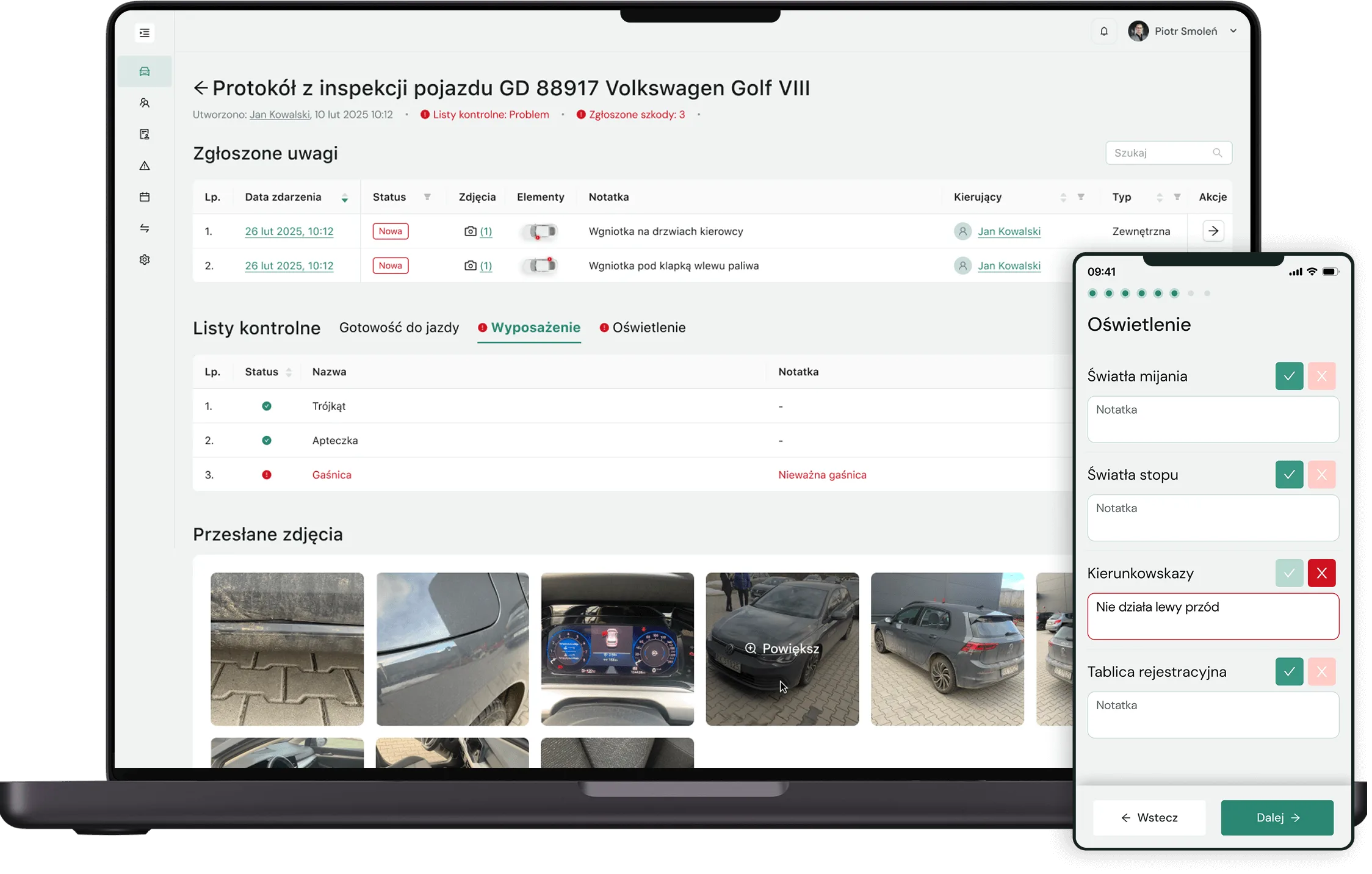
Yes. In the Inspections module drivers can report both technical faults and damage. Every fault is given the status „New” and goes into the fleet-wide fault record and into the vehicle's file. That way our fleet condition app gives you complete information about the state of each company car.
How do you report vehicle damage to the fleet department?
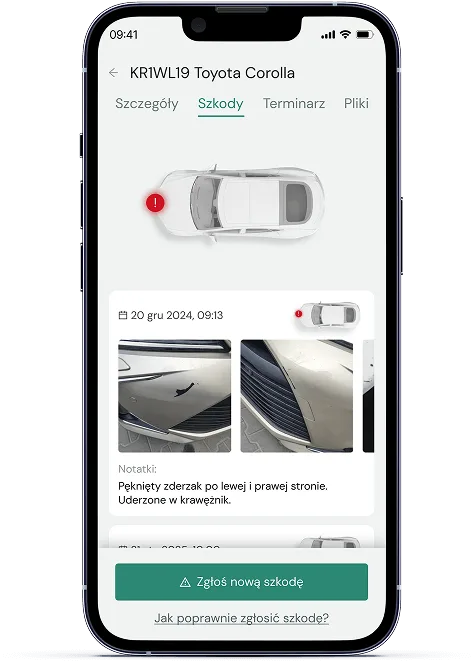
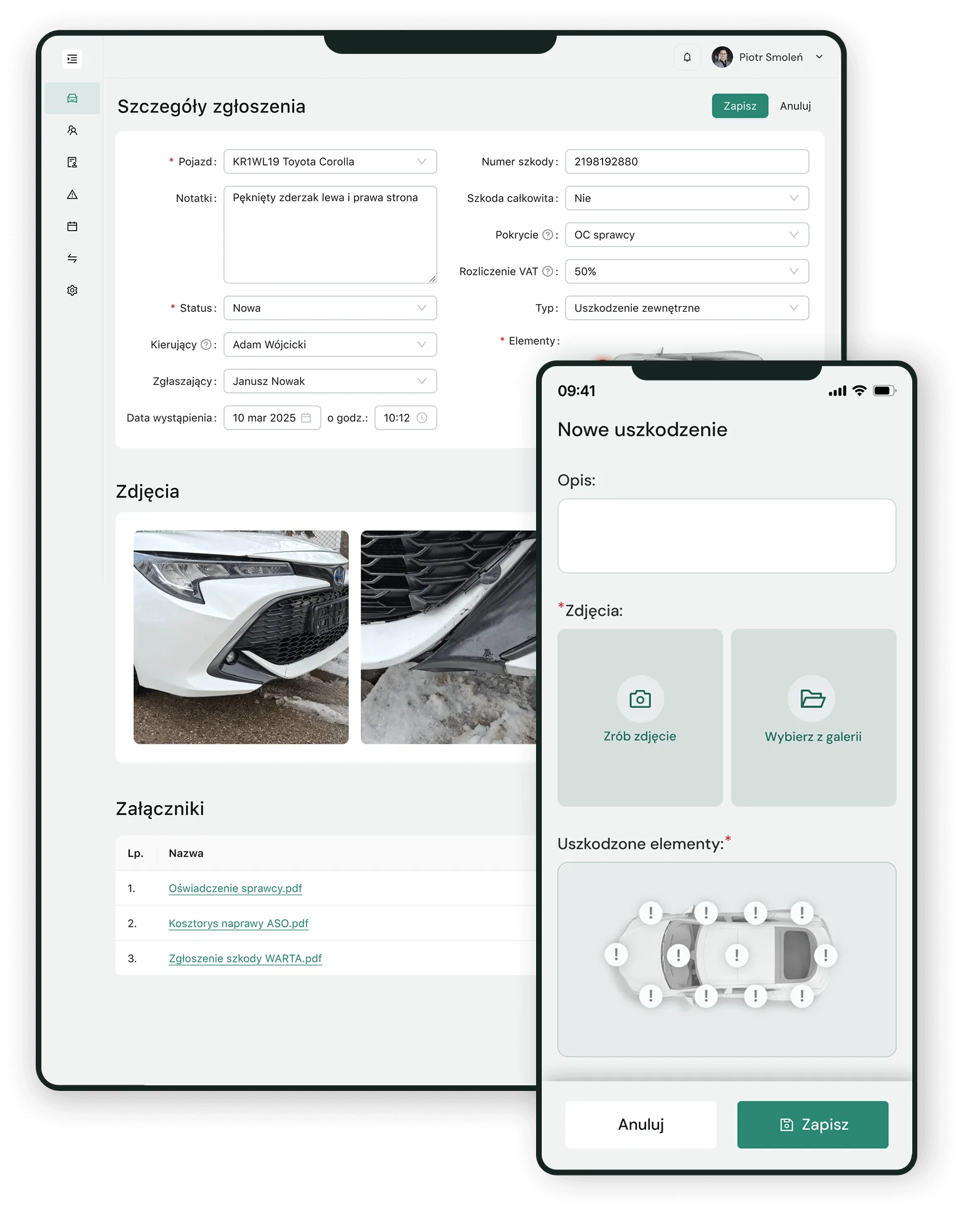
Just open Navifleet Manager and tap the „Report damage” button. The app asks for a description, for the damaged parts to be marked and for photos. The damage reported goes into the damage record and into the vehicle's file in the browser (desktop) app. With information about vehicle damage organised this way, the assessment of the fleet's condition can rest on reliable, complete data.
What do you gain from the Navifleet fleet inspection app?
If you are wondering how to check the condition of your fleet easily and conveniently, Navifleet is the answer. Our software for controlling the technical condition of vehicles brings the user a number of benefits.
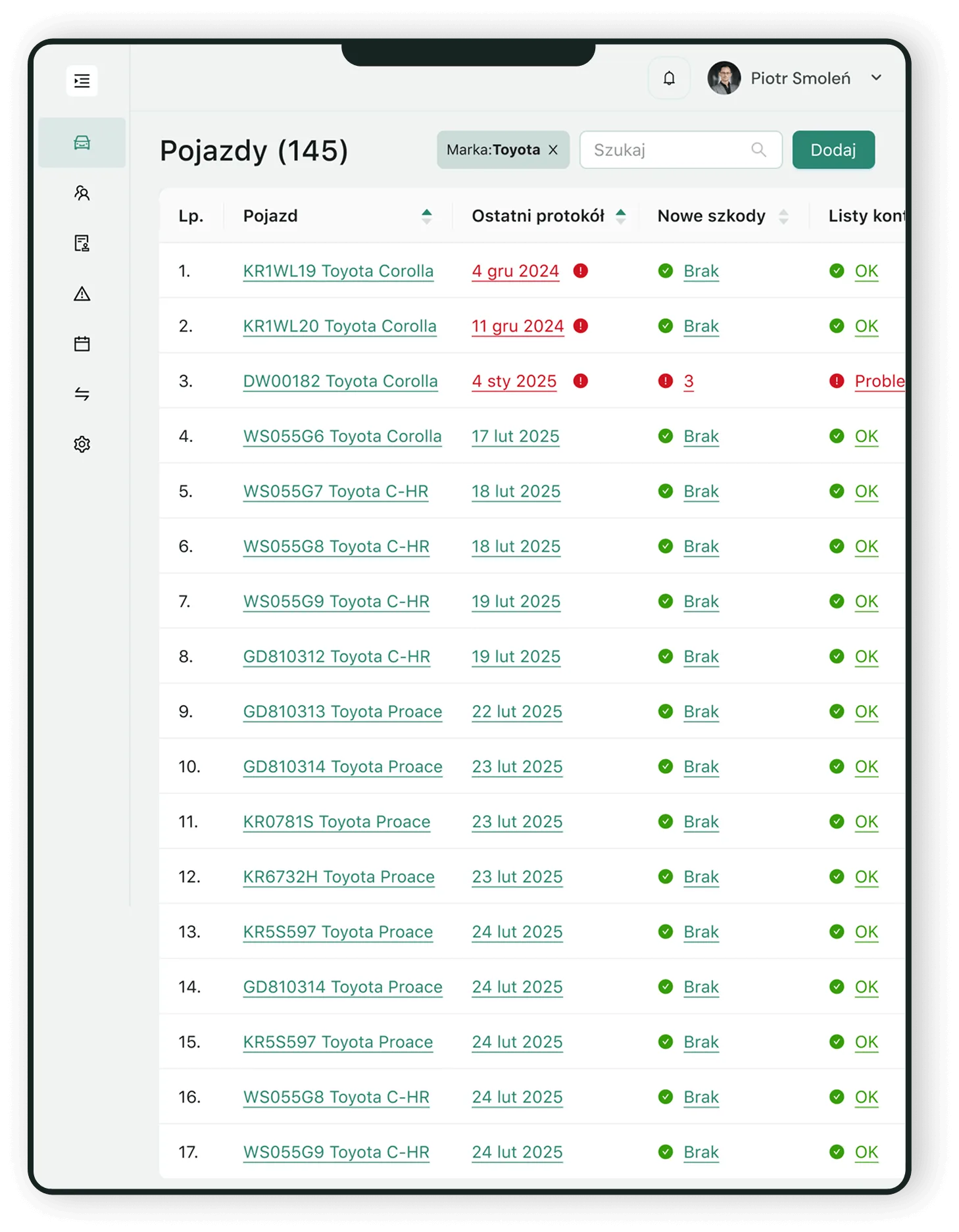
Above all, our application makes possible continuous and precise control of the fleet's technical condition. Many companies struggle with company vehicles „scattered” across different parts of the country or even several countries, which leaves them without up-to-date information about them. When assessing the fleet's condition is this difficult, unpleasant financial consequences can follow. Where do they come from? Without regular, reliable reports it often ends with sizeable sums having to be spent to bring a damaged company car back to proper working order. Our convenient app for reporting vehicle faults removes that problem and makes digital fleet control work very effectively. The Inspections module gives you the option of filing a report without handing the vehicle over, so its technical condition can be checked even when the car is many kilometres from base.
Navifleet also significantly improves the control and online management of fleet documentation. How? Our fleet condition reporting system lets anyone with access to the app report vehicle damage and any faults. Every event reported goes automatically into the vehicle's file and can be supplemented with photos or other additional information. With that data collected, controlling the fleet's technical condition becomes easier, and any future technical audit of the company's vehicles – simpler to carry out.
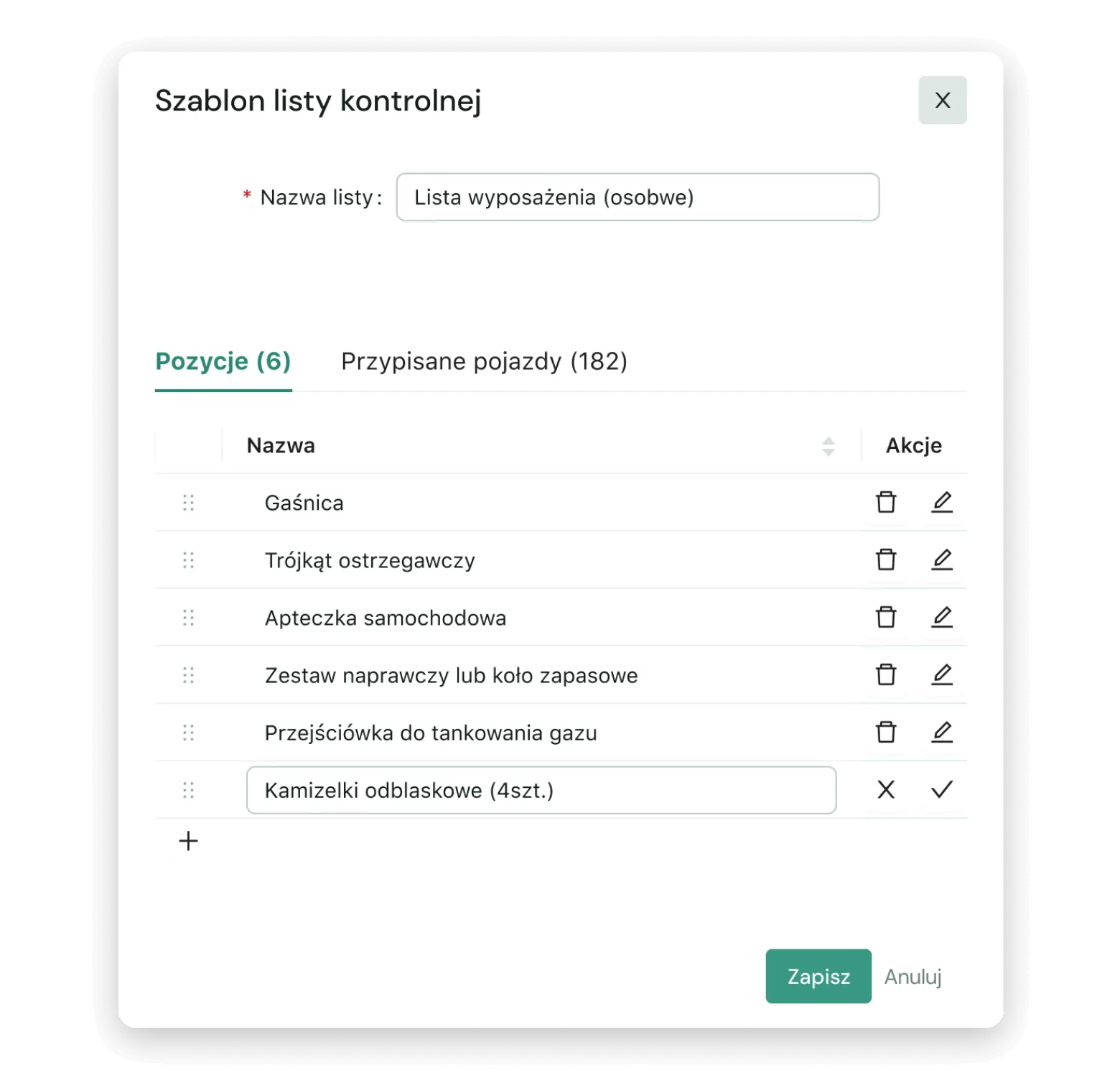
An important benefit for Navifleet users interested in digital audits of a fleet's technical condition is also being able to create your own checklist templates with ease and assign them to individual vehicles. More than one checklist template can be assigned to each company car. As a result, opening a vehicle's details in the app is enough to get organised information about the state of the items on a given list or the results of the last check. Thanks to that checking the fleet's technical condition goes more easily and more quickly.
How can a fleet inspection be carried out with Navifleet?
Navifleet Manager lets you carry out fleet inspections conveniently in the mobile app. Getting to the inspection tool takes no time at all – just tap the „Carry out inspection” button on the home screen.
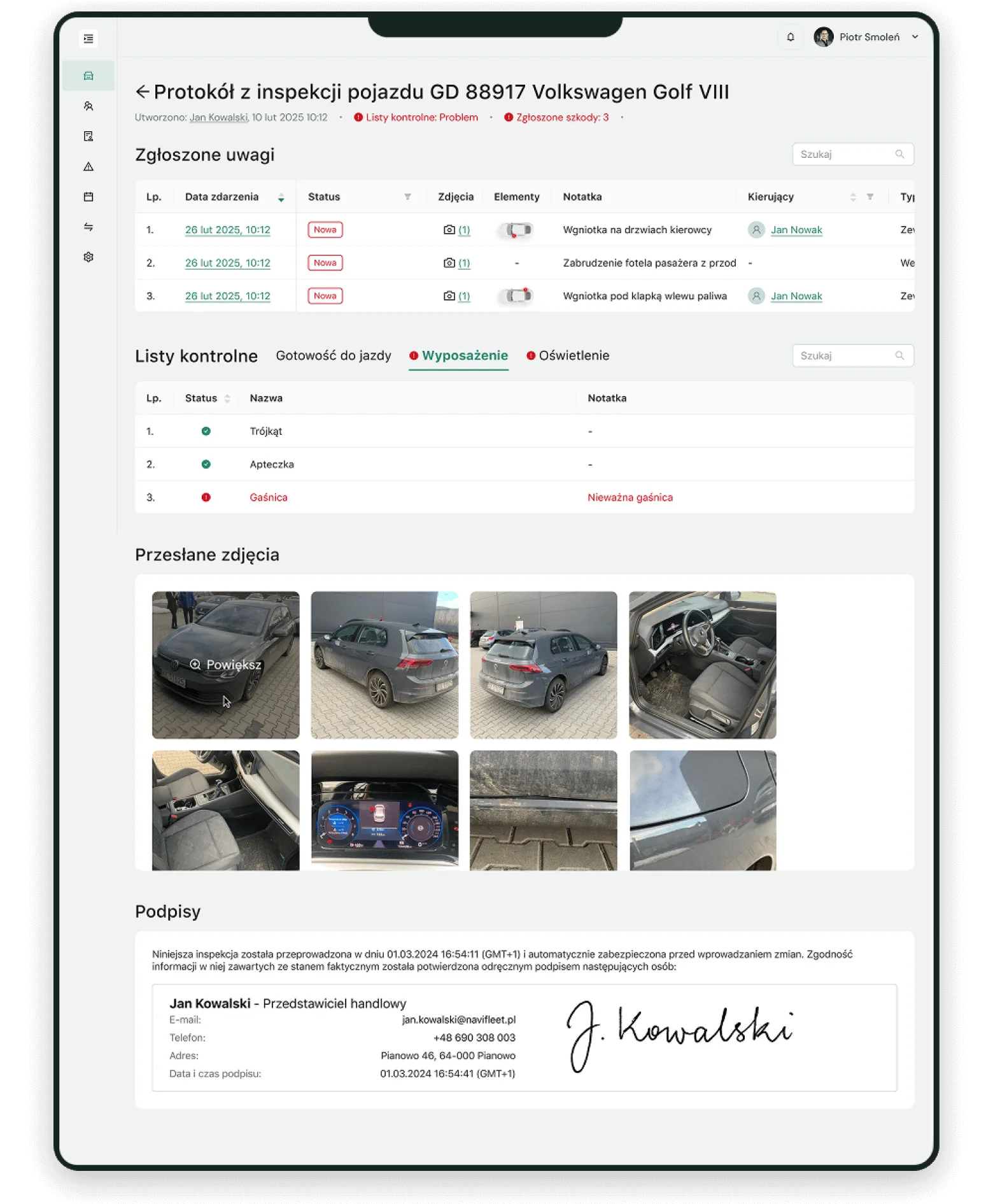
What does the process of completing an inspection with our vehicle condition software look like? It consists of a few simple steps. The user first documents exterior damage and adds photos of it, then does the same for interior damage. They also enter operating readings, such as the odometer reading or the fuel level, and then go through the items of the checklists assigned to the vehicle. The whole process ends with the user's signature. Afterwards the inspection report is available in the REPORTS tab in the side menu.
Does the Navifleet fleet condition app allow a vehicle inspection to be deleted once added?
No – once the author of the inspection has signed it, it can no longer be deleted or modified. That way whoever is responsible for checking the fleet's technical condition has access to a reliable history of each company vehicle.
Does the Navifleet fleet inspection system require every checklist item to be checked each time?
Navifleet helps make sure that the assessment of a company fleet's condition rests on reliable data. To that end, among other things, it requires every vehicle inspection to cover the full set of items on the checklists assigned to that vehicle. What is more, if a problem is reported on any item, a note with the necessary information has to be filled in. A mechanism like this makes effective monitoring of the fleet's technical condition easier.
It is worth stressing that the checklist results can be checked conveniently later on. They appear in the PDF report and in the details of the vehicle inspection. As a result the technical condition of a company fleet can be controlled more precisely and more effectively.
What modules besides Inspections does Navifleet Manager offer?
Navifleet Manager, the fleet condition app, offers not only the Inspections module but other important features as well, such as: digital handover reports and deadline notifications and the fleet's service history. In what way do they support effective fleet management for company cars?
- Digital vehicle handover reports simplify and speed up the whole process of handing company cars over.
- The Scheduler module, in turn, makes Navifleet work as a system for planning technical inspections and for keeping track of many other important fleet deadlines. Automatic reminders mean you can have full control over the dates of all kinds of important fleet events. That makes managing the fleet's technical inspections, lease agreements, driver qualifications and many other areas far more convenient.
It is worth adding that Navifleet, a comprehensive fleet management system and monitoring platform, gives users an even wider range of options, going well beyond the digital vehicle handover reports and mobile fleet inspections mentioned above. They include:









 Fleet coordinators
 Branch managers
 Vehicle users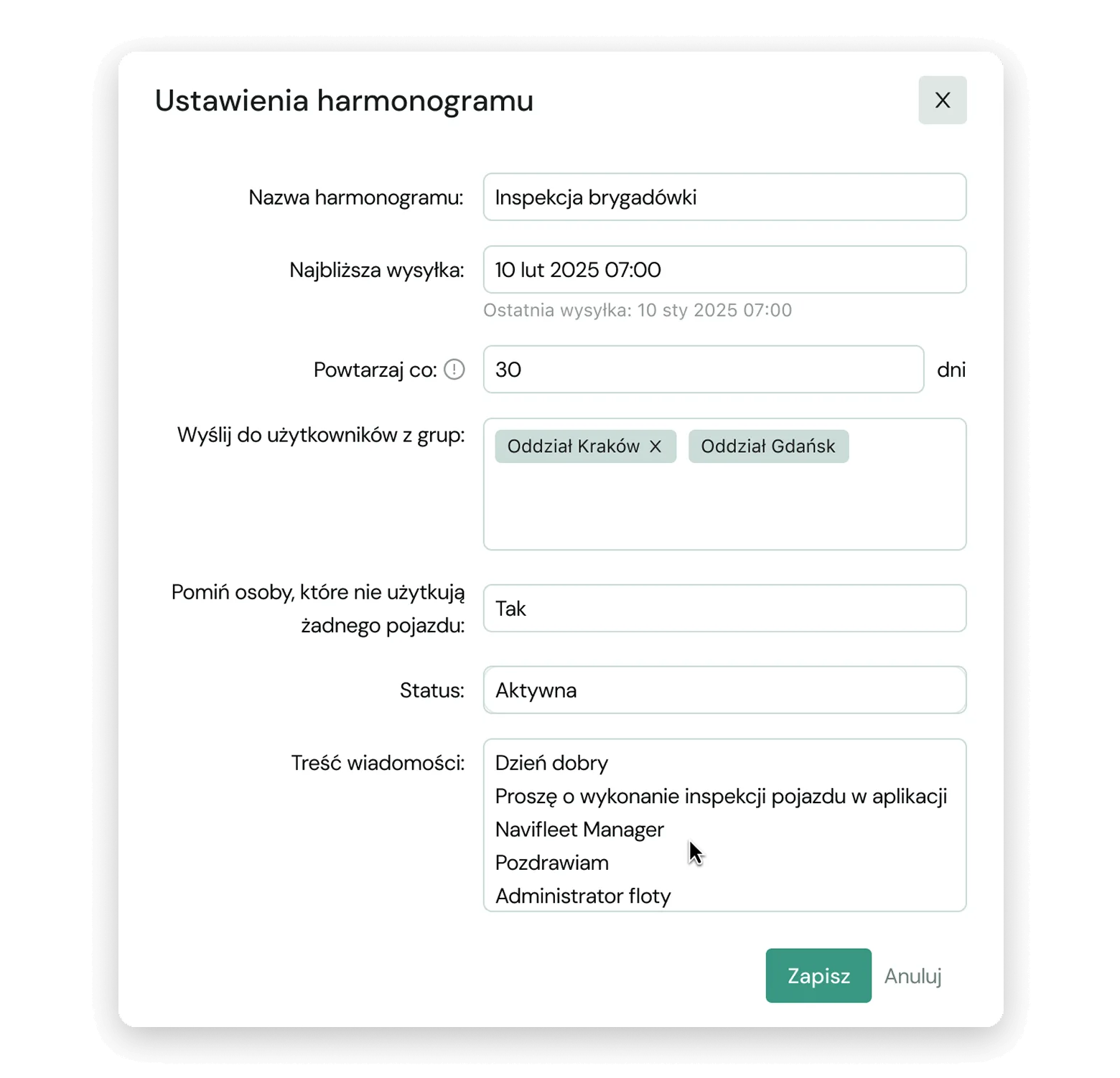









 Message schedules
 Checklist templates
 Reporting and recording faults
 Reporting and recording damage
 Odometer reading update
 Mandatory photos
 App access for different members of staff
 Digital signature of the person inspecting
 Update of the vehicle's condition
 Inspection report