Reliable software for downloading driver card and digital tachograph memory data is an essential tool for a transport company. Why? One of a haulier's basic duties is to download data from tachographs and driver cards regularly. The files then have to be stored properly for at least 12 months so that they are available in the event of an inspection. The information they contain makes it possible to settle drivers' working time correctly. Some companies handle this themselves, for example by assigning the task to a designated employee, while others send the files to a payroll office specialising in drivers' working time. Whichever approach you take, good software for downloading driver card and tachograph data can streamline the whole process considerably.
Wondering what sets apart tachograph and driver card download software worth considering? You will find out in the rest of this article, where we also explain, among other things, how often driver cards and tachograph memory should be downloaded, how manual and remote downloads differ, and when to choose each of them.
What is driver card download software for?
The driver card records, among other things, driving time, other work, availability, breaks and rest periods. Driver card download software makes it possible to retrieve this information and save it as a .ddd file, which can then be archived or passed on for analysis.
Not every program works the same way, however. In the simplest version, the driver has to bring the card to the company's premises and insert it into a driver card reader connected to a computer. Properly configured solutions, on the other hand, allow remote download of data from the tachograph memory and from the driver card inserted in it. This means the vehicle does not have to return to base solely to perform a download. In this case, downloading driver card and tachograph memory data can take place remotely and automatically, according to a predefined schedule.
It is important to distinguish driver card download software from software for recording and settling drivers' working time. The first is primarily used to download and archive files. In the second case, the software lets you open and analyse the collected data, detect infringements and prepare settlements. There are also solutions on the market that combine both areas. Transport companies using them can, among other things:
- ensure that digital tachographs and driver cards are downloaded as regularly as the regulations require,
- enable automated, remote download of driver card and tachograph memory data, which avoids having to bring the vehicle back from the road to the company's base,
- make it easier to keep correct records and settle drivers' working time.
Want a complete set of DDD files for your payroll office, on time?
See how Navifleet downloads driver card and tachograph data on a schedule.
Book a free demo →Tachograph download software: what data does it download?
Tachograph download software retrieves the information stored in the unit's mass memory. This includes driver activities, data on vehicle use, and recorded events and faults.
How often should driver card and tachograph data be downloaded?
Professional tachograph and driver card software should allow data to be downloaded at the required intervals. Under the regulations, the maximum period between consecutive downloads is:
- 28 days for the driver card,
- 90 days for the tachograph memory.
Downloads can be performed more often if this makes work easier to organise or reduces the risk of losing data. In certain situations the files have to be downloaded earlier, for example before a driver leaves the company or a vehicle is handed over to another operator.
With manual download of tachograph and driver card data, you have to keep track of the deadlines and make sure you have access to the right equipment. A driver card can be downloaded with a card reader connected to a computer. Downloading data directly from the tachograph memory, on the other hand, requires access to the vehicle, a download device and a company card. In a larger or dispersed fleet it is easy to perform a download too late. That is why it is worth checking whether the tachograph and driver card software you choose lets you set a download schedule and notifies you of missing files and approaching deadlines.
What should good tachograph and driver card software offer?
Many hauliers wonder what to look for when choosing tachograph and driver card download software. Above all, it should meet the company's real needs rather than merely download data. When choosing, it is worth paying attention to:
- remote download of driver cards and tachograph memory,
- support for the latest generation of smart tachographs, G2V2,
- automatic monitoring of download deadlines,
- clear information on the last download performed,
- secure archiving and easy access to the file history,
- the option to request a download manually when needed,
- automatic preparation and sending of a complete set of files to a designated person or payroll office,
- access to technical support.
Before settling on a particular solution, it is also worth checking which devices need to be installed in the vehicle and whether your tachographs support remote data download.
Manual or remote tachograph download: which to choose?
Manual download from a digital tachograph may be enough for a company with a single vehicle that regularly returns to base. It does, however, require an employee's involvement, access to the right devices and keeping track of the deadlines yourself. The more vehicles and drivers there are, the harder it becomes to keep this process error-free.
Remote download works particularly well when vehicles spend long periods on the road. The system retrieves the data according to a set schedule, so the driver does not have to return to base just to make the card or vehicle available. In this way, the company can reduce the number of manual tasks and lower the risk of missing the applicable deadlines.
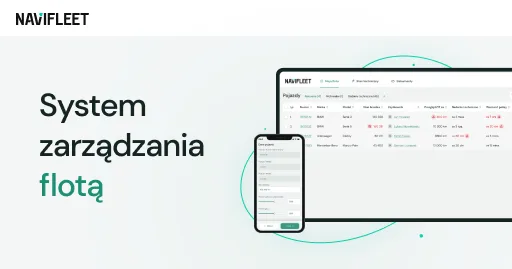
This is how remote download of driver cards and tachograph memory works in Navifleet. The system downloads DDD files according to a set schedule and saves them in the download history. The user can see the dates of the last downloads as well as information about approaching and overdue deadlines. If necessary, they can also request a manual download of a selected card or tachograph memory.
Navifleet also makes it possible to prepare packages of downloaded DDD files and send them periodically to a specified e-mail address, for example directly to the person responsible for settlements or to an external payroll office.
Looking for GPS tracking with remote download of DDD files?
We will show you the system using your own fleet as an example: 30 minutes, online.
Book a free demo →How to choose the best tachograph card download software?
The best software for downloading driver card and tachograph memory data does not have to have the most features. Above all, it should fit the way the company operates. It is worth checking how many driver cards and tachographs it will handle, how often the vehicles return to base, and who is responsible for downloading, storing and analysing the data.
If the company has a small fleet and the vehicles regularly come to its premises, a manual download solution may be sufficient. For a larger or dispersed fleet, a system that allows remote download of DDD files, archives them and automatically forwards the data for settlement will bring more benefits.
Driver card and tachograph memory download software then becomes part of a well-organised process. It saves time, keeps you informed about download progress, reduces the number of manual tasks, warns about missed deadlines and makes it easier to prepare the documentation needed for settlements or a possible inspection.
As a solution for remote download of the tachograph and driver card from a van or a vehicle with a GVW above 3.5 tonnes, the Navifleet system is an excellent choice. With it, a transport company can make it easier to operate in compliance with the regulations while streamlining many processes, from systematic download of tachograph and driver card data, through secure archiving, to sending DDD files to the specialist handling settlements. The Navifleet system, which simplifies fleet management, is therefore an attractive choice for hauliers who want to use modern technology to save time and reduce the errors that carry the risk of penalties from the inspection authorities.
If you would like to learn more about how to use a tachograph correctly and how drivers' working time is regulated, we encourage you to read other articles on our blog, where we cover, among other things:
FAQ
What data can be read from a driver card?
Downloading a driver card provides data that offers valuable insight into many important matters. This includes information about the driver's activities, such as the time spent driving, doing other work, on breaks and at rest. In addition, downloading the driver card provides other important data, for example the country where work began and ended.
Can driver card and tachograph data be downloaded remotely?
Yes, remote download of the driver card and tachograph memory is possible. Advanced telematics systems such as Navifleet allow DDD files to be downloaded remotely, according to a set schedule. As a result, the vehicle does not have to be brought back to the company's base specifically for a download, and automating the data collection process saves time and reduces the risk of missing the mandatory download deadlines.
How do manual and remote tachograph downloads differ?
Manual download of tachograph data is more time-consuming and demanding than remote download. It requires close monitoring of download deadlines as well as physical access to the right devices and to the vehicle at the company's base. Remote download of the digital tachograph and driver card is in many respects far more convenient. On the one hand, it makes it possible to automate the download of DDD files so that it follows a set schedule, and on the other, it does not require the vehicle to be at base. What is more, innovative systems offering remote download of driver cards and tachograph memory, such as Navifleet, allow the downloaded data to be archived securely and DDD files to be sent automatically and efficiently to a specified mailbox. As a result, everything runs in compliance with the regulations, and the person responsible for settling drivers' working time always has the complete set of data they need on time.
 Agata Świerczek
E-marketing Specialist
As a UX/UI design specialist I combine creativity with precise communication. I design intuitive interfaces and engaging digital content, and I write product copy and blog articles that hold attention and support business goals.