The challenge: a time-consuming, error-prone process
Our customer IMPORTEX is a large company engaged in domestic and international transport. In its daily work, IMPORTEX struggled with the problem of manually downloading data from driver cards and tachograph memory. Every month, the person responsible for settlements logged in to a fleet management system that allowed data to be downloaded manually. They then selected the relevant vehicles and drivers, initiated the file download and checked that the download was correct. In the event of an error the process had to be repeated, which often meant contacting drivers, for example to check whether their card was inserted in the tachograph or whether the vehicle was ready for a data download. This problem affects the administrative teams responsible for settling drivers' working time in transport companies. Manual downloads of driver cards and tachograph memory are time-consuming and depend on the person carrying them out. Failure to comply can lead to a breach of the regulations, since data from driver cards must be downloaded every 28 days and from tachograph memory every 90 days.
The most common problems arose in the following situations:
- No driver card in the tachograph. As a result the driver's data could not be read. This required a manual check and a repeat download, which delayed the process.
- Vehicle out of data coverage. The manual download did not work because the data could not be sent to the system. It was necessary to wait for the vehicle to return to coverage or to carry out the download physically, for example at the vehicle.
- Growth of the fleet and the number of downloads. More vehicles and more trips increased the number of failures and made it harder to keep track of downloads on an ongoing basis. The solution was constant monitoring of every download, which placed a significant burden on staff and lengthened working hours.
- Lack of process automation. Repeating actions by hand became inefficient as the number of vehicles grew. It limited the scalability of processes and increased the risk of errors.
IMPORTEX's answer to these challenges is the Tachograph 2.0 remote data download module in the Navifleet Tracker system.
The solution: automation with Navifleet
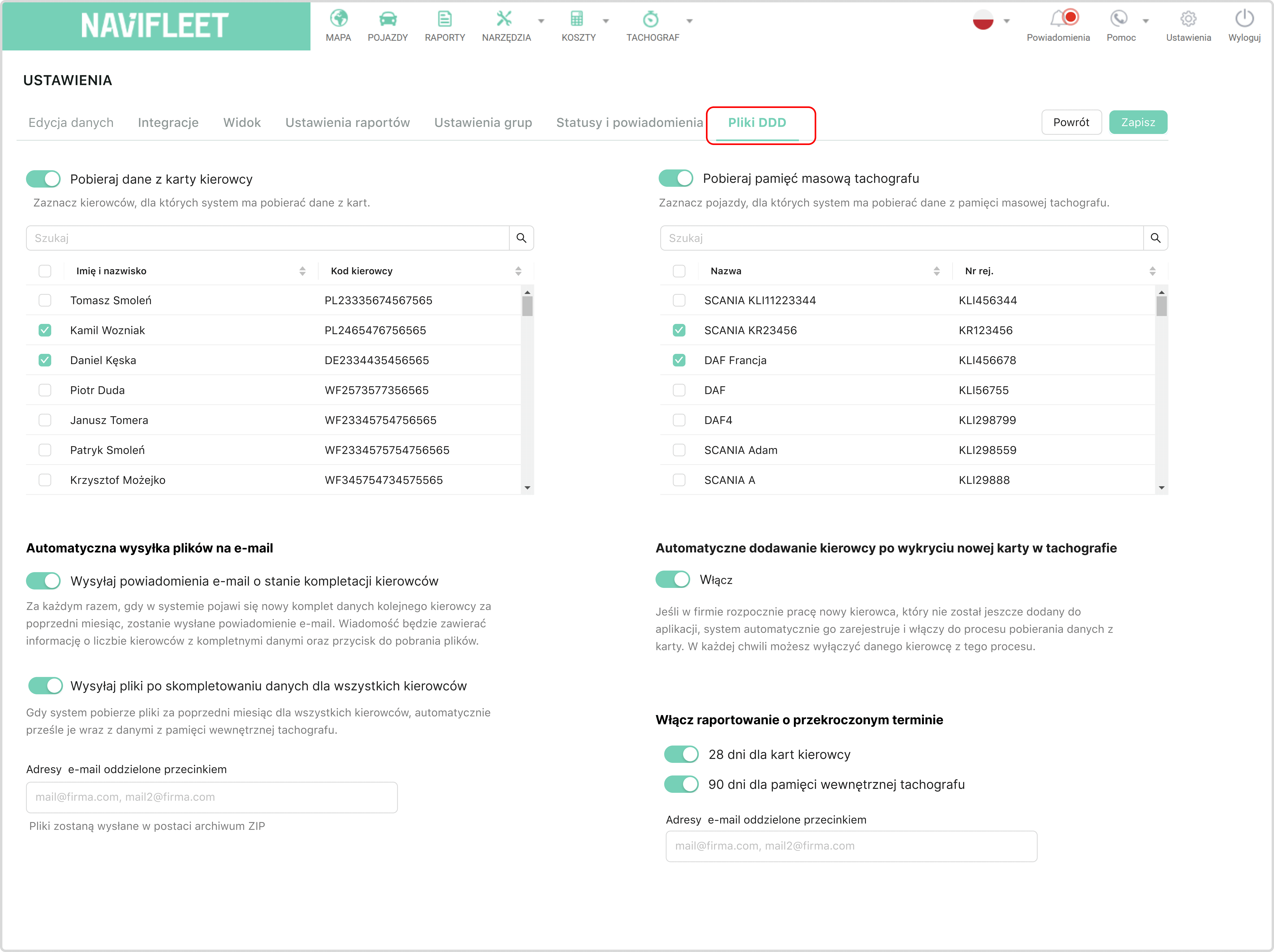
The answer to these challenges is the remote data download module in the Navifleet Tachograph 2.0 system. The system automatically downloads and archives DDD files, starting the process on the first day of the month. Ready data packages are sent to the designated e-mail inboxes of selected users (Image 1).
Download attempts are retried automatically until the system has retrieved the full set of data. Requests are sent in real time and adapted to the situation, for example when the driver reinserts their card into the tachograph.
The system automatically downloads all the data it needs. It does not save it multiple times, and it adapts the download to what is actually happening with the vehicle and the driver. If the driver card is not inserted or the vehicle is on the road, the system waits and tries again. As a result the whole process is reliable, trouble-free and runs on its own, with no need for manual supervision.
The process and benefits for the user
With Navifleet:
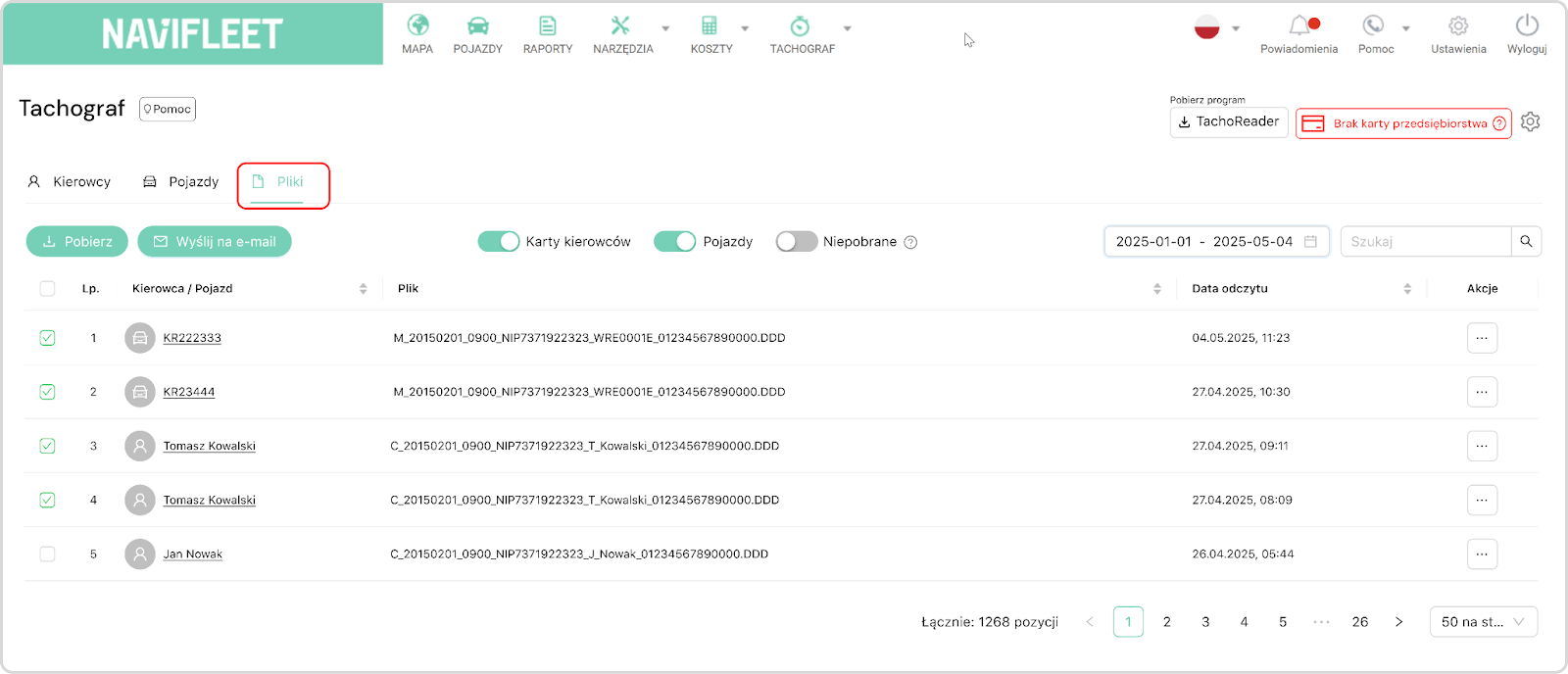
- files are automatically assigned to the right drivers and vehicles, eliminating manual searching and filtering of records (Image 5),
- data is archived in the system and automatically sent to selected e-mail inboxes (Image 1),
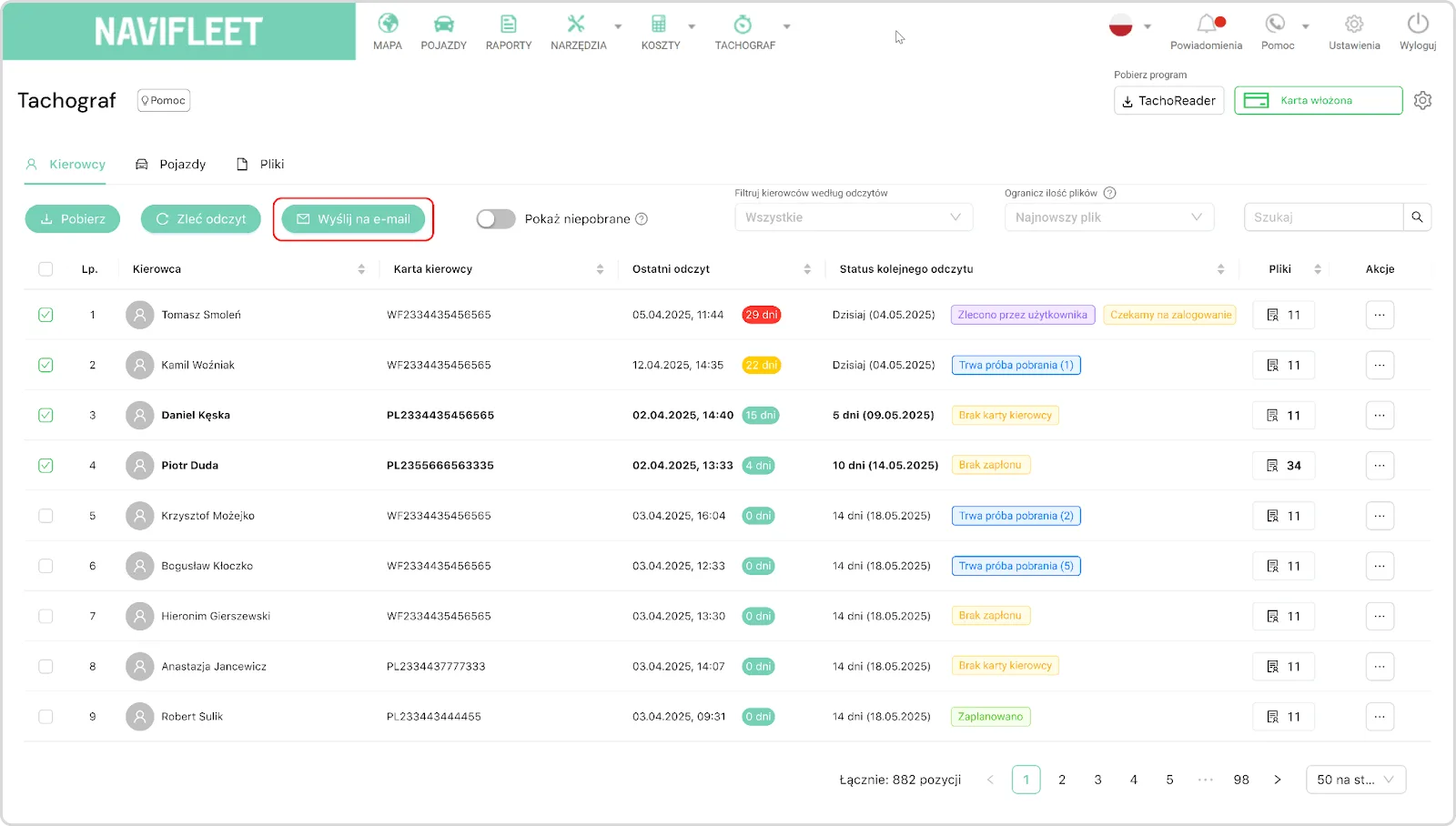
- at any time you can select one or more records and send them to any e-mail address (Image 2),
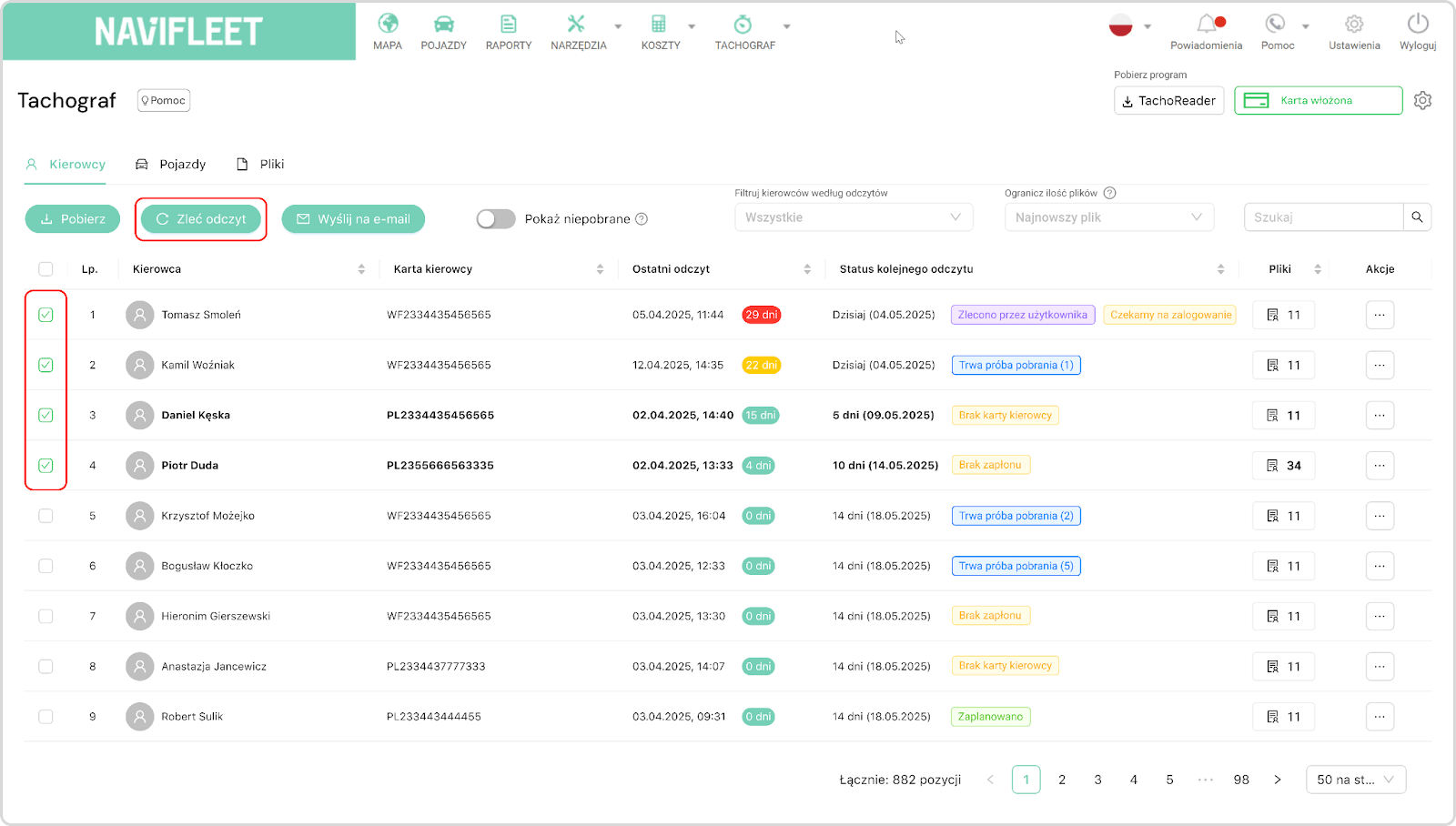
- the user can manually order a download at any time, without limits or restrictions (Image 3),
- day-to-day handling comes down to checking statuses and collecting the ready data (Image 4).
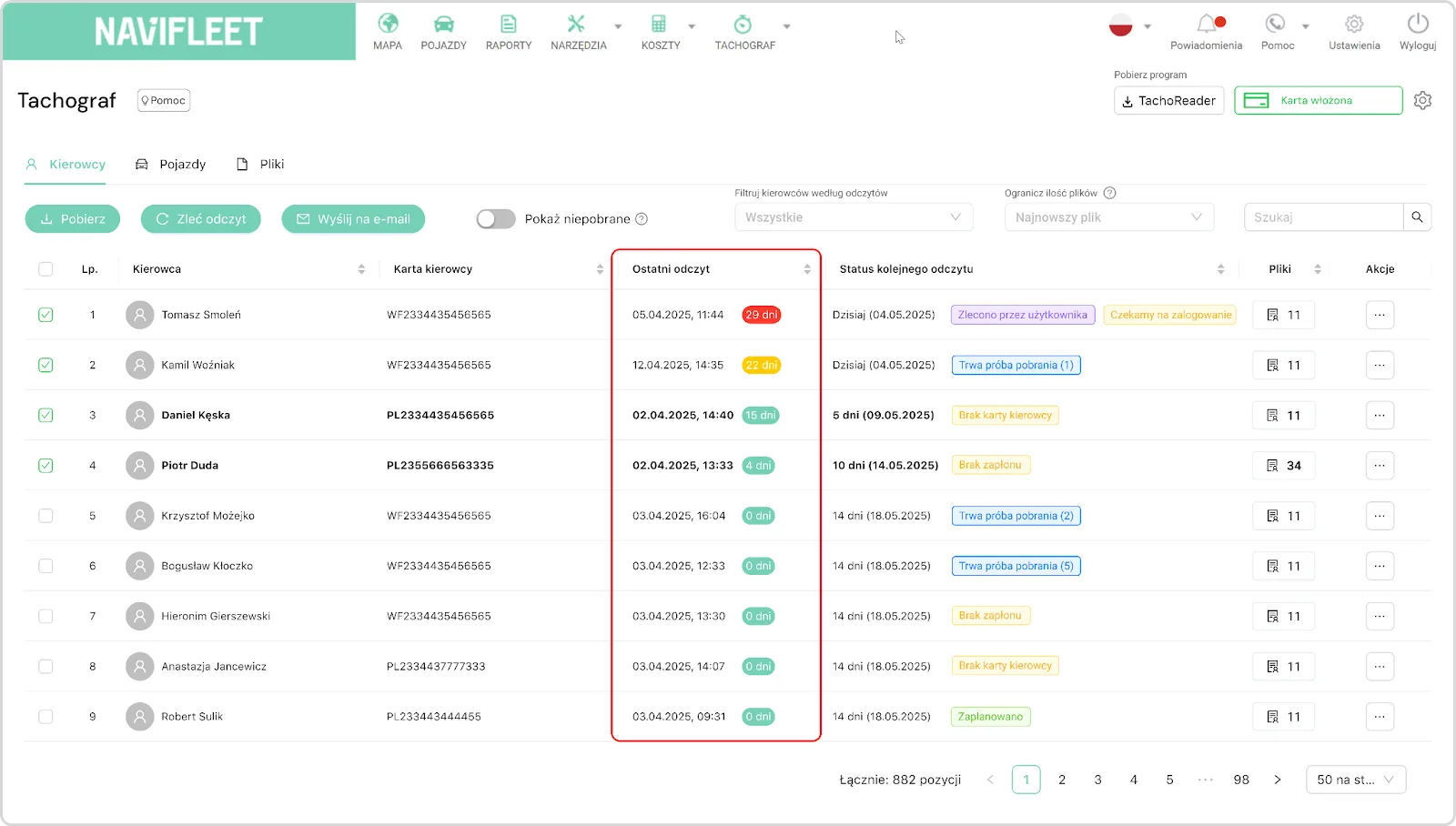
The data is always complete and up to date, and the archive covers 18 months of downloads (formally the regulations require 12 months, but we have extended this period as a precaution), providing greater security and convenience in settlements (Image 5).
Results of the implementation
Automation with Navifleet brought measurable benefits:
- Elimination of the risk of errors and oversights in data downloads. Thanks to the automatic remote download of driver cards and tachograph memory, the system retrieves the data itself at set intervals. The operator does not have to remember to download manually or keep track of deadlines; all files reach the system complete.
- Less effort spent on repetitive tasks and a lighter workload for staff. Manual downloading and copying of data from driver cards and tachograph memory has been replaced by a fully automated process. Employees no longer have to spend hours sorting and verifying files. The system itself generates complete summaries and reports, ready for internal settlement or for sending directly to an external payroll bureau.
- Full compliance with digital tachograph regulations. Tachograph 2.0 automatically downloads all mandatory data within the deadlines required by law, so settlements are always compliant.
- Guaranteed completeness and timeliness of data. The system monitors missing or incorrect files and generates notifications, eliminating the risk of incomplete settlements. All data reaches the system ready for use in reports and settlements, without the need for constant supervision by the user.
With Tachograph 2.0 from Navifleet, settling drivers' working time has become simple, secure and fully automated. The system works well for small companies as well as large fleets, and with varied work schedules.
 Agata Świerczek
E-marketing Specialist
As a UX/UI design specialist I combine creativity with precise communication. I design intuitive interfaces and engaging digital content, and I write product copy and blog articles that hold attention and support business goals.
Agata Świerczek
E-marketing Specialist
As a UX/UI design specialist I combine creativity with precise communication. I design intuitive interfaces and engaging digital content, and I write product copy and blog articles that hold attention and support business goals.