
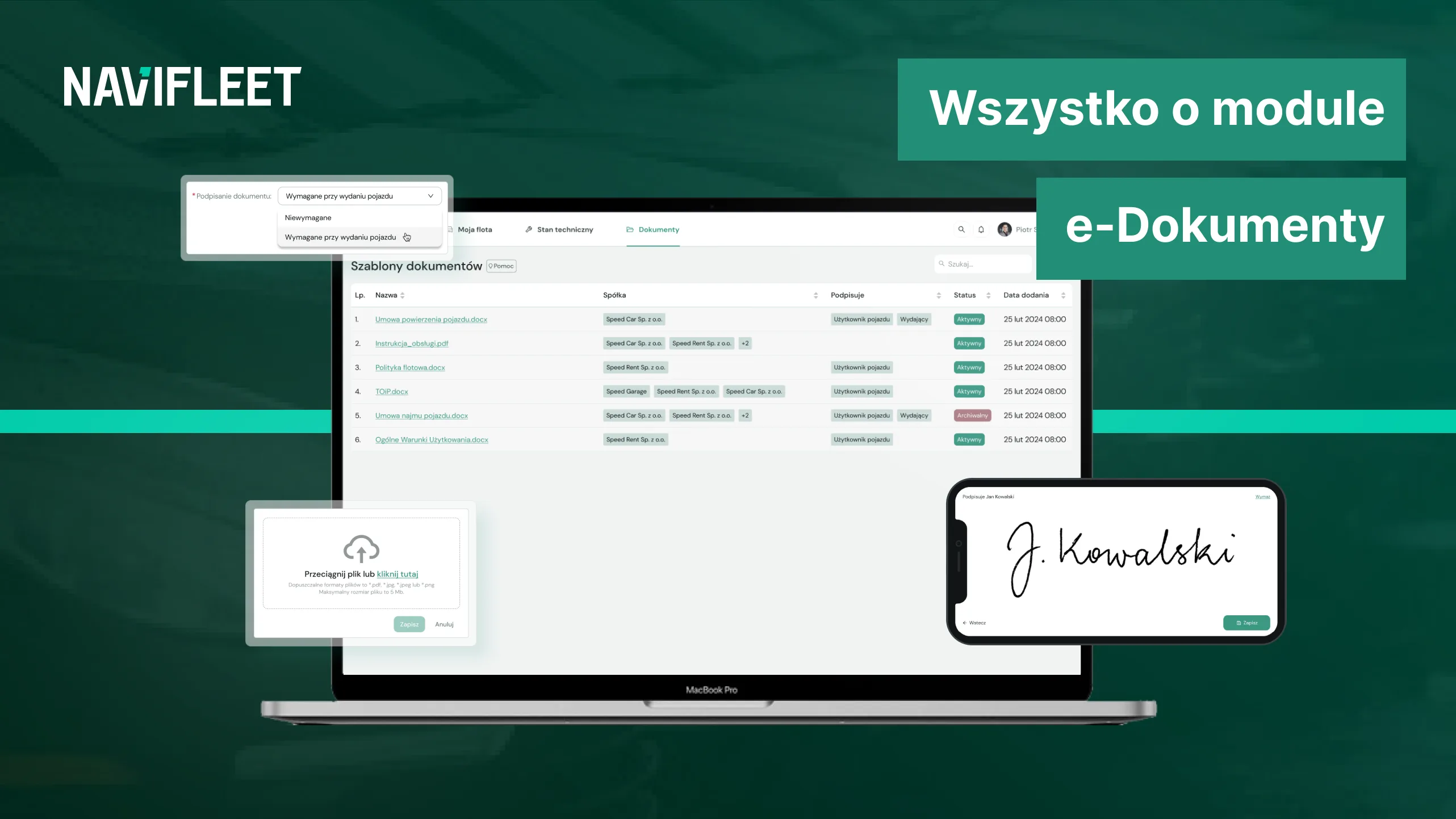
If your to-do list remains untouched and there are 5 missed calls on your phone that you need to deal with, use the summary of our article below.
The e-Documents module:
- streamlines the process of familiarising the drivers in your fleet with the most important documentation thanks to easy document upload, electronic signatures and delivery of the signed documents to the drivers' e-mail inboxes,
- is part of the Navifleet Manager app, which was designed around the real needs of fleet managers. In addition to e-Documents, Navifleet Manager also consists of the e-Handover reports module and the My Fleet module,
- does not require a long-term contract; it is available on a monthly app subscription,
- costs PLN 3 net per month for each vehicle added to the app.
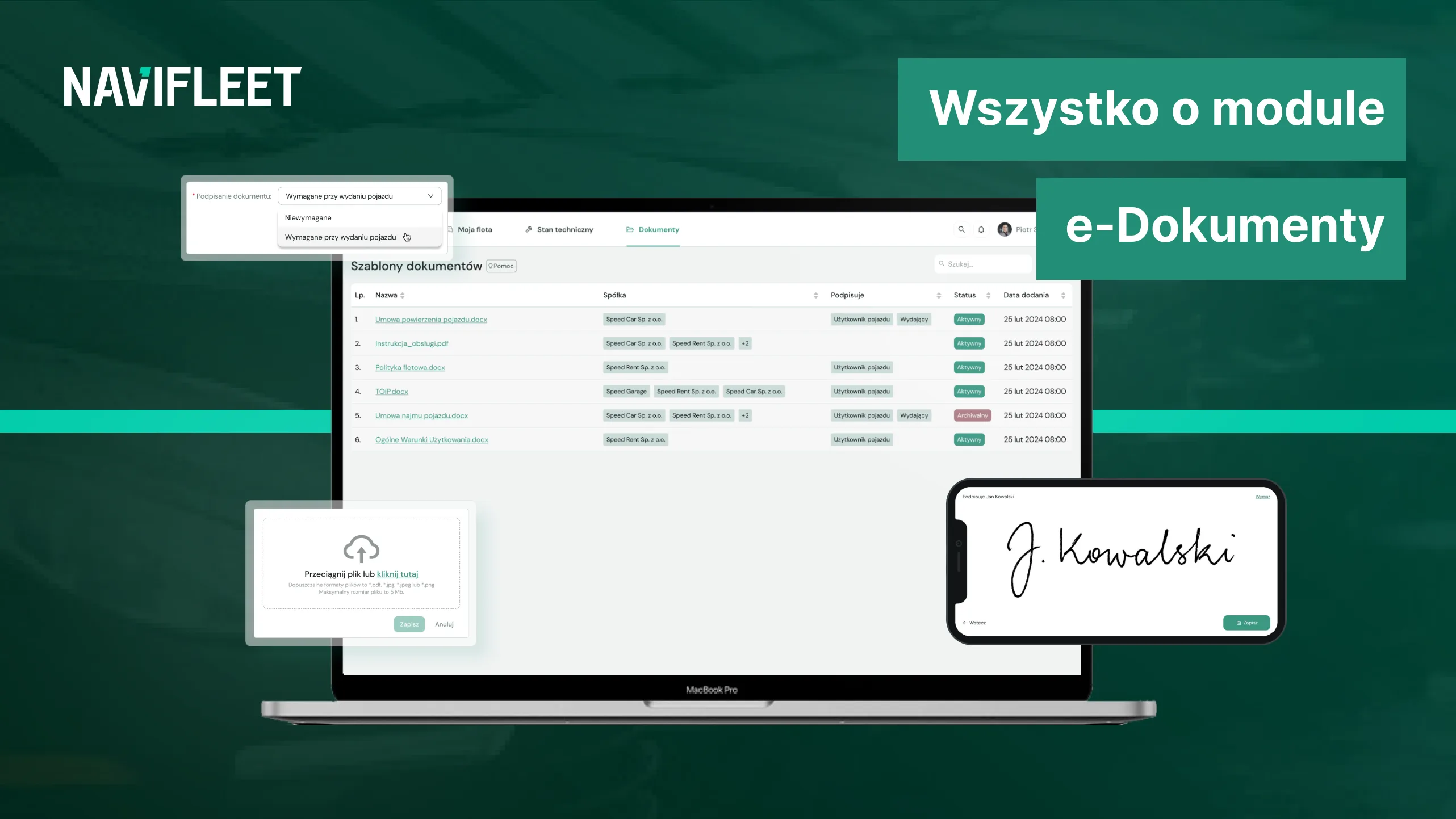
Issuing a vehicle is more than a handover report
The foundation of the Navifleet Manager app is electronic handover reports: documents generated automatically after 4 simple steps carried out directly in the app.
The e-Handover reports module, which lets you go through the handover process easily, from documenting the vehicle's condition to the electronic signature and generating the report, is not all there is to the process, however.
An important complement to the handover process is familiarising our drivers with the relevant documentation. Perhaps at the vehicle issue stage you hand the drivers in your fleet your fleet policy, vehicle usage rules, a contract or instructions.
With the e-Documents module you can easily share the most important documents with your drivers, including those that require their signature.
What is the e-Documents module?
The e-Documents module is one of the three modules available in the Navifleet Manager app.
This module lets you add a variety of documents directly to the app, collect electronic signatures from drivers, keep a record of the documents added, and send the signed documentation to the driver's e-mail inbox.
All these functions provide a uniform process for familiarising drivers with the relevant fleet documentation, from uploading, through reading and a binding signature, to delivery to the drivers' e-mail addresses.
And all this without unnecessary effort, needless printing, photocopying, scanning or yet another review of the documents in a binder.
How does it work?
The e-Documents module is part of the Navifleet Manager app, and the app itself works on a monthly subscription.
This is an innovative solution for fleet managers for several reasons. First, the subscription model avoids unnecessary long-term commitments.
Second, the app can be tailored directly to your fleet's needs by choosing the app modules you actually need and paying only for the number of vehicles added, whether there are 10 or 100.
Third, the app operates on an open basis, which means you can test it free of charge for 7 days to make sure it meets your expectations.
You can also cancel your subscription with one month's notice.
How much will it cost you?
The e-Documents module will cost you PLN 3 net per month for each vehicle added.
Example: let us assume you have 55 vehicles in your fleet → the monthly cost of the e-Documents module is PLN 165 net each month.
More about the e-Documents module's capabilities
Let us take a closer look at the capabilities of the e-Documents module, starting with electronic signatures and ending with delivering the signed documents to drivers.
The whole process takes place online
Imagine the traditional process of issuing a vehicle to a new driver joining your fleet. You meet at an agreed place, at the company's offices, at a set time.
The first phone call comes before the appointment, because the new driver has trouble finding the place. You, as fleet manager, are thinking about the whole pile of duties and documents waiting for you, while praying for no nasty surprises today: just no fines today!
Calmly explaining the way to the company, you are glad the driver arrived a little early, which means the meeting can start on time.
Once there, you go through the standard vehicle issue procedure together: with a stack of documents under your arm, you explain, show and wait for the driver to sign in the right places.
The whole process is almost complete when, looking for the last important document, you notice it is missing. You completely forgot about the fleet policy. And you worked on it for so long! In between answering phone calls, of course.
Shaking your head, you head back to your desk to look for the missing item. Going through the third binder, you finally find the right document. You move on to reading the final document and the last signature.
But that is not all.
Now all the signed documents need to be scanned, photocopied and handed to the driver or sent electronically. Luckily the scanner does not refuse to cooperate, but that is a kind exception.
Your plans for the day included cost optimisation, but a few small obstacles, the difficulty reaching the company offices or the lost fleet policy, "stole" most of your day.
Oh well, maybe tomorrow you will get to sit down with the costs.
Now let us go through the same process, but entirely online with the Navifleet Manager app and the e-Documents module complemented by the e-Handover reports module.
We start by uploading templates or scans of all the key documents you want the new driver to read directly to the app. You look for these documents on your drive and then upload them to the app in the e-Documents module.
Your driver, with the app already installed, can go through the process of creating the handover report using their phone. The app guides them through 4 simple steps to create the report, including automatically loading the files added to the e-Documents module.
The driver reads all the documentation online and gives binding signatures in the required places, simply by drawing their name on the phone screen.
And what is the fleet administrator doing in the meantime? Analysing data and optimising costs, because at last they can afford to.
Fast, easy access, always
In addition to adding documents linked to a specific vehicle to the app, such as a contract prepared for a new driver, we can also add shared documents.
As a result, both fleet managers and vehicle users gain fast, easy access to all the fleet documentation.
For example, one of your drivers has an unpleasant experience on the road: a bump. Nothing unusual, but something as common as a bump often causes considerable turmoil in a fleet manager's work. An avalanche of calls and questions follows, including about procedures or important documents.
With access to the e-Documents module, your driver can simply reach for their phone and open the rules they should follow in the event of a bump, and also easily access the scan of the registration document assigned to the vehicle they are using.
Without. a single. phone call.
An orderly archive and certainty of delivery
Beyond your drivers having access to the attached documents, the significant value of storing the signed documentation in the app for fleet managers themselves should also be stressed.
Storing all the documentation in the app ensures complete organisation and order in our new archive, while eliminating the need to print, scan or physically store documents.
The e-Documents module keeps a record of all attached and signed files for you.
What is more, the signed documents land directly in the driver's e-mail inbox, which gives you certainty of delivery. Even if a driver does not create an account in the Navifleet app, they will receive both the generated report and all the necessary documents at their e-mail address.
Security and GDPR
Something worth highlighting about the e-Documents module, and the work with sensitive data it involves, is security and GDPR.
Navifleet regularly carries out security audits, and all collected data is stored securely in the AWS (Amazon Web Services) cloud.
Our contract template and GDPR terms are publicly available, so you can read all the key provisions in advance.
Summary of benefits
To sum up the most important point: how will the e-Documents module improve your work as a fleet manager?
Above all, it will let you optimise processes to the maximum. How? Thanks to fewer unnecessary calls from drivers and a systematised procedure for onboarding new drivers, you can use all the time saved for more important things, such as cost optimisation.
The whole vehicle issue or return process takes place online. You not only issue an electronic handover report but also share your fleet policy or a contract for signature with drivers, all in one place. No more binders and document scanning. From now on they will be stored securely in the app's cloud.
In addition, you can easily go back to your fleet's documentation: it is available in the app, always.
Get in touch
Create a free account and see for yourself how easy onboarding new drivers and issuing vehicles in your fleet can be. Test the app completely free for 7 days.



