The Navifleet system is a powerful database of our customers' vehicles. So powerful that if we wanted to print it on A4 sheets and glue them together along the shorter edge, they would stretch over 132,000 km. The equator – the longest parallel, dividing the Earth into the northern and southern hemispheres – is 40,000 kilometres long, which means that if we printed our database, we could wrap it around the Earth three times! Such a quantity of data requires an advanced architecture, because the whole system has to run smoothly, but in return it offers unimaginable possibilities, which we are gradually starting to use. Check out our event activity report and know more about what is happening in your fleet!
Event activity report: multifunctional diagnostics
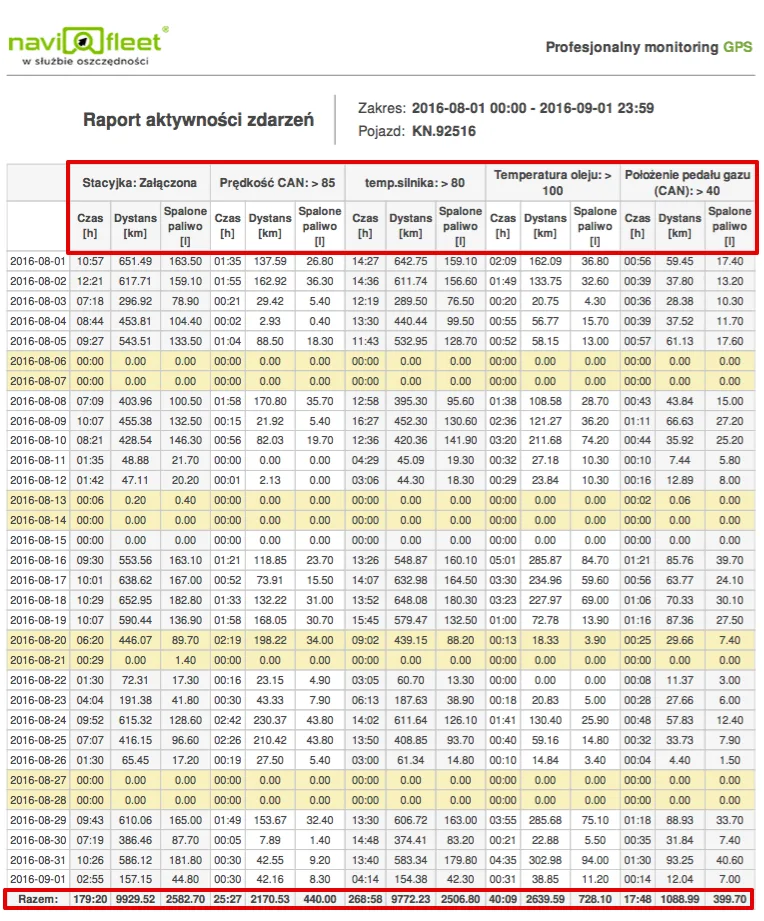
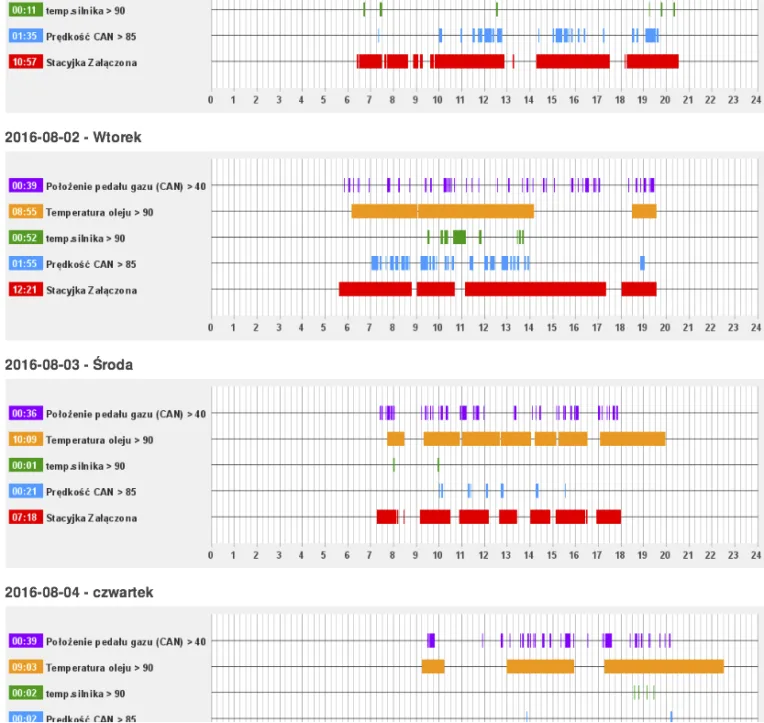
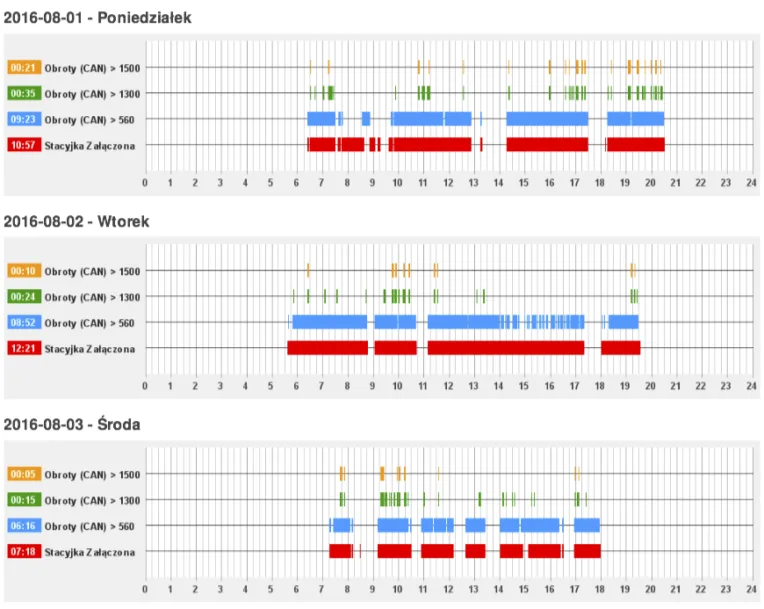
The event activity report is used to detect individual activities taking place in the vehicle. We detect when and how long a selected event lasted and draw a chart on a 0–24 [h] axis. An additional advantage is information on how much fuel was burned during the event and what distance was covered. As source data we use all the numerical values collected from the vehicle. An example? Let's say we want to know about every "pedal to the metal", engine overheating, oil overheating and excessive speed. Ideally compared with the time the vehicle was moving.
So let's generate an activity report for these events:
Event activity report: vehicle speed distribution
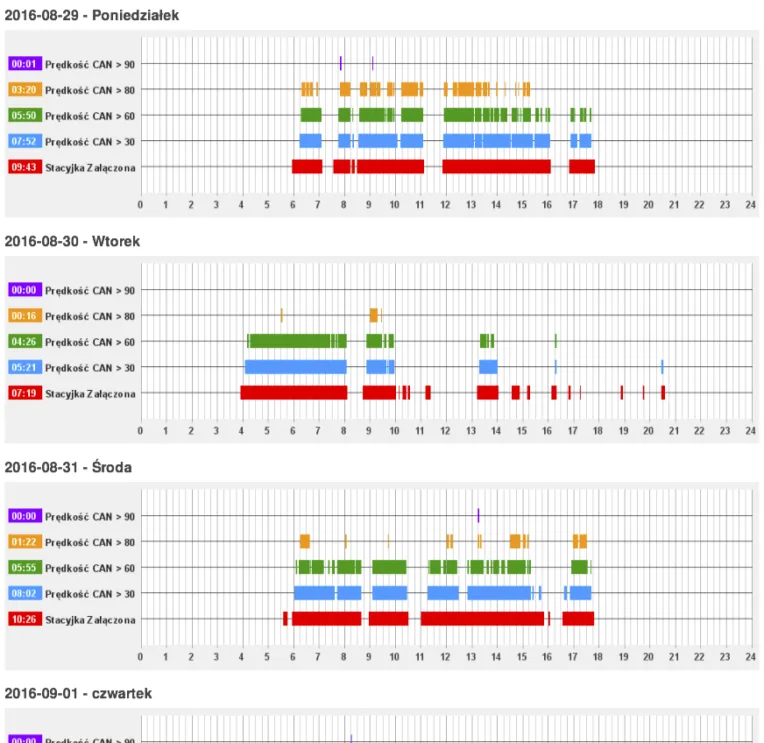
GPS systems show average speed and maximum or instantaneous speed at a selected point. We want to go further. From the very beginning our customers have been able to trace the speed profile over time on a chart; now they can check the quantitative distribution of selected speeds in the blink of an eye! Just select a few ranges of interest, and the report will let you determine the dominant speeds at which the driver drives and eliminate the most dangerous ones.
Event activity report: driving economy
Since you can check the vehicle's speed distribution, it would be nice to show the distribution of engine speed too. We know the maximum thresholds for our vehicle, as well as the optimal values. Let's check for ourselves whether the driver should go on an eco-driving refresher course.
Event activity report: diagnostics of emergency events
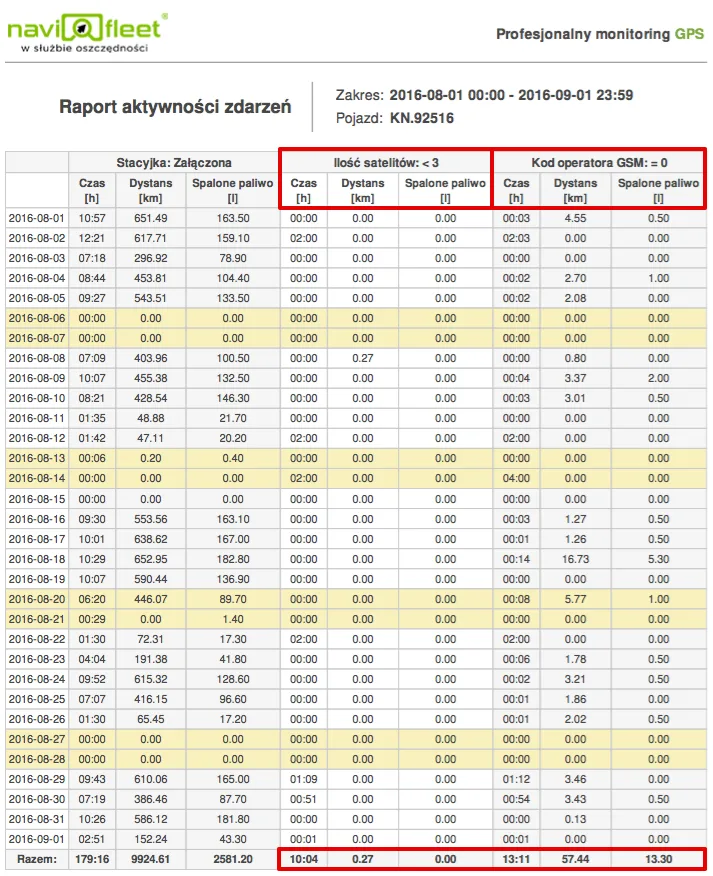
A GPS location system is susceptible to many external factors, and a convenient tool for analysing critical events is useful for early detection and prevention. With our report you can easily formulate conditions that will list all power losses, loss of GPS coverage (location) and GSM coverage (online transmission). In addition, it is up to us which parameters we want to monitor for failures.
A one-page monthly summary
Yes, a single A4 page is enough to learn all the information you need. The report presents each piece of data separately, while showing the fuel burned and kilometres covered during a specific event. As a result, we know not only how long an alarm event lasted (speeding, accelerator pedal pressed to 100%, engine speed above 3,000 RPM and many others), but also what consequences it had (fuel burned). Using individual connections to the external accessories of specialist vehicles – winter road maintenance vehicles, municipal waste collection vehicles, agricultural machinery, etc. – the report will show the exact operating time of any power take-off.