
If you manage a fleet day to day, you know how complicated and time-consuming it is to hand over and take back vehicles using traditional documentation. Tediously filling in and printing sheet after sheet of paper, binders full of reports, contracts and rules: sound familiar? In this article we show you how Navifleet e-handover reports change the rules of the game. You will learn how digitalisation gives you full control over vehicle issue and return reports wherever you are (including outside the office) and saves you time by eliminating repetitive work and piles of paper.

What are e-handover reports and why use them?
E-handover reports are digital documents that replace traditional paper vehicle handover reports. You can stop printing, filling in by hand and scanning signed reports, because the whole document, together with photos of damage, is generated by the app on your smartphone.
This means you do not have to look for previous reports and fill in the vehicle data, the equipment list and the damage list. As a result you save a great deal of time and eliminate the risk of errors.

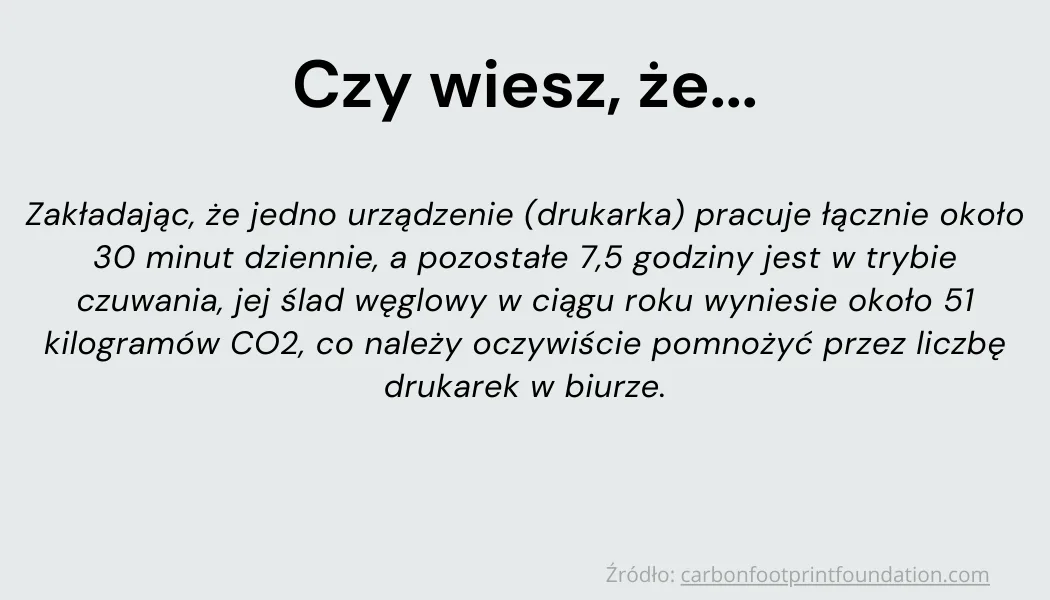
Beyond that, e-handover reports matter from an ESG perspective: vehicle handovers using traditional printed documentation generate hundreds of pages a year, which means paper and energy consumption. With just 10 handovers a month you can save two reams of paper a year (assuming a full set of handover documents is 10 sheets), which significantly reduces your fleet's carbon footprint.
The digital document-filling process can be carried out by the person responsible for the fleet, a branch manager or the driver themselves. All they need to do is fill in the damage status and the equipment list, add photos and describe the vehicle's technical condition. You can give each of these people specific permissions and restrictions that make the process of documenting the vehicle's condition accurate and standardised, yet fast and intuitive. For example, the driver, unlike other roles in the system, must take fresh photos of the vehicle every time and cannot pick them from the phone's gallery.
The approved report goes straight to the cloud, and a copy is automatically sent to the driver, with no need for a printer.
A standardised process that is more resistant to human error
In traditional processes, issuing and returning a vehicle takes a good deal of time. You need to arm yourself with a paper report, a working pen and a phone to carry out the issue or return. We know very well that this is not the end of this complex process. Next, the documents have to be scanned to have a digital version, the photos copied over, described properly and placed in the vehicle's folder on the computer's hard drive or in the cloud. You also have to remember to update the damage register and usage history in Excel. We genuinely admire that you manage to remember everything and later find the right documents when needed.
What if you could have everything in one app, without the tedious work and the pile of paper? Without worrying that the printer will run out of ink or that a car has to be issued or taken back somewhere in the field? In Navifleet Manager the whole process takes place in the mobile app.
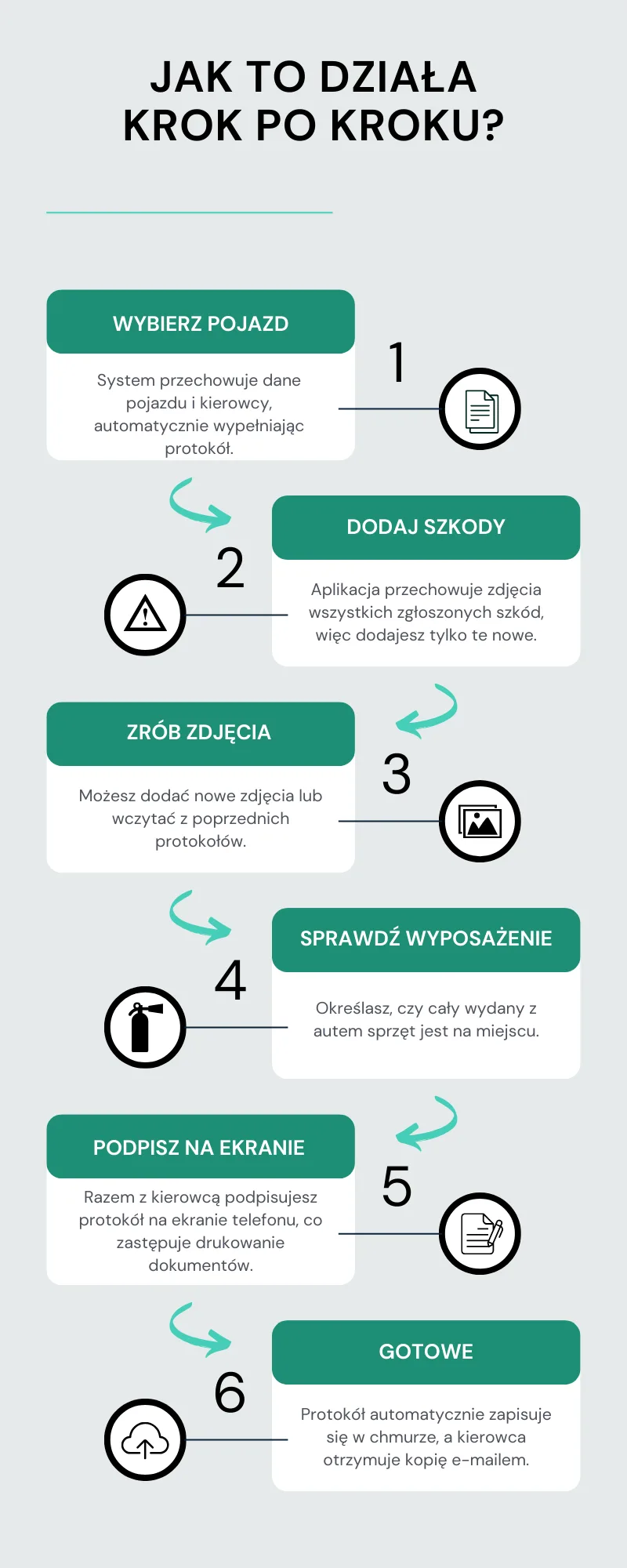
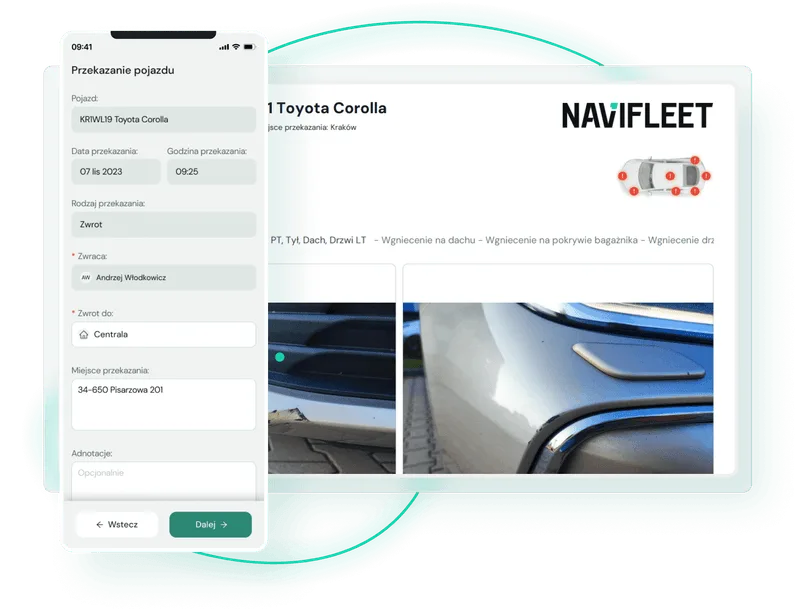
With e-handover reports in the Navifleet Manager app, you do not have to scan anything, move photos to the right folder or update Excel sheets. Both the person responsible for the fleet and the driver can go through the whole process from the app, without being in the office. After photographing the vehicle's condition and any damage, we require the person drawing up the report to enter key operating parameters such as the mileage and the fuel or charge level at the time of the report. So there is no chance of anyone forgetting anything. If the vehicle has an LPG system, the app will also ask for the gas level. By default the mileage source is the odometer, but if needed you can use the engine hour meter or both at once! The report, with the damage list, equipment status and photos, goes automatically into the system, so you and the people you designate have immediate access to it.
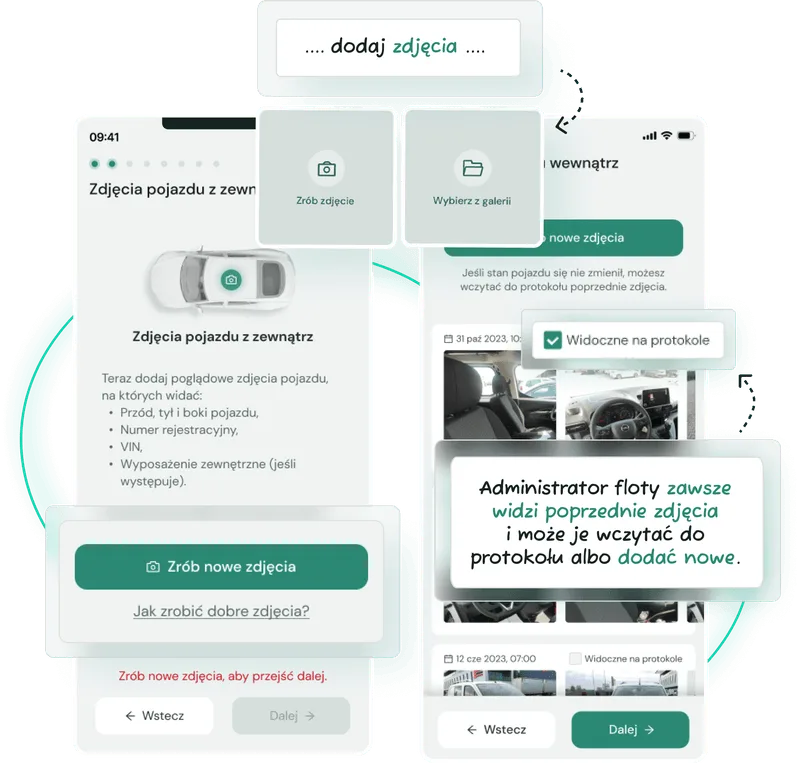
In the app you will easily find the assignment archive, which contains the full usage history of the vehicle, together with all the reports drawn up. Want to know more about how it works? See our knowledge base, where we describe it step by step: How to draw up an electronic vehicle handover report.
Pool cars: drivers draw up the report without you being there
Pool cars are used by various drivers, which makes keeping an eye on their technical condition quite a challenge. Changing users and the lack of a single responsible person should not mean that the shared cars are the most neglected in the whole company, and regularly putting them back in order does not have to be your nightmare. It need not be a serious fault. You are probably familiar with stories of a dirty interior, knocking in the suspension, bald tyres or an expired roadworthiness test. The same applies to fines: establishing who was using the vehicle at the time of the offence and is liable for it can eat up a huge amount of time.
With Navifleet Manager you bring a new quality to your fleet thanks to the self-service vehicle pick-up function for drivers. You can mark vehicles as "shared", which lets specific people in your organisation pick up and return a vehicle on their own. During self-service pick-up the driver must fill in the report and document the vehicle's condition precisely using a one-sided handover report. Unlike the fleet administrator, the driver must always take overview photos of the vehicle directly in the app; they cannot pick them from the phone's gallery. This design of the system cuts off any attempts to conceal damage or upload old photos of the vehicle. The driver also cannot see previous photos of the car or edit the equipment list you created; they can only state whether a given item is present or not. This gives you full control over pool cars without having to watch over them directly.
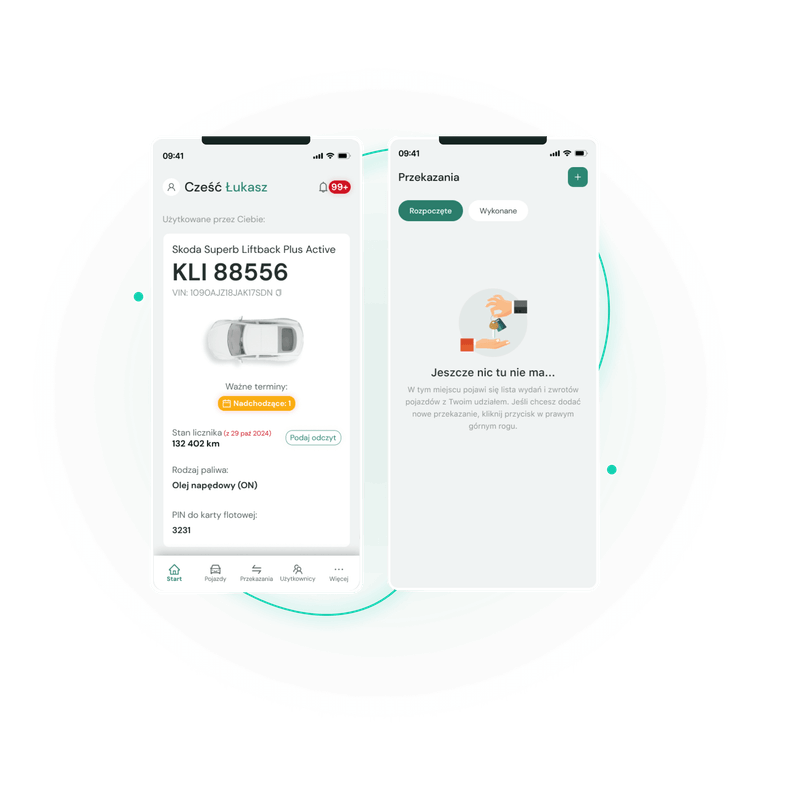
Want to find out how easy it is to configure the app so that the driver can draw up the e-handover report entirely on their own? See: How self-service vehicle pick-up by drivers works
A secure, up-to-date and always available usage history
In the classic, analogue version we know well what searching through a car's (often patchy) usage history looks like. It is easier when a single data collection system has been used for years. Ideally by one person who knows where the reports are, where the photos are, where the driver history is and which Excel file is the latest. It is worse when vehicle issues and returns are done by different people or, in the worst case, were not properly archived or were deleted by mistake.
With e-handover reports in Navifleet Manager, the vehicle usage history is created automatically. Every issue and return is saved in the app, eliminating manual updates in Excel. Navifleet Manager provides transparency and easy access to the usage history, which helps resolve disputes and assign responsibility for the vehicle at a specific time. Just enter a date and the list narrows down to the driver who was using the vehicle at that time.

If needed, a driver can quickly find information about the date of use and the person who used the vehicle. For the person responsible for the fleet it means a reliably kept assignment history and quick access to information, and for the business owner or a board member, certainty that the whole process is orderly and resistant to human error.
Fire extinguishers, hi-vis vests and repair kits will finally stop disappearing
Manually checking vehicle equipment such as first aid kits, fire extinguishers or warning triangles is time-consuming and, compared with the unit value of these items, only moderately worthwhile. But if you look at your spending history and see how many times the mandatory, if minor, vehicle equipment had to be replaced, you may conclude that there is an opportunity for savings here. If until now you have found it hard to control vehicle equipment and from time to time an item has gone missing in unexplained circumstances, we have good news for you.

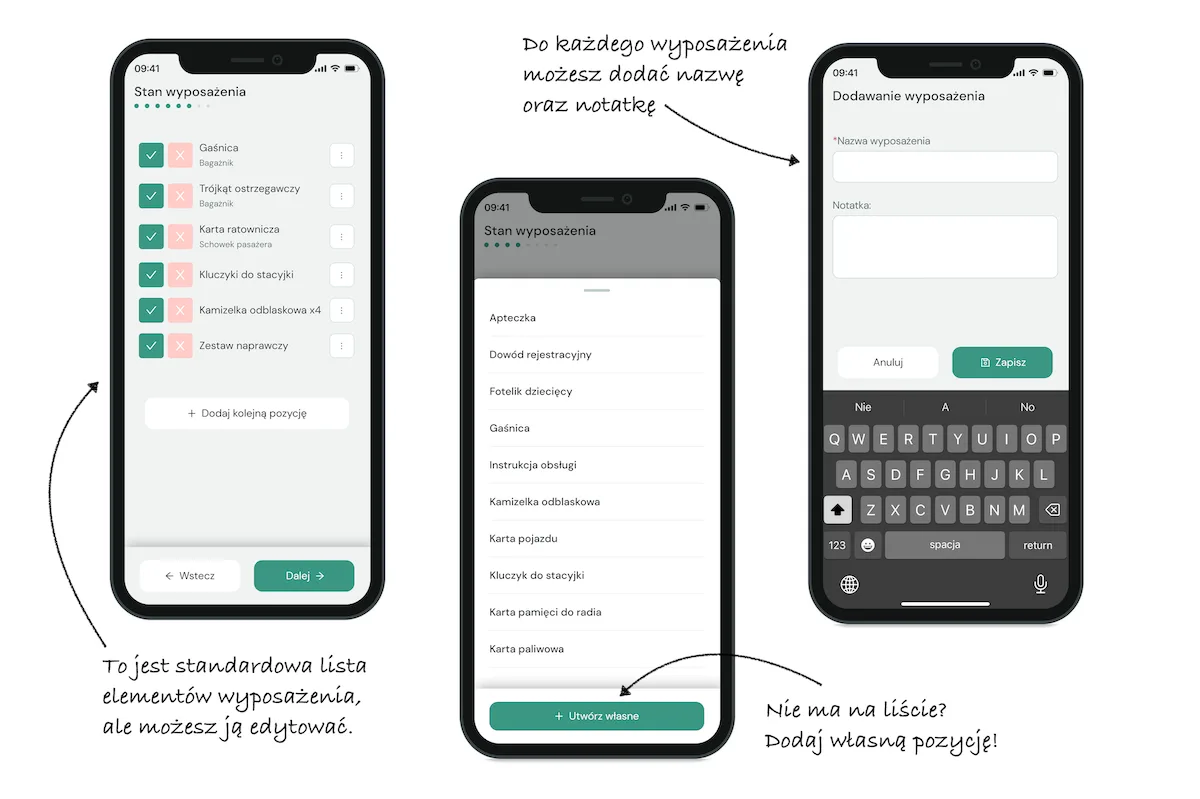
Navifleet Manager allows you to keep constant control of the equipment in every vehicle. The equipment list is saved for each vehicle separately. This means you can define a different list of required equipment for each vehicle. Each item of equipment, in addition to its name, also has a note field where you can enter an identification number or its approximate location in the vehicle (e.g. glovebox, boot, toolbox). When filling in a new report, the presence status of each item is automatically loaded from the previous report. So if nothing has been added or lost, you do not have to do anything!
All formalities signed online
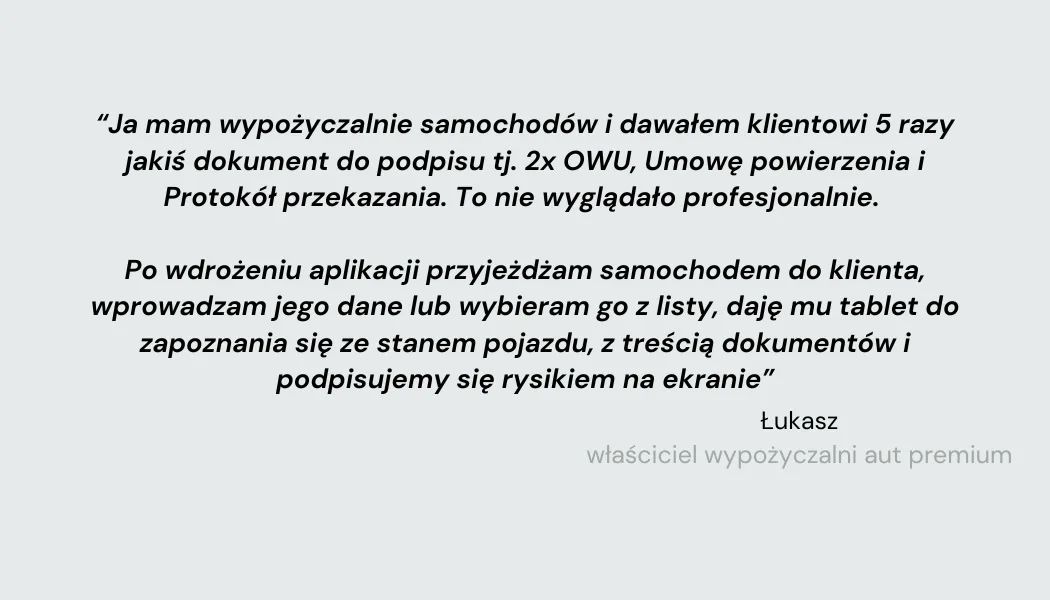
Imagine you run a car rental business and sign up to several dozen documents every day. Every vehicle handover process means many sheets the customer has to sign. The process is not only time-consuming but also not very professional. One of our customers describes his previous practice and how implementing our e-handover reports module in the Navifleet Manager app changed his daily work:
The electronic signature function in the e-Handover reports module allows many documents to be signed electronically quickly and conveniently with a single signature. The driver can read the automatically completed documents directly on your smartphone or tablet. The process is fully digital, and the signed documents go automatically to the cloud. In addition, this function can be used not only to sign handover reports but also other documents signed when a car is issued, such as the custody agreement, the vehicle usage rules or the GDPR clause. And all with a single signature from the driver.
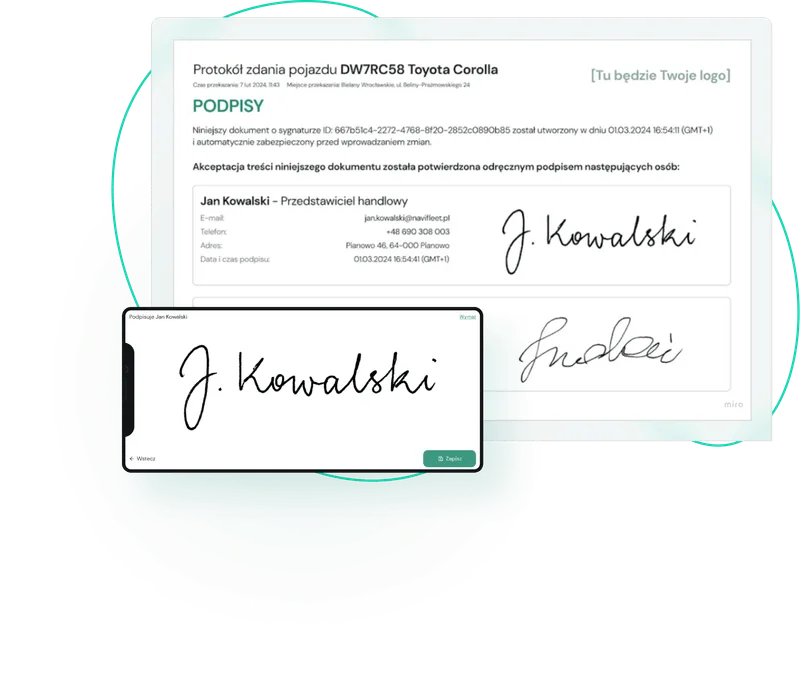
The signature is not all! You can also enrich every e-handover report with your company logo, which ensures visual consistency and makes it easier to access the full database in the cloud. If you would like more information on how to configure documents for signature, you will find the key points here: How to upload a fleet policy or custody agreement template for signature
Summary
With e-handover reports in the Navifleet Manager app, fleet management becomes faster, more transparent and greener. Shorter issue and return times, full control over the fleet's technical condition and an error-resistant, uniform process standard are the key benefits that make this solution ideal for modern companies. Automation of the whole process, access to documentation in the cloud and the option of self-service vehicle pick-up by drivers make fleet management easier than ever.
 Dominika Maj
Marketing Specialist
For years I have been writing content that pairs a simple message with real value for the reader. I always try to understand what the reader needs and to explain complex topics in plain language. Marketing and communication are my passion, and I favour authenticity over empty words.
Dominika Maj
Marketing Specialist
For years I have been writing content that pairs a simple message with real value for the reader. I always try to understand what the reader needs and to explain complex topics in plain language. Marketing and communication are my passion, and I favour authenticity over empty words.



