
Servicing, brake pad replacement, tyre changes, an inspection falling due, oil and filter changes – these words undoubtedly keep every fleet manager awake at night. Above all because their head is needlessly cluttered with remembering important dates. In the Navifleet system we have prepared a specially separated part of the system dedicated to managing vehicle servicing. See what managing fleet expenses in your company should look like.
Take control of your fleet spending with a GPS tracking app
Vehicles are working tools that require careful servicing. Wear and tear is natural, and you absolutely must keep up with the faults that appear. The worst thing you can do is ignore a warning light on the dashboard for weeks on end. Ongoing repairs keep the vehicle in good condition, but they also generate costs. At some point there are so many purchase documents and bills that you can feel control over expenses gradually slipping away. A proven way to improve financial awareness is to introduce expense records, but not in a binder or a spreadsheet. The best solution is to have costs in an interactive form, because only then can we freely juggle filters and extract interesting statistics. Some GPS vehicle tracking systems include a cost management system; it is worth asking whether the one you use also has this functionality.
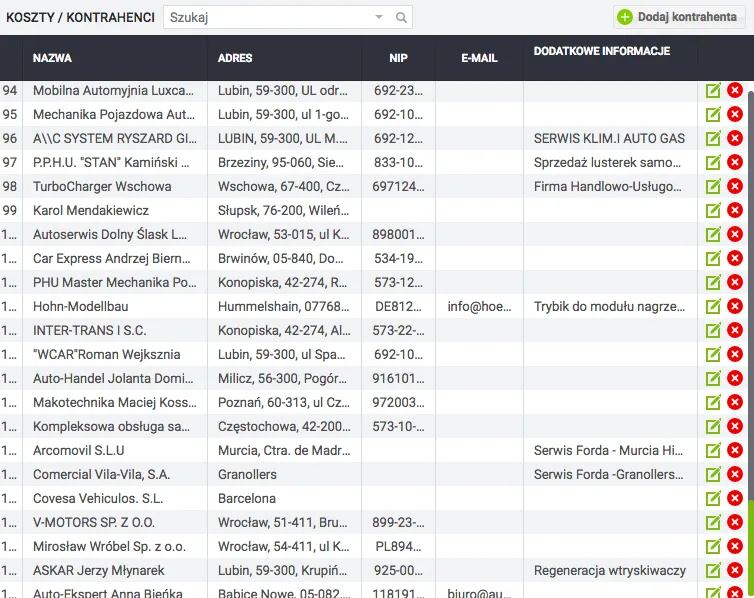
A full list of contractors in the cost control module. Managing fleet expenses
Every business owner knows very well that a reliable contractor is half the battle. We all want to work with conscientious companies for which punctuality and settling their obligations come first. The Navifleet system has a special module that automatically creates a database of our contractors. As a result, every entity with which we have completed a transaction is added to the list in the database, and we have access to their contact details and order history.
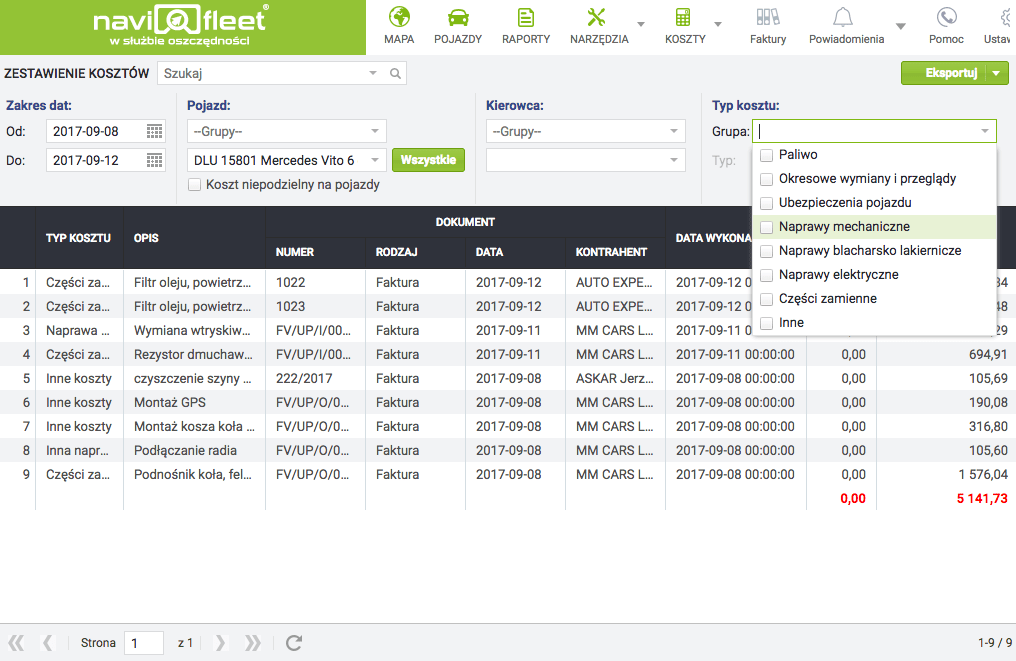
A vehicle's repair, servicing and inspection history created automatically
Every item added to the cost list is assigned to a specific vehicle. The user can also enter the quantity and price of the item, and select the appropriate tax. Once a cost is assigned to a vehicle, the system immediately records the date the document was added, but to give the user freedom there is also a "Completion date" field. Over time you will notice that the system builds up a history of the work done on the vehicle by itself. Rich filters let you precisely define the range of information you are interested in – the user can select a vehicle or group of vehicles, a driver or a specific date range. In addition, the user can specify selected cost categories. It is the cost filters that answer questions such as:
- How much money did we spend on fuel?
- How much did spare parts cost us last quarter?
- What were the costs of repairing collision damage over the last year?
- Which vehicle generates the most costs?
Fuel consumption control across the whole fleet thanks to cost integration with the fuel station's software
Managing fleet expenses is very important, because only when we have insight into the complete list of expenses can we locate the leaks. Only after a thorough stocktaking of profits and losses can we decide to sell the car that generates the highest costs. An interesting extension of the cost module is integration with fuel station systems. This solution is ideal for controlling fuel consumed – the system compares the reading from the vehicle's on-board computer with the reading from the fuel station. For more information, please contact our sales department.



