An efficient sales team is the driving force behind the whole business. Navifleet has prepared a handful of tools that help optimise sales activity and report on the work of sales representatives. Here they are.
Put your customers on the map
Navifleet is more than an advanced system for accounting for vehicle use. The POI feature in the app is ideal for visualising customer addresses on a map. Each point can be grouped, for example by sales rep, point type or location. This tells you how many customers each sales rep has won. The second, equally valuable piece of information is which areas you have no customers in yet, and where you should step up prospecting for new accounts.
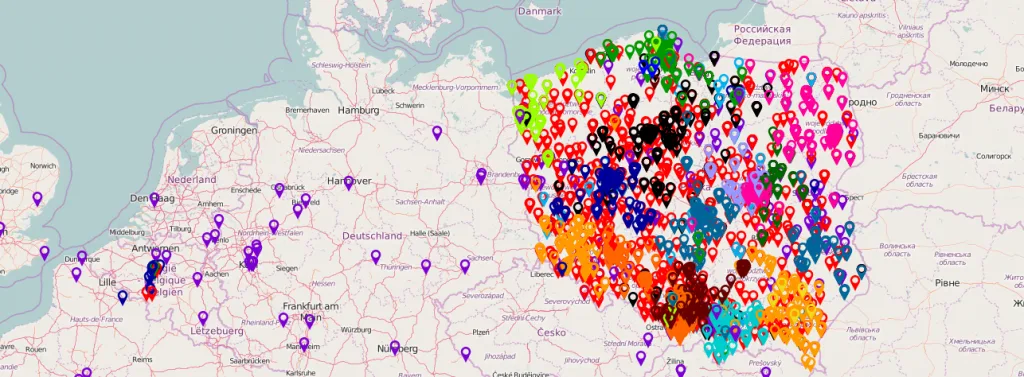
Make sure a rep from Warsaw is not visiting a customer in Kraków.
Every sales rep should have their own territory in which they serve customers. Imagine a large city such as Warsaw, Szczecin, Wrocław or Poznań and three sales reps covering it. Each of them drives across the whole city, wasting time in traffic, instead of covering a narrow part of the city and avoiding the most congested streets. Use what you know about the location of points on the map and assign them to reps in a way that optimises their work.
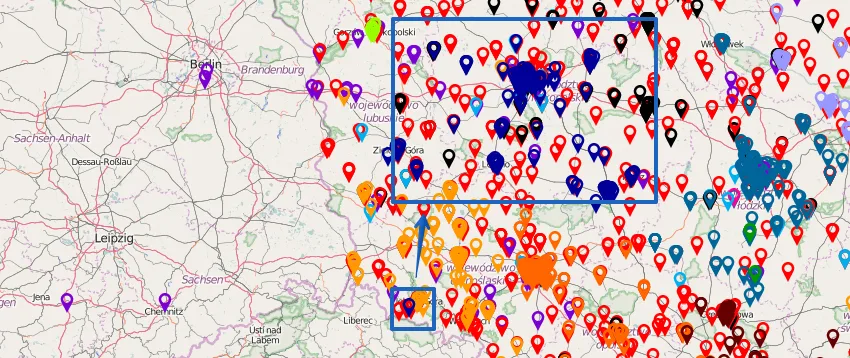
And what if you could…
…detect that the customer “PPHU Jan Kowalski” is closer to sales rep A than to sales rep B? On top of visualising points on the map, we also generate a visit report that matches the driver's stop address with the nearest point in the database. We also show the distance between the two points and the name of the rep who looks after the account. In the report you will see that Sales Rep A was close to a customer served by Sales Rep B, so it is worth considering whether the account owners can be swapped to reduce the cost of travelling to the visit.
Detect private and business stops
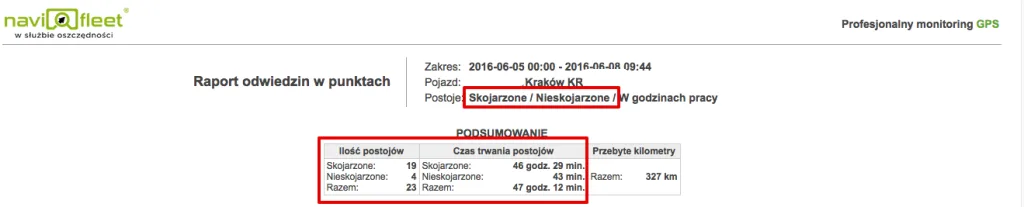
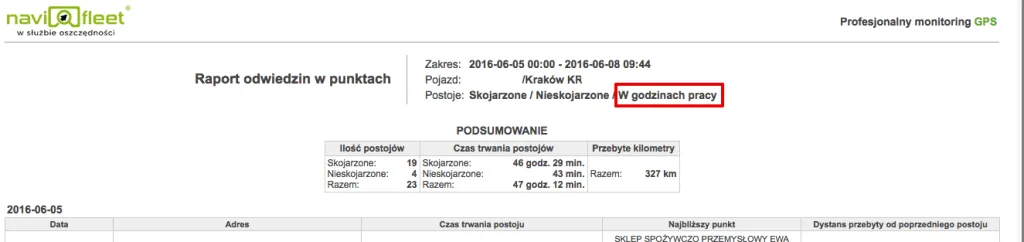
Defining the days and hours a sales rep works allows you to account for stops within and outside working hours, in other words business and private stops. Want to check what your rep does after work? Generate a report. Want to know how many customers they visit a day? Generate a report. Want to be aware of all the stops that were not matched to your customers but took place during working hours? Generate a report.
A summary of visits during working hours, which the user defines themselves.
We match stops with the points in your database
Our report covers stops linked to points in the database (such as customer visits) and stops not matched to any point, in other words meetings unrelated to work. The best approach is to add prospective customers to the map as well, so that business and private stops are fully separated. The user can choose a report showing the employee's activity during working hours or after hours.