

If you are responsible for company cars, your duties certainly include keeping insurance policies and roadworthiness tests up to date and observing servicing intervals. We know that keeping track of all these deadlines costs you a great deal of attention, so in this article we suggest how you can easily optimise this area of your work.
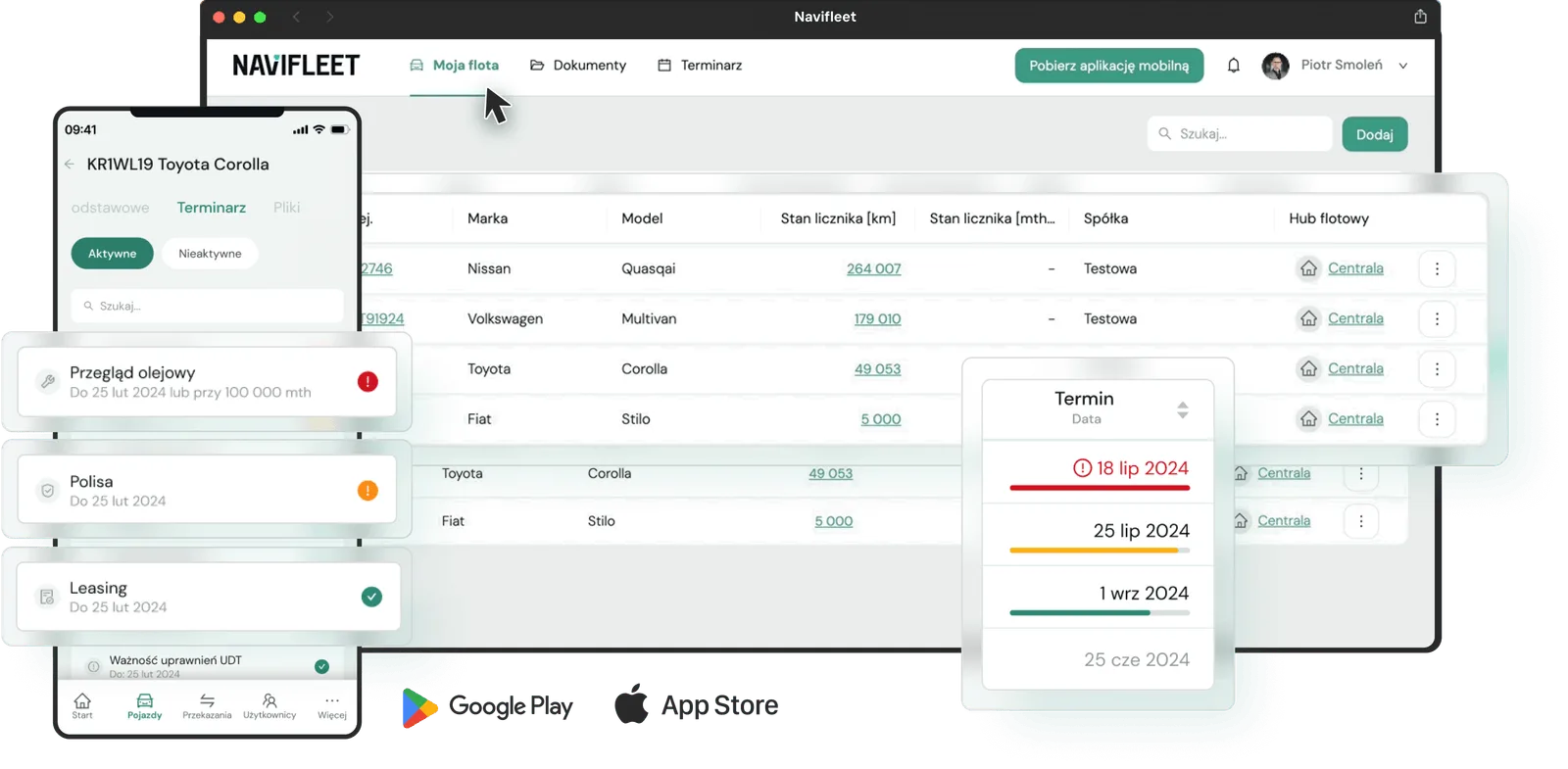
An Excel spreadsheet is not the best way to track fleet deadlines
One of the most popular ways of tracking expiry dates is an Excel spreadsheet. In most cases it is simply a file stored locally on the drive of one of the office computers. Sometimes the company has a shared cloud drive, in which case the spreadsheet is available to different people from different devices. Unfortunately, in that variant the risk of uncontrolled editing by anyone rises dramatically. Beyond that, one of Excel's biggest drawbacks is that you have to remember to look at it.
Another difficulty of working with this tool is that if any cell contains an expired date, you never quite know whether someone forgot to update the file or, worse, forgot to renew. In such situations you have to dig out the scan of the policy or the registration document to establish what you are dealing with. Of course, you can resolve that you or someone you designate will review the spreadsheet once a month and analyse what is expiring on which cars, but that is not a very good solution. First, combing through the same spreadsheet several times is a huge waste of time, and second, you are basing a very important area of fleet operations on the memory and diligence of one specific person. If that person has other things on their plate, there is a high risk they will simply forget to check in their spreadsheet what is expiring on which car. You also have to allow for various unforeseen circumstances leading to the absence of the person responsible for the spreadsheet (including them resigning).
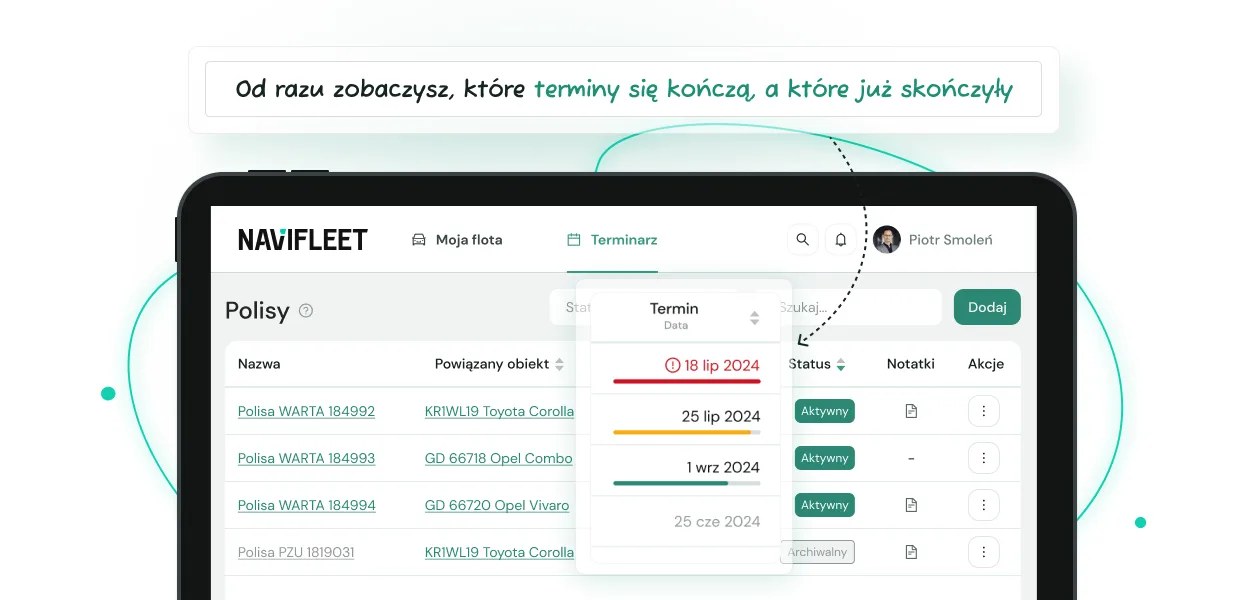
We know the realities of a fleet manager's work very well, so when designing the Navifleet Manager app we kept all of Excel's advantages while getting rid of its drawbacks. Just as in your spreadsheet, in our app you have all the deadlines in one place. And from any device, including your smartphone. You can also invite other people to the app, but without the risk of someone deleting or changing something by accident. That is not all: if you forget to set a notification for the policy on a particular vehicle, you will immediately see an empty field in the app. Where our app beats Excel is in notifications sent according to a time- or mileage-based schedule.
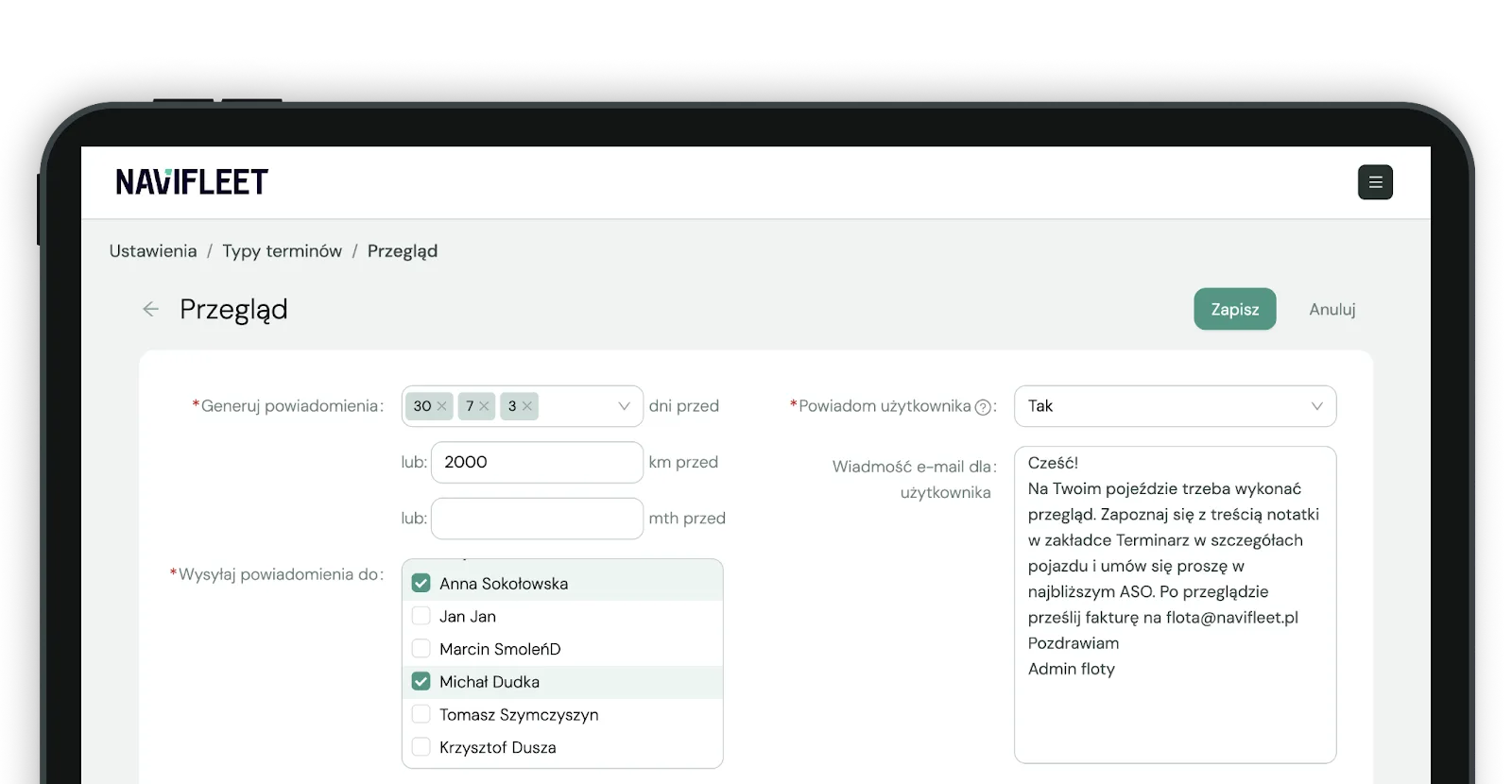
The app lets you specify how far in advance we should send the alert (number of days, kilometres or engine hours), to whom, and whether to notify the vehicle's current user straight away (and if so, with what message). That way we involve not only the person responsible for the fleet in tracking important deadlines, but the drivers too. More people involved in the process means a lower risk of consequences from missing an important deadline.
Scans of policies and registration documents in one place
Accidents happen. Collisions even more so. If in your career you often hear on the phone "Hi, I've had a bump, send me the policy number, I need it for the accident statement", I have more good news for you. You can get rid of them in one swift move. I do not see it in every company, but a popular practice is to hand a new employee a scan of the policy and a scan of the registration document, among other things, when issuing a car. But let anyone who has never lost those photocopies cast the first stone!
If a car changes drivers often, it is almost certain that one will forget to pass them on to the next, and at some point they will call you. The worst case is taking such a call during a roadside check, and if the check is being carried out by foreign police, worse still. Then it does not matter what you are doing or where you are. The driver needs the document scans here and now, so you drop everything, look for the right papers, take photos and send them via WhatsApp or Messenger.
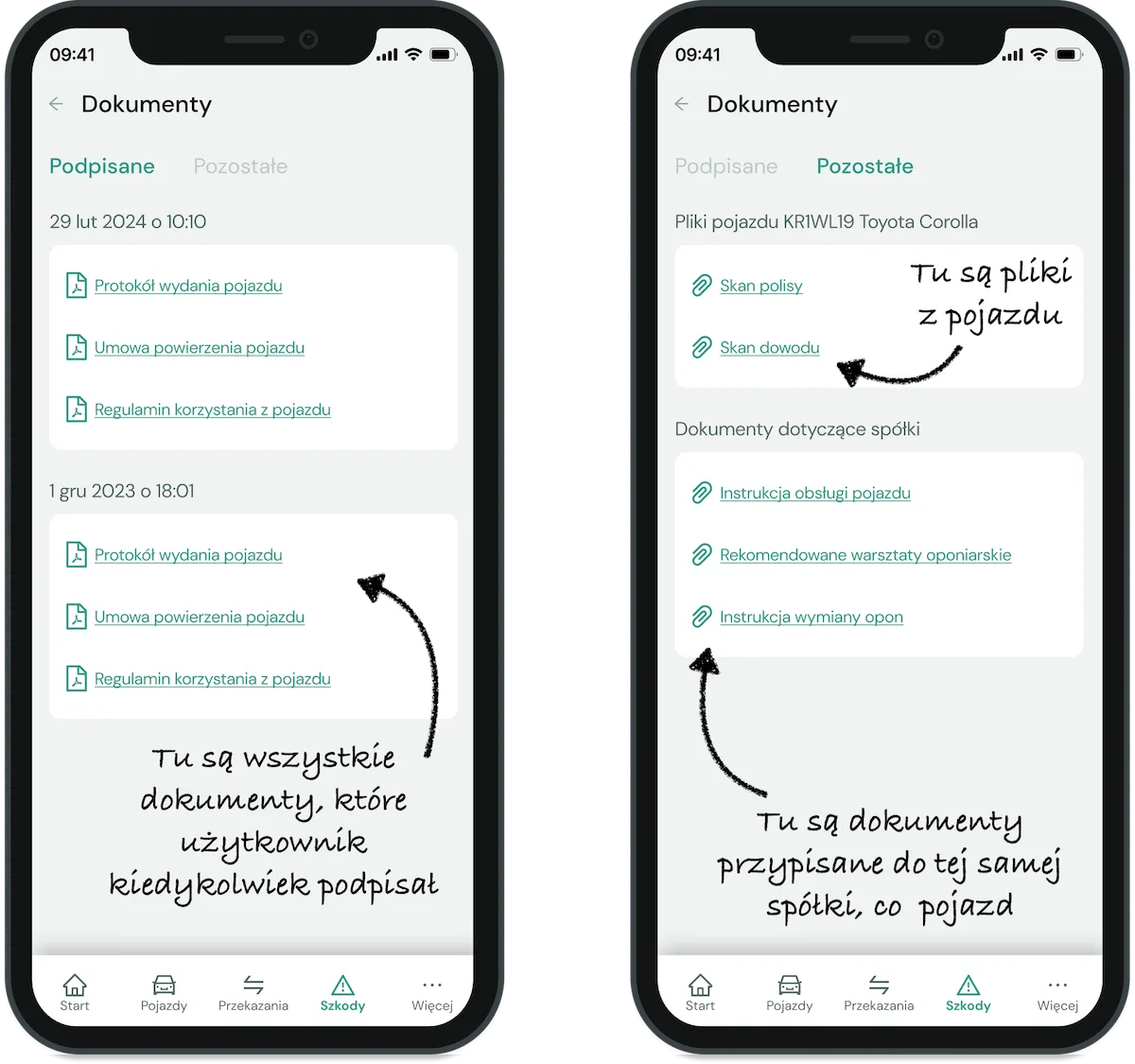
It does not have to be like that... In the Navifleet Manager app you can attach a scan of the policy, the registration document or any other document that you or the drivers often need to each vehicle. Adding files to a vehicle is very simple: just open the virtual record of the vehicle and drag the files from your computer. Better still, when issuing the vehicle you do not have to print them and hand them to the new employee, because the car's current user sees them in their app straight away (and if you sign paper vehicle handover reports when issuing a car, see how to do it electronically).
Notifications of important deadlines go to you and straight to the driver
Remembering about the roadworthiness test or the oil change is only half the battle. You still have to send the driver to the test station or the dealer. There is a very high probability that the driver is not keeping track of it (although legend has it that some remember on their own). It is no superhuman effort; it usually comes down to writing an e-mail or text message to the driver and that is it, but when you have 100 or more cars in your care, your patience will eventually run out.
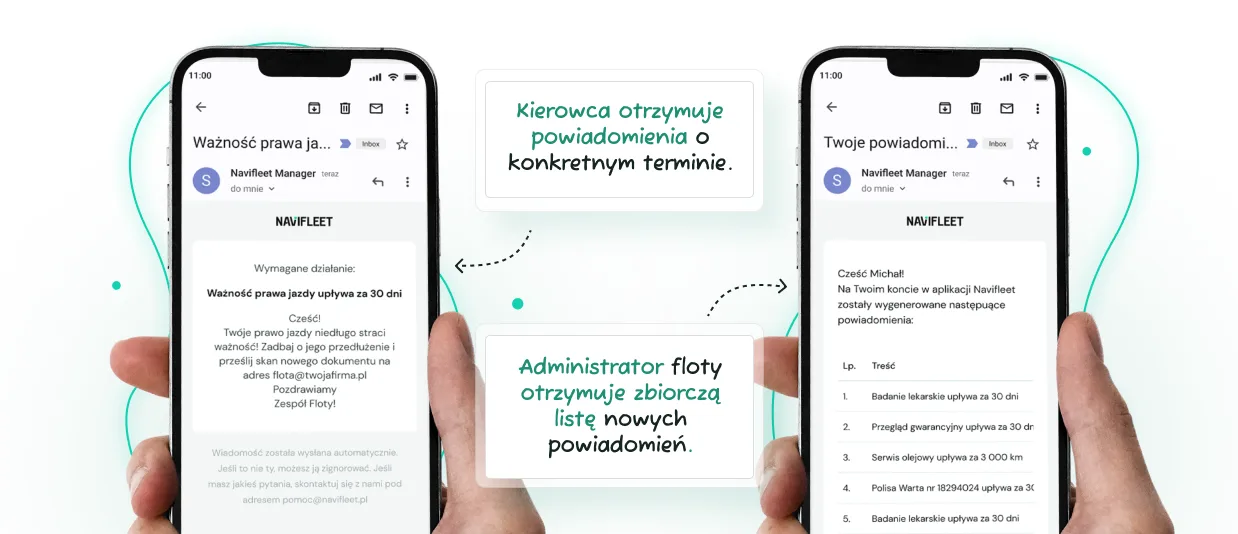
In the Navifleet Manager app you can enter various types of deadlines: policies, roadworthiness tests, inspections, financing and calibrations. For each type of deadline you can specify how far in advance we should generate notifications and which person in the company we should send them to. If one person handles policies and another handles oil services, you can configure the system so that each receives only the notifications they need. You can also indicate whether we should notify the vehicle's current user in parallel, and if so, with what message. For example, you can ask them to go to the nearest authorised dealer for the required warranty service on their own, and then send the invoice to your e-mail address.
As a result, you do not have to notify every driver manually that their car's inspection is expiring and they need to go and get it done. And if the driver forgets? Do not worry, you can set several notification thresholds, e.g. 30, 7 and 3 days before. Nor does it matter how often the driver of a given car has changed, because notifications are always sent to the vehicle's current user
Inspections and oil services under control too, with full history
Remember the last time it took you a while to find out at what mileage the oil was changed in a car? If you have your cars serviced by a trusted mechanic, you probably do not bother with such details, but if you are one of those people who leave nothing to chance, I have more good news for you. And if you manage a fleet financed through CFM or leasing, where missing a warranty service can mean losing the warranty or the financier's liability in the event of a breakdown on the road, this news will be even better! Our app will also keep track of warranty and oil service deadlines for you.
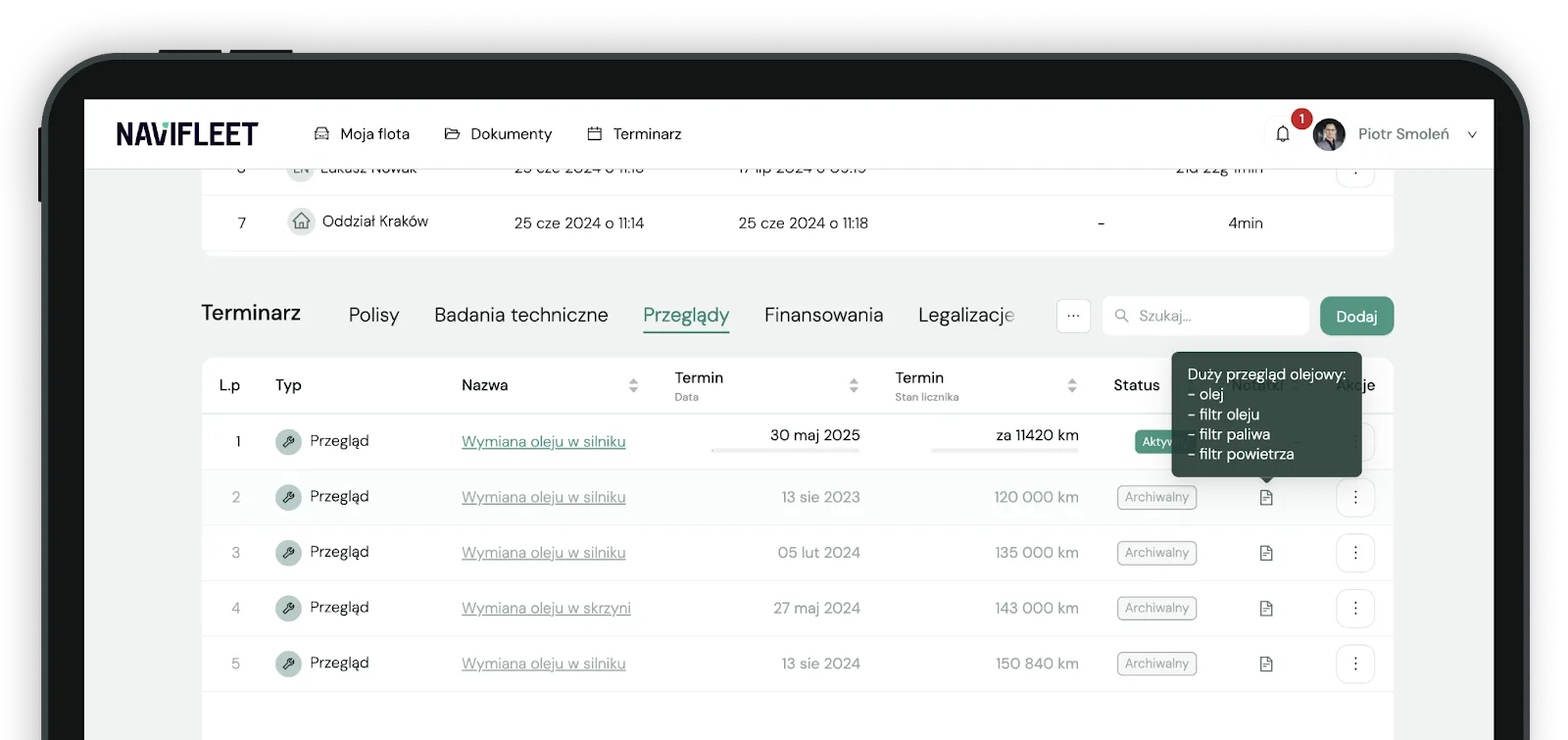
One of the differences I mentioned between our app and a spreadsheet is that it saves the full history of changes and does not force you to record the inspection history by hand. When a driver lets you know they have been to the garage and the oil in their car has been changed, all you need to do is go to the app, find the vehicle and click "Archive and schedule next" next to the oil service deadline. We will not delete the old deadline; we will set its status to "Archived" and immediately open the form for adding a new one. We will copy all the information from the old one, such as the name, note and registration number. All you have to do is enter the date of the next change.
You can control HR deadlines in the same app too
One of the more important deadlines that relates not to the vehicle but to the driver is the validity of their driving licence. Of course it is hard to believe a driver would forget to tell you about a three-month loss of their driving entitlement for reckless driving, but missing the expiry date of a driving licence is understandable. Bear in mind that since 2019 driving licences have been issued for 5, 10 or 15 years, and one of the standard provisions of insurance terms is that for a comprehensive claim to be paid, the driver must hold a valid driving licence at the time of the incident.
With third-party liability insurance you are safe, because even if a driver without a valid licence causes an accident, the insurer will cover the damage out of its own pocket and recover the money (with interest) directly from the person at fault. If you manage lorries, in addition to the validity of driving licences you also have to keep track of the validity of certificates of professional competence or ADR qualifications. The sanction for allowing a driver who has not obtained the required ADR certificate to carry dangerous goods is an administrative fine of PLN 2,000.
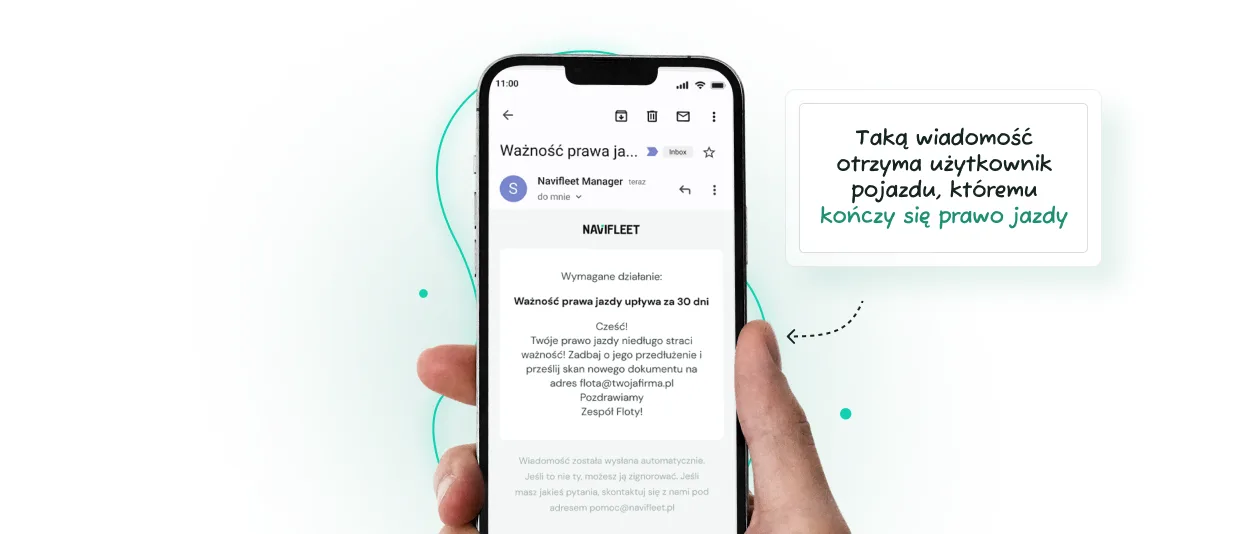
If you want to put this area in order too, you can do it in the Navifleet Manager app. In addition to vehicle deadlines, the app also tracks driver deadlines. The principle is identical: you decide what you want to track, and whom and how far in advance we should inform. If, for example, you want to track the expiry dates of drivers' licences, the app will inform you but also send an alert to the driver concerned. Adding deadlines is very quick. You can do it either from the Scheduler module or from the virtual record of the chosen driver.
Summary
As you can see, keeping track of important deadlines does not have to be a nightmare. In fact, it can happen almost without your involvement (though under your close supervision). You always have the most important deadlines at hand in the app. So do the people you designate. What do you think the chances are now that one of them will slip past you? 🙂



