
Imagine that when a car is handed over, everything you need gets signed on a smartphone screen, and drivers find the documents for the vehicle they use in their own mobile app. Interested?
What are e-documents and why use them?
You are in the middle of a task when a call from a driver interrupts your flow: "Could you quickly send me a scan of the policy? I've just had a bump on the road." You stop what you are doing and start frantically searching the binder for the right document.
And what if you happen to be out of the office and cannot get to it?
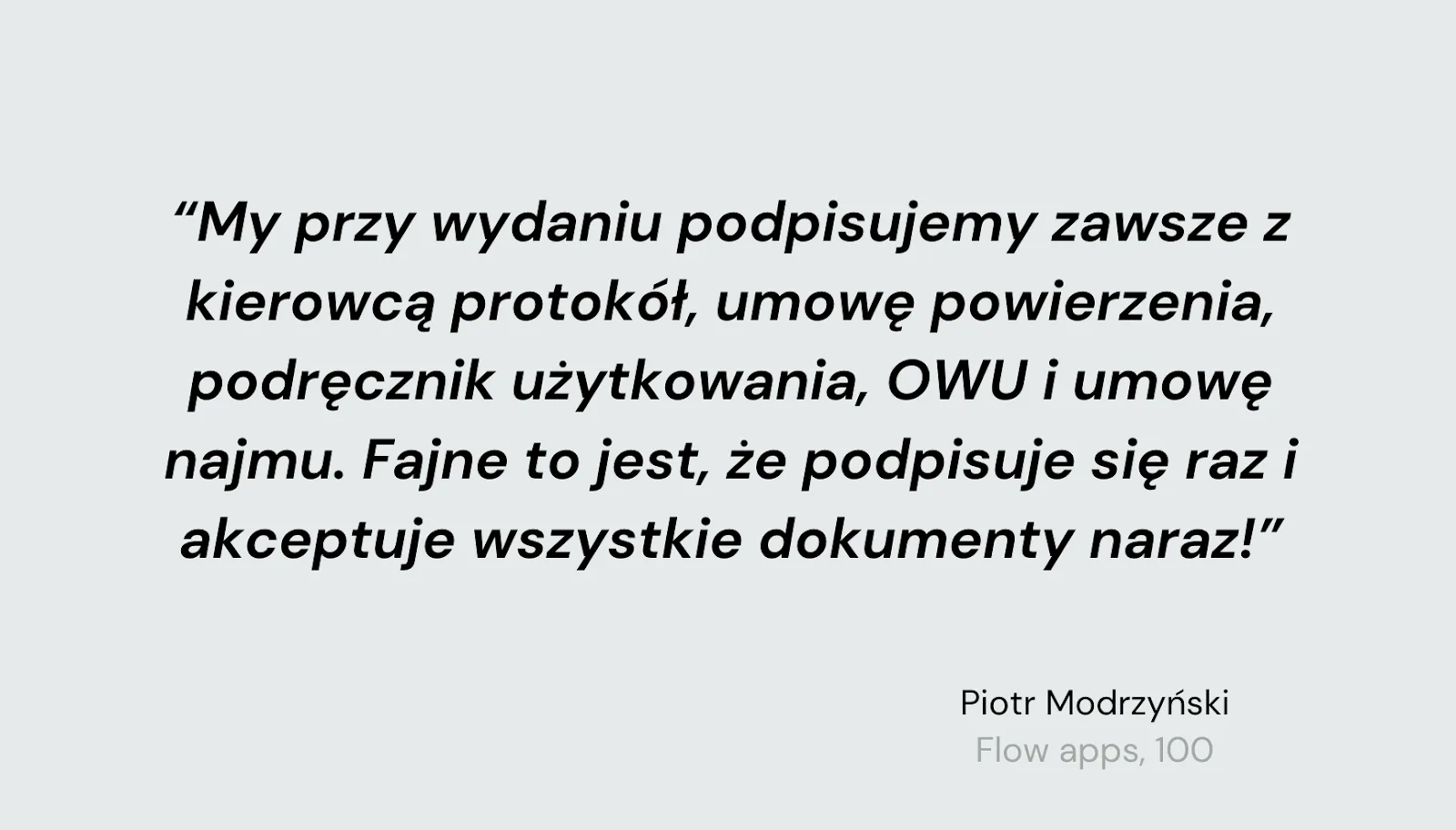
Policies are not the only documents a fleet manager needs quick access to. Permits for travel abroad, the leasing company's authorisation for an employee or the fleet policy are just a few examples. In the traditional model, when handing over a vehicle you have to: find the files on the drive, print them, fill them in and sign them, and then archive them properly. How do we know all this? Straight from the people who face these problems every day:

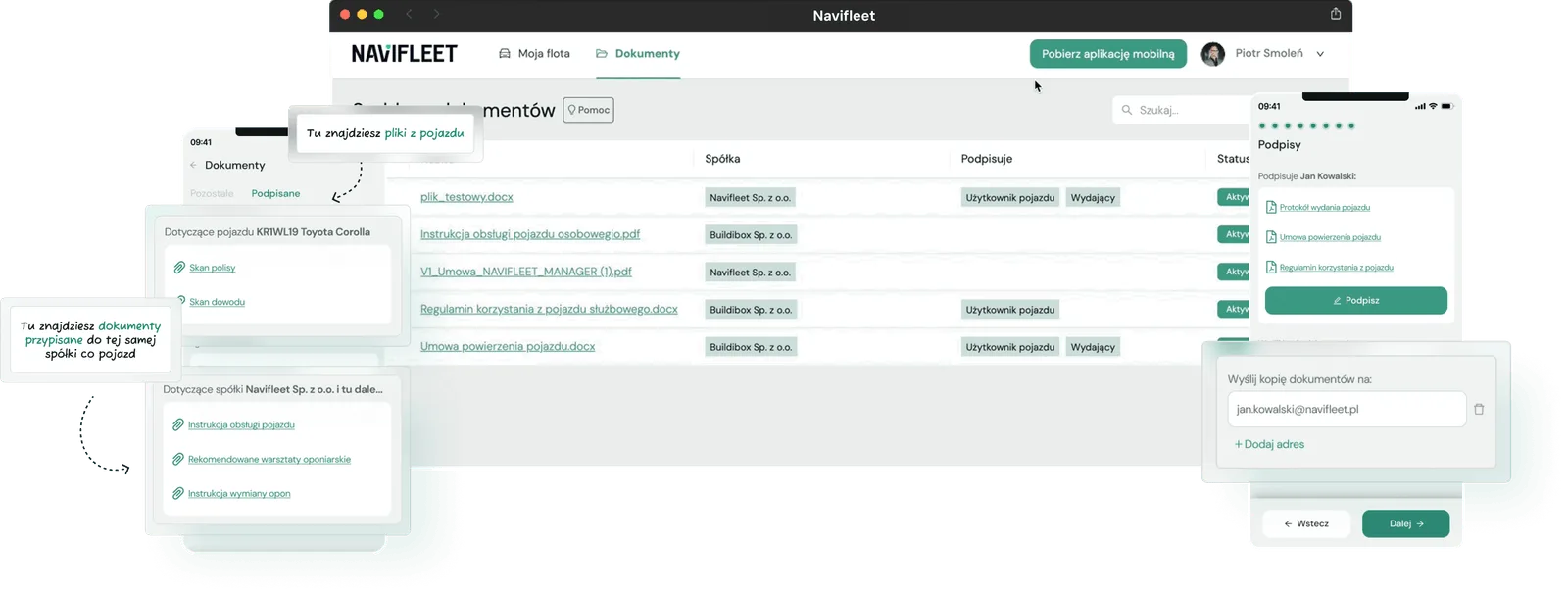
The e-documents module provides digital equivalents of the traditional documents most commonly used in the life of a fleet. Thanks to centralisation in one highly intuitive system, the app users you choose have access to the key files without having to rummage through binders.
Stop wasting time filling in documents at vehicle handover
A vehicle handover is coming up and you need to prepare and print the agreement, the terms of use, the GDPR clause and the table of fees and charges? On top of that, you have to fill in all the details of the driver, vehicle and company by hand? This process takes quite a bit of time. Did you know that with our app you get that time back, because we do it for you?
If you want the app to fill in any document for you at vehicle handover, you need to place so-called variables in its content. For example, simply open your agreement in a text editor and, wherever you usually write something by hand, insert the name of a variable in square brackets. You will find the full list of variables in our official knowledge base.
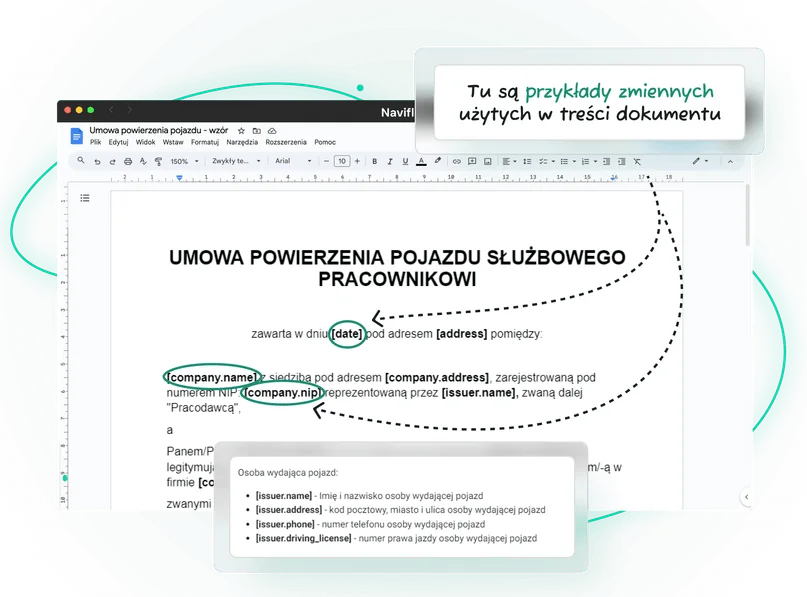
This not only saves you time but also helps you avoid mistakes. Uploaded documents are available both on the computer and in the mobile app.
What if you employ people on different types of contract?
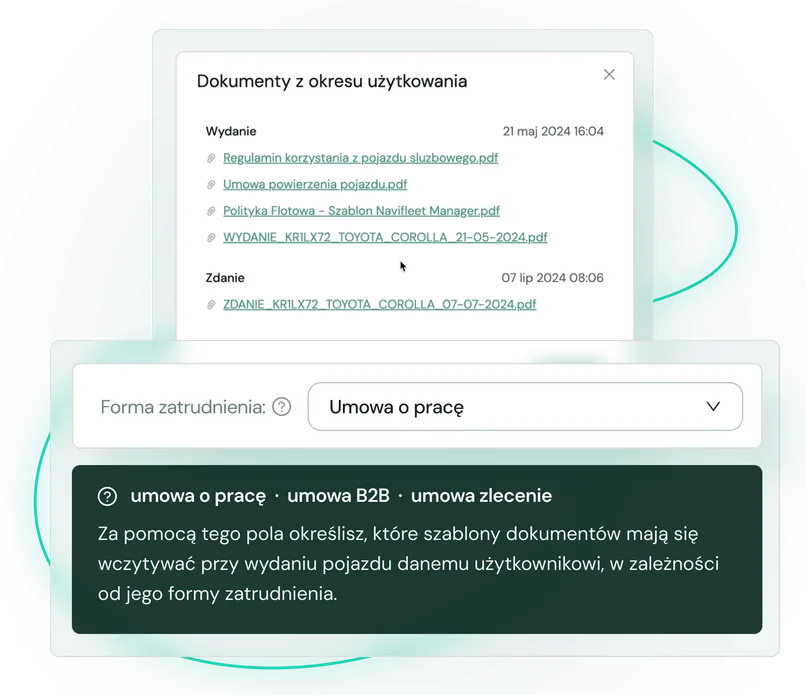
Regardless of whether the user collecting the vehicle is on an employment contract, a contract for services or a civil law contract, the app automatically applies the right document templates. The system itself checks which company the vehicle belongs to and what form of employment the recipient has, and then generates the right document template for signature.

One place, all the documents
Vehicle handover is one thing. The other is quick access to a specific document related to a given vehicle. This could be, for example, scans of registration certificates, confirmation of an insurance policy or device calibration certificates. A lack of standardisation means these documents are often scattered across the company: some in binders, some on drives and some "on someone's computer". How are you supposed to predict where to look when someone suddenly needs something? As a result, you waste time answering calls, searching the archive and looking for the right file. It could be much simpler.
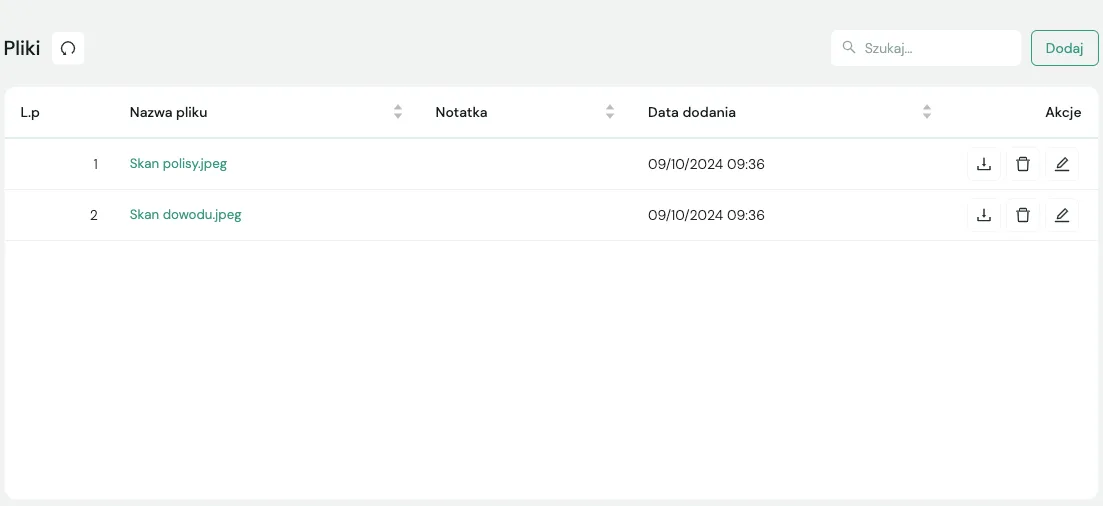
Our app is one tidy folder for everything to do with the fleet. Whether it is handover reports, agreements, document scans or type-approval certificates, you have everything in one place. Every authorised employee, regardless of department or location, has what they need straight away, with no unnecessary calls or e-mails. All of it organised and assigned to selected vehicles or categories. It is a bit like "ctrl+F" across your entire fleet documentation: click and you have it.
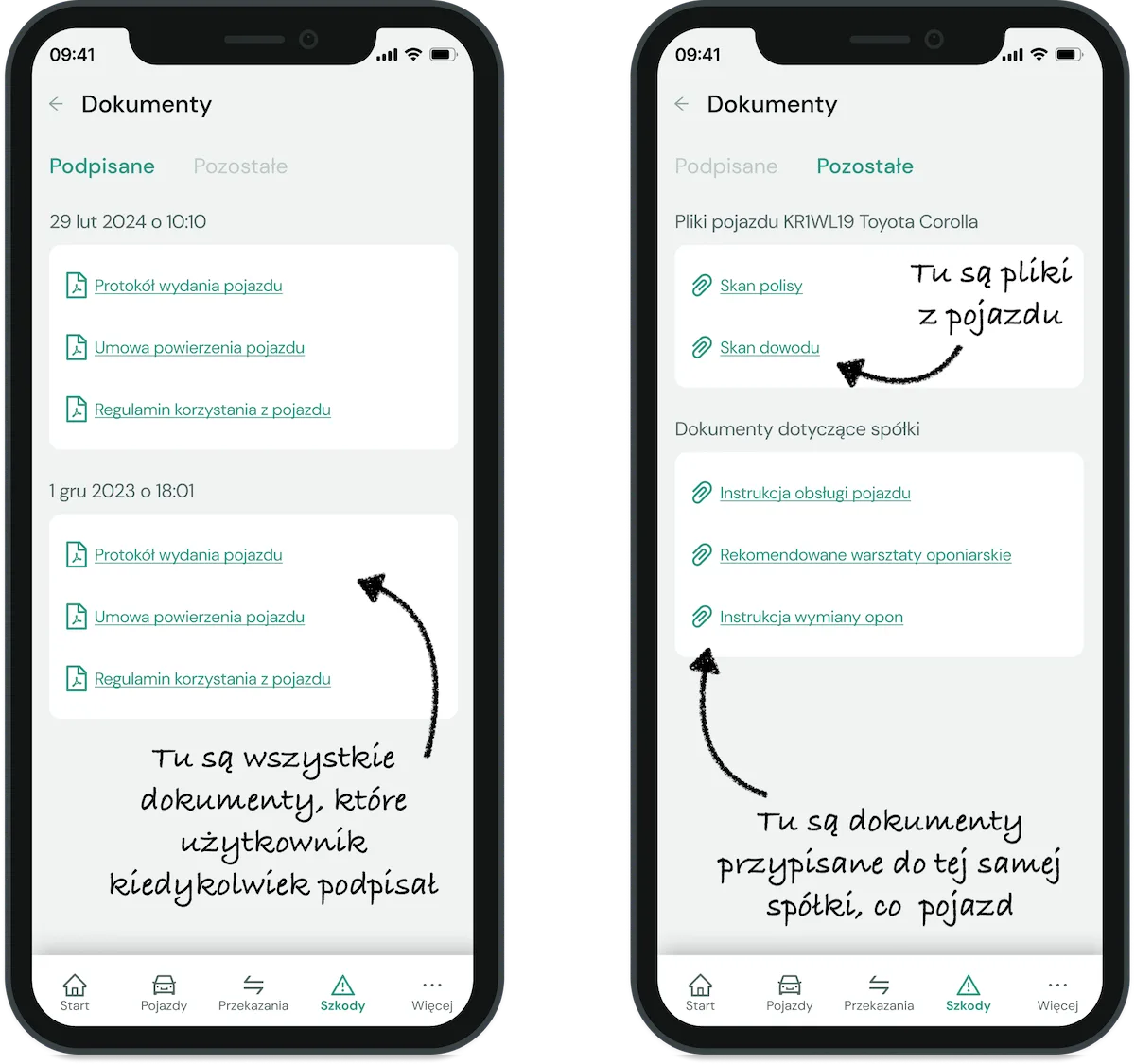
Documents for the vehicle in use in the driver app
How many times in your career have you been asked what to do after a bump? How many times have drivers asked where the winter tyres are kept and which garage should change them? Or perhaps someone wanted to double-check what to prepare before travelling abroad?

If your company has a large fleet, we can only imagine how many such calls can come in every day. It is a completely unnecessary distraction from the important strategic work you have to deal with.
With our app, you upload not only document scans but also vehicle user instructions once, and all authorised drivers get access to them. From now on, drivers, if you invite them to use the app, will have easy access to them and will find the information they need themselves. The files shared with them can also include a scan of the policy, the vehicle terms of use and any other document you consider necessary.
All the documents, one signature
A vehicle handover is often not a matter of signing a single document.
If it is your employee, it is usually the vehicle agreement and the fleet policy. If, however, you rent vehicles commercially, there is also the table of fees and charges, among other things.
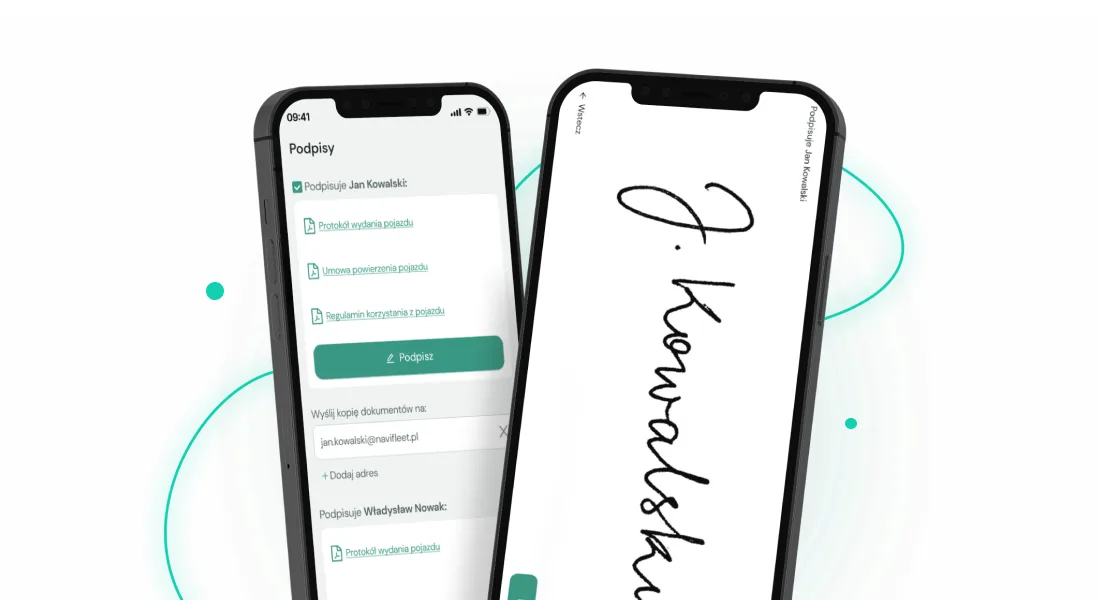
If this is what your reality looks like, in our app you sign all the handover documents with the driver on a smartphone or tablet screen. Because one signature approves all the documents at once, you save a great deal of time. At every vehicle handover the app itself prepares and fills in the full set of documents to be signed by you and the driver. This gives you certainty that the driver will read and accept the content of all the required documents when collecting the car.
E-signatures comply with the highest security standards and are regularly audited in line with GDPR requirements. In addition, all documents are stored in the cloud and shared only with authorised persons. Every electronic signature operation is recorded in the system, which makes any review or verification easier. As a result, not only do you enjoy the convenience, but your company can also be sure that documents are secure and available at any time. Read the details of digital signatures and their legal force in our blog article.
Summary
E-documents not only simplify communication with drivers but also make digital fleet documentation easy to manage. In one place you store all your files, such as signed handover reports, scans of registration certificates and vehicle agreements. This not only cuts vehicle handover time to the bare minimum, but also spares you many unnecessary questions from drivers. And what if your boss urgently asks you for some information from a registration certificate? They won't, because they will find it themselves in the app, even while you are on holiday.
 Dominika Maj
Marketing Specialist
For years I have been writing content that pairs a simple message with real value for the reader. I always try to understand what the reader needs and to explain complex topics in plain language. Marketing and communication are my passion, and I favour authenticity over empty words.
Dominika Maj
Marketing Specialist
For years I have been writing content that pairs a simple message with real value for the reader. I always try to understand what the reader needs and to explain complex topics in plain language. Marketing and communication are my passion, and I favour authenticity over empty words.



