Help › Navifleet Tracker › Fuel control
Fuel cards vs refuelling comparison report
Updated: 17 February 2022
The report is designed to compare fuel burned with the quantity refuelled on fuel cards automatically, saving you time and avoiding errors; the report shows average fuel consumption between refuellings as well as a summary for the selected period. It allows quick verification of any discrepancies in the amount of fuel burned.
Before importing fuel cards, you need to create a universal import template. Create the template in the Costs → Documents → Import template section. The import module is compatible only with files with the XLS and XLSX extensions. It is important that the fuel card contains no errors or gaps (this may make it impossible to save without manually correcting the file). You will find more information on this in the article Universal fuel card module.
Important! If the fuel level in your vehicles is expressed as a percentage (%), you need to send the tank capacity of the given vehicle to the Navifleet Customer Service Office.Importing fuel cards
Import the fuel card from your disk into the Navifleet desktop app.
To do this, go to Costs → Documents → Import (select the source, e.g. XLS file, Fortis etc. → the import template if one has been created → select the file location → import).
Fuel cards vs refuelling comparison report
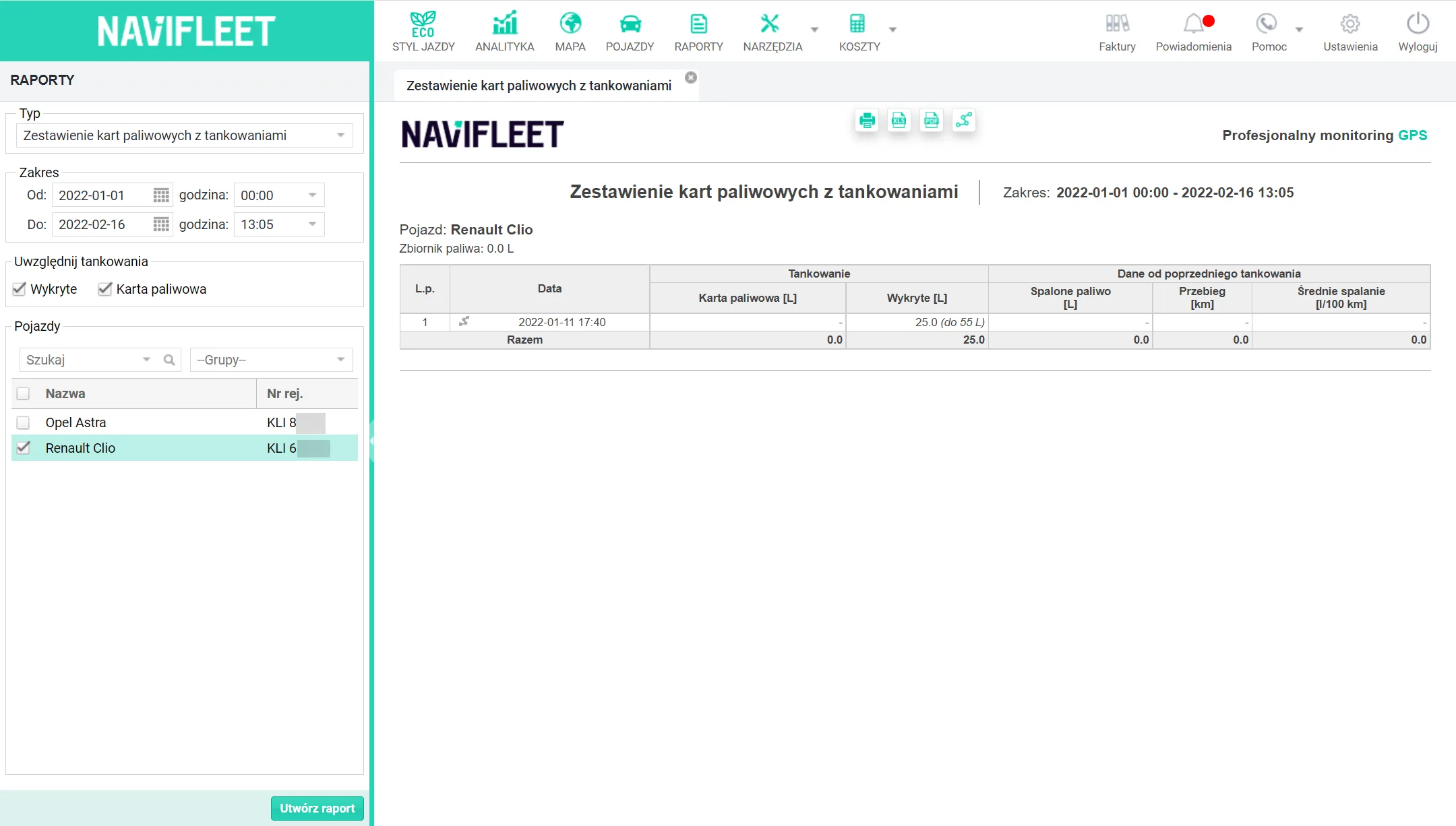
It is important to import all fuel cards. This affects the comparative value of the report, as does importing files containing only the necessary data.To generate the report, go to Reports → Fuel cards vs refuelling comparison.
Then set the time range of the report and select which refuellings it should include:
- Detected - information on how many litres were refuelled and to what level.
- Fuel card - information on the number of litres refuelled on the fuel card.
You can also select the vehicle the report is to cover.