
Help › Navifleet Tracker › Administration
Switching from a paper invoice to an electronic one
Updated: 22 July 2022
To protect the environment and save your valuable time, we encourage you to opt out of paper invoices and receive them in electronic form only.
Changing the invoice type in the Navifleet app
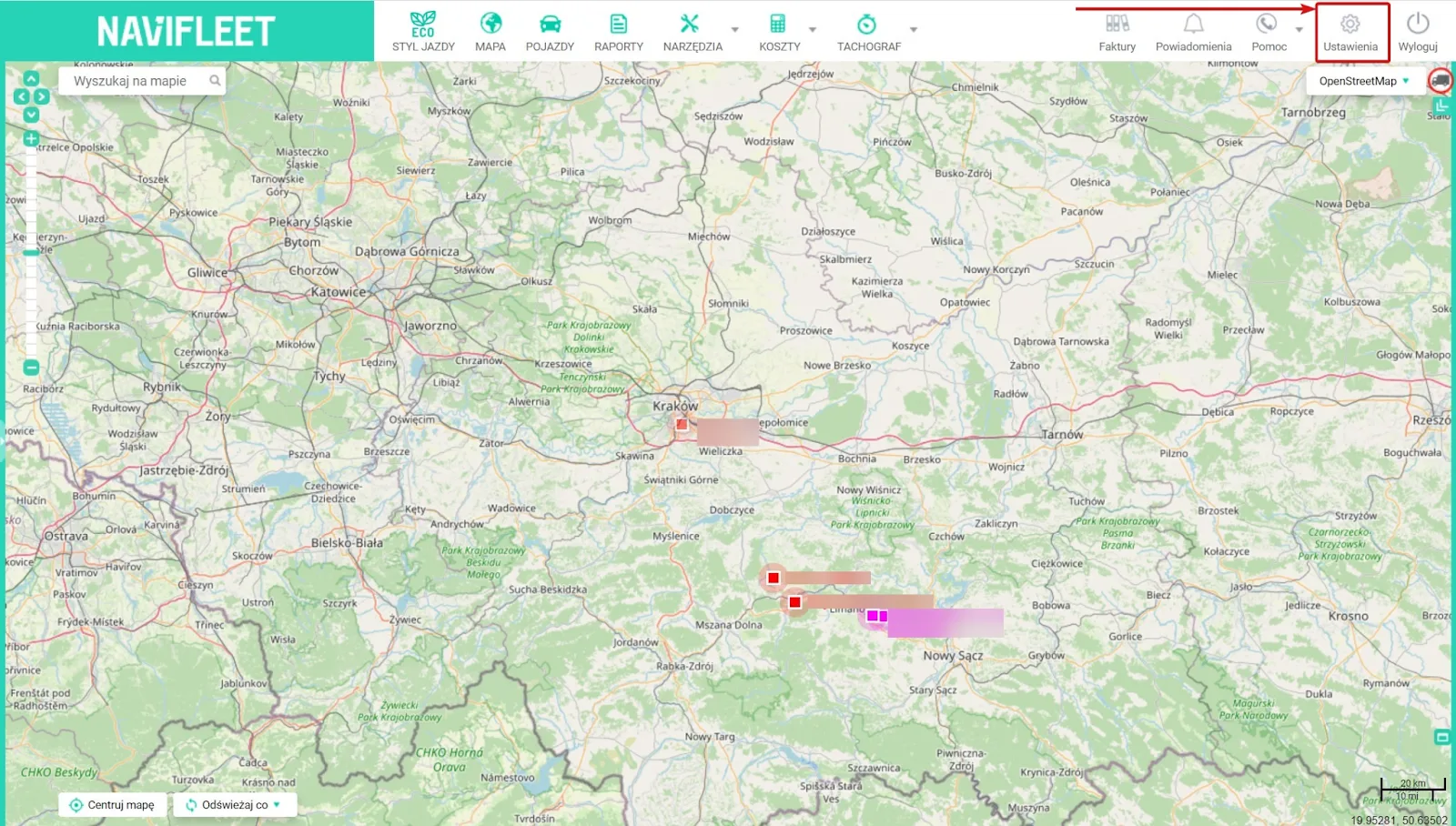
To change the invoice type in the Navifleet app, select Settings.
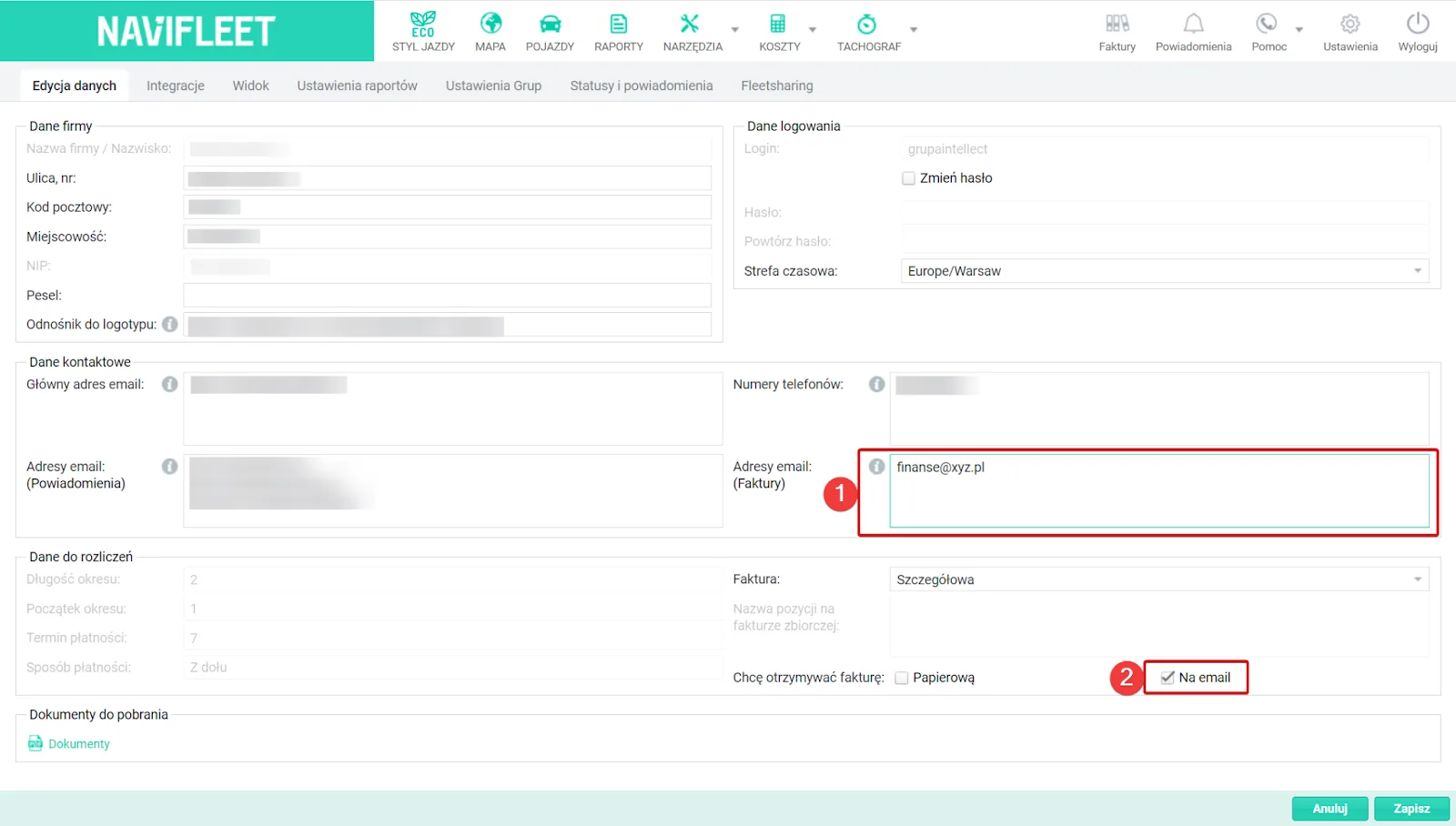
Then fill in the e-mail address to which you want to receive the invoice in the relevant field (1) and tick the By e-mail (2) option. Once you have made the changes, click Save.
You can also change the invoice type by sending an e-mail to [email protected] with the following text: "I hereby consent to receiving invoices, duplicates of these invoices and their corrections in electronic form to the following e-mail address: enter your e-mail address here".