
Help › Navifleet Manager › Web panel: Users
User roles and permissions
Updated: 20 August 2026
In Navifleet Manager, user access management is based on two elements:
roles - defining the scope of permissions in the app,
groups - defining which data (vehicles and users) are visible to the user.
This lets you control access to data in your organisation precisely, for example by restricting fleet visibility to a specific branch, region or team.
What are user roles?
A user's role defines the range of actions they can perform on the groups of vehicles and users shared with them. Every user in the system must be assigned one of the available roles.
Roles define:
access to data,
the ability to edit,
the ability to configure,
the ability to manage users and the fleet.
Roles available in the system
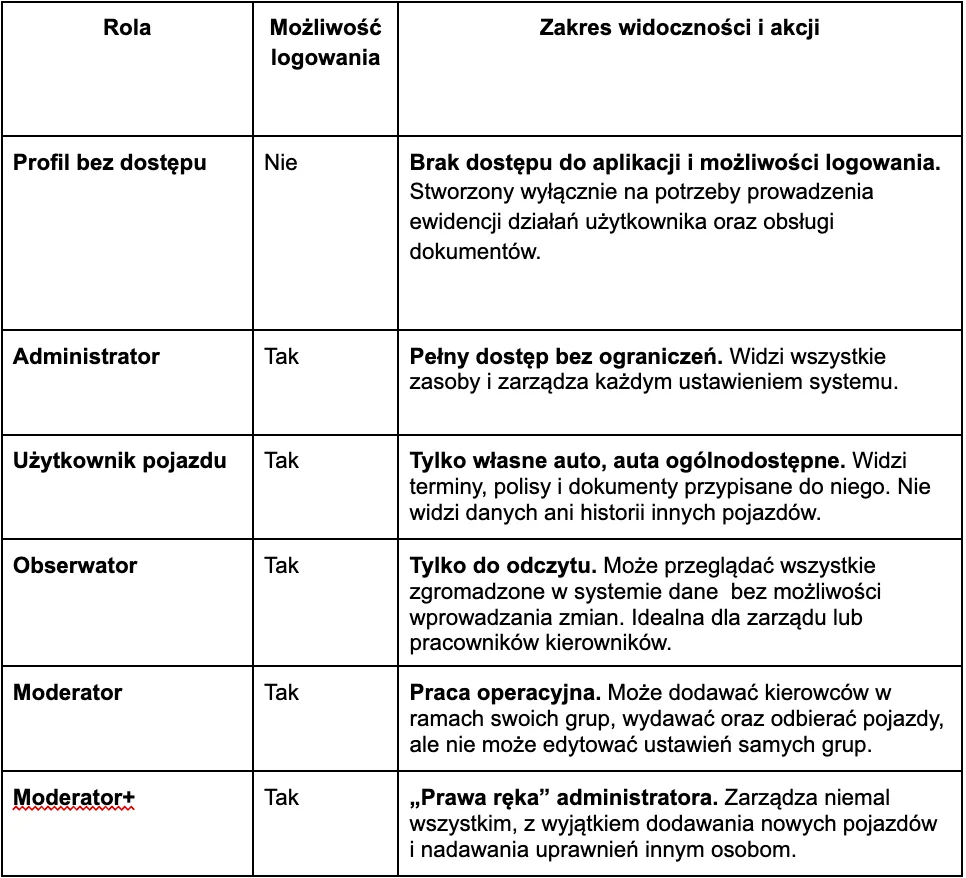
Role comparison table
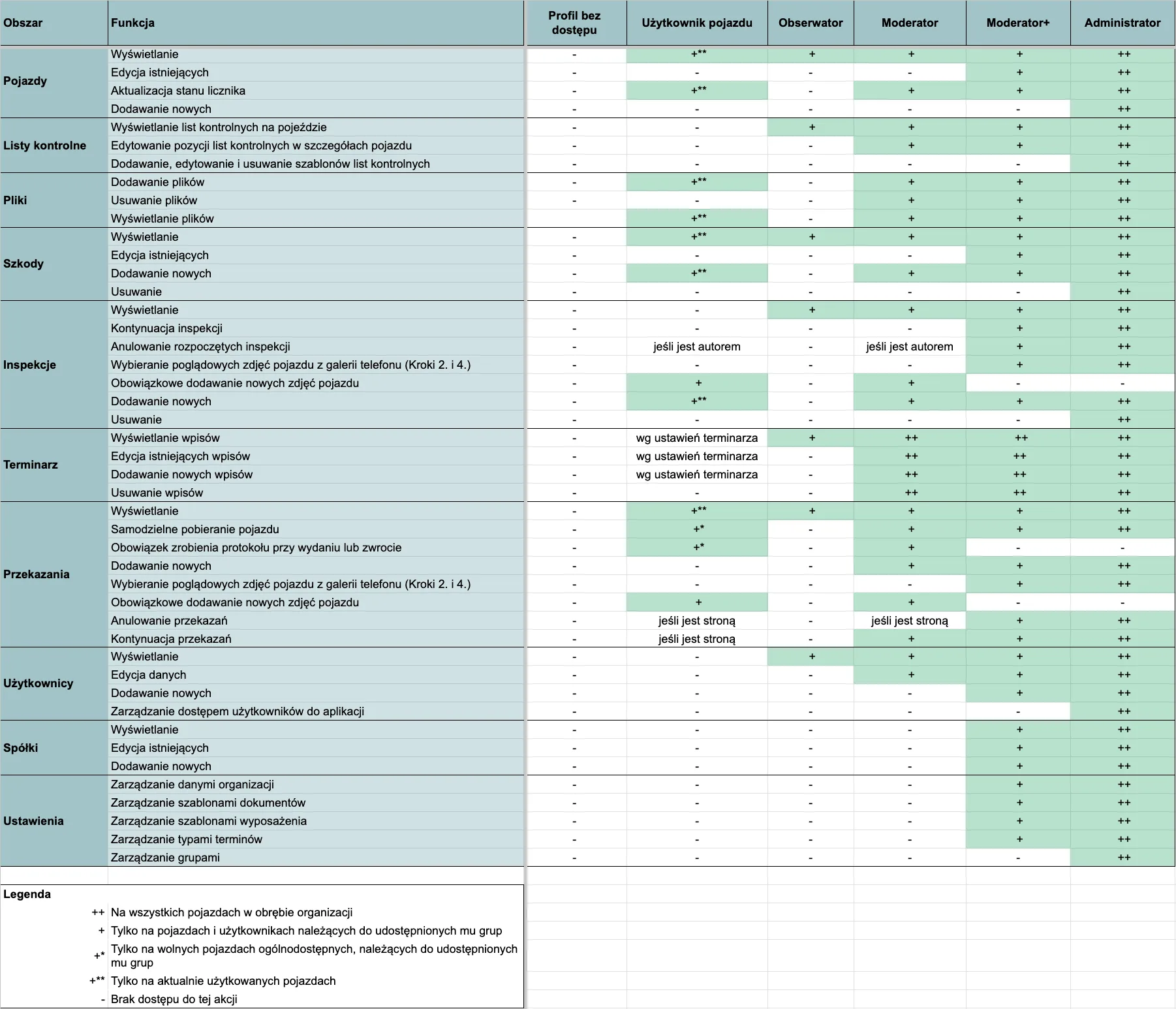
When assigning a role that requires logging in, you need to provide an e-mail address to which we will send an invitation. You can read more about this process in the article: How to add users?
Roles are granted within Groups.If your resources are not grouped yet, see the article: How do groups affect data visibility?
Editing a user's role
To change a user's role, go to the article: How to manage user permissions?