
Help › Navifleet Tracker › Navifleet integrations
Navifleet API
Updated: 23 February 2022
The Navifleet app has a very extensive API, available to all users at no extra charge. The API allows data to be exchanged between NaviFleet and other applications, for example systems for running logistics companies or ERP systems.
CONTENTS
Main API key – user code
To test the available methods, use the main API key. The main API key can be found in the Settings → Integrations → API tab.
How to obtain your user code
- Select the Settings tab.
- Select the Integrations → APItab. Click the edit icon next to API.
- The APIwindow will appear. Click the Generate new API keybutton.
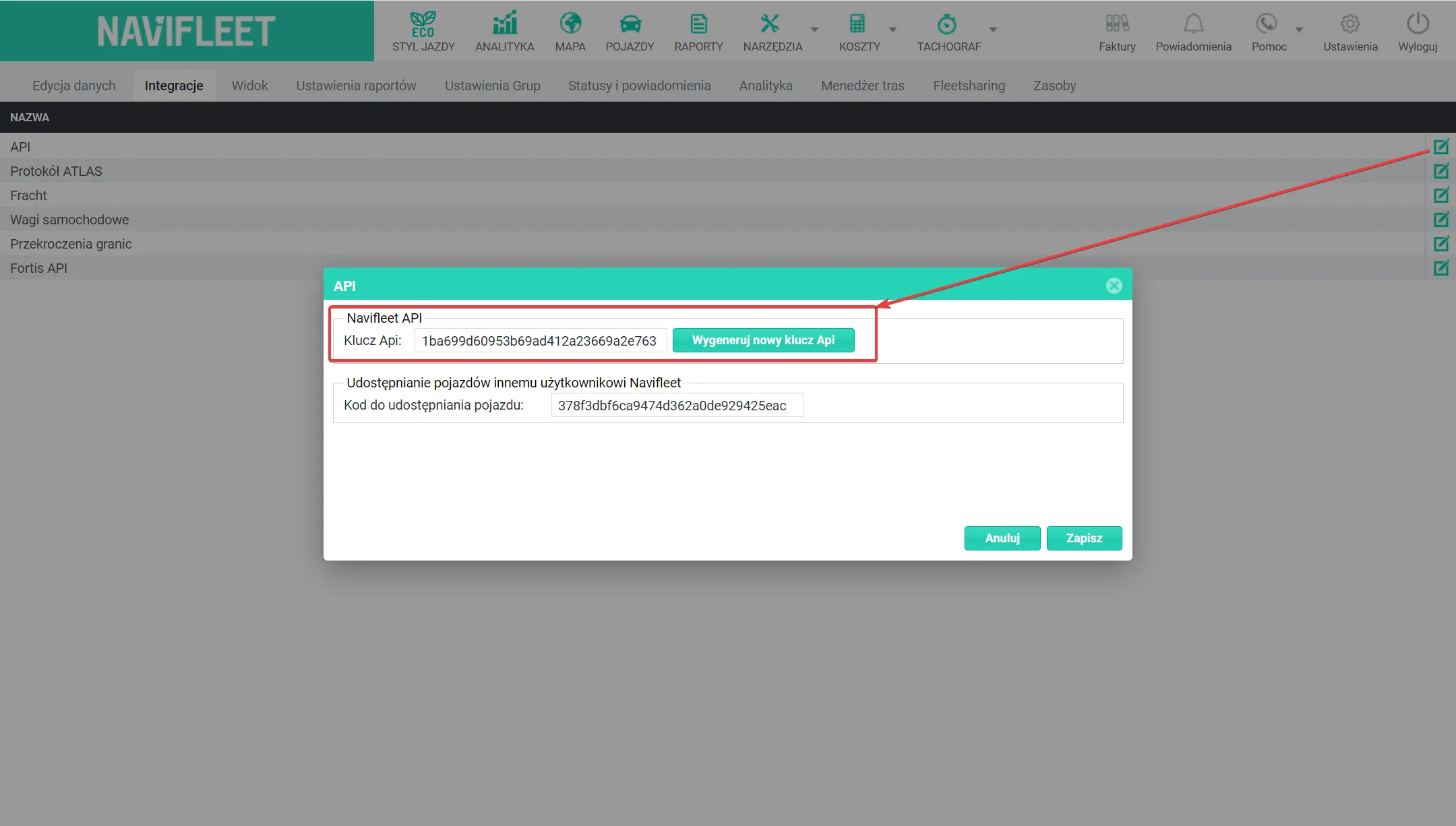
To send the API key to a chosen recipient, select the key and copy it to the clipboard (Ctrl + C). You can also pass it on as a screenshot or a photo.
NaviFleet API documentation
The full API documentation can be found here: NaviFleet API.