
Help › Navifleet Tracker › SENT
SENT communication in the Navifleet mobile app
Updated: 17 December 2021
Every Navifleet user can manage communication with the SENT system from the mobile app.
How to activate and control communication with the SENT system in the Navifleet mobile app?
To see the list of your devices authorised for SENT communication, select the e-TOLL/SENT tab.
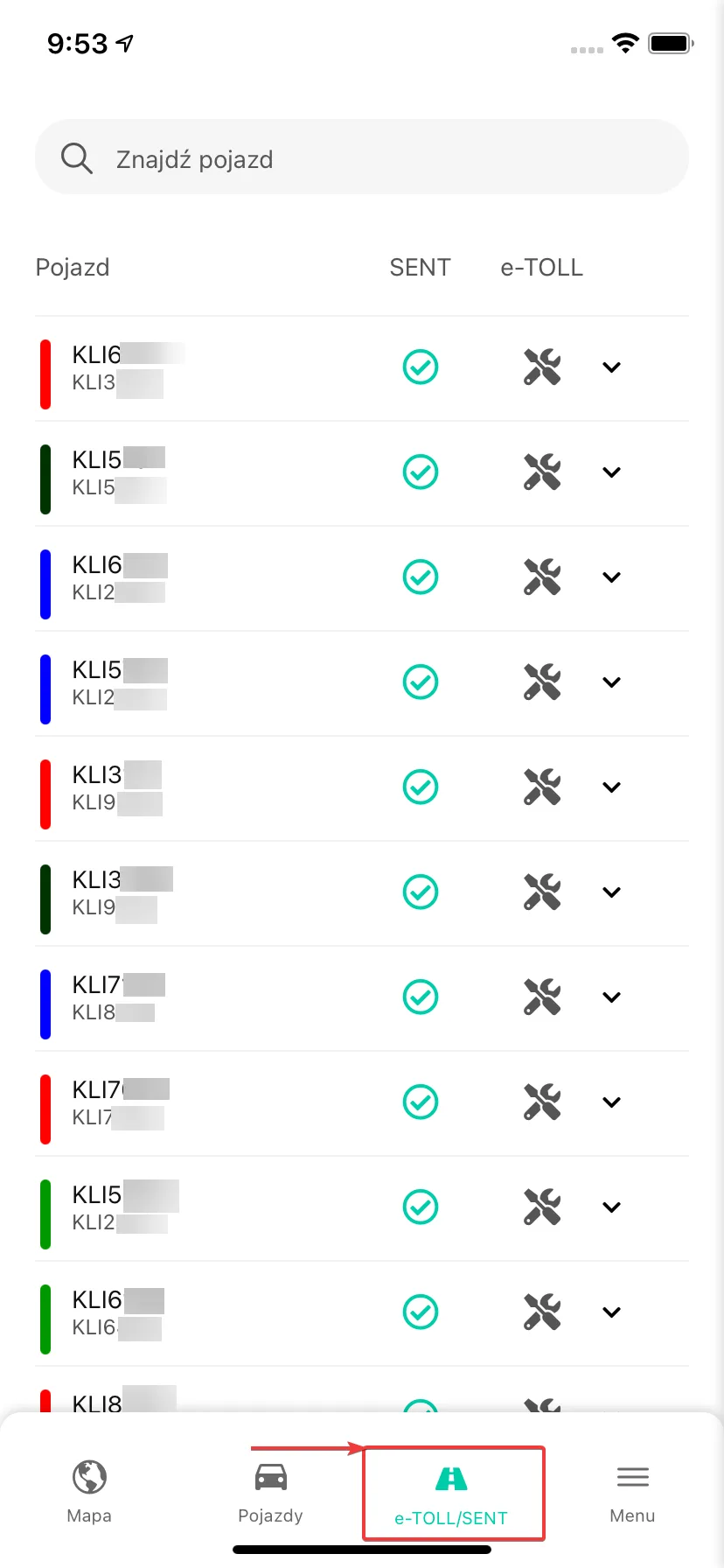
The list has three columns (from left to right):
Vehicle name.
SENT communication status.
e-TOLL communication status.
If you have many vehicles, the search box at the top of the view makes it easier to find a specific item.
Depending on the status of a given device's communication with the SENT system, the following icons may appear in the middle column:
Status icon | Description |
- | The device is not used in the SENT system. Contact Navifleet Customer Service and order access. |
| Data transfer to the SENT system has not been activated. |
| SENT communication has been activated. Waiting for the journey to start. |
| Error in communication with the SENT system. Use the emergency procedure. |
| Location data is being sent to the SENT system. |


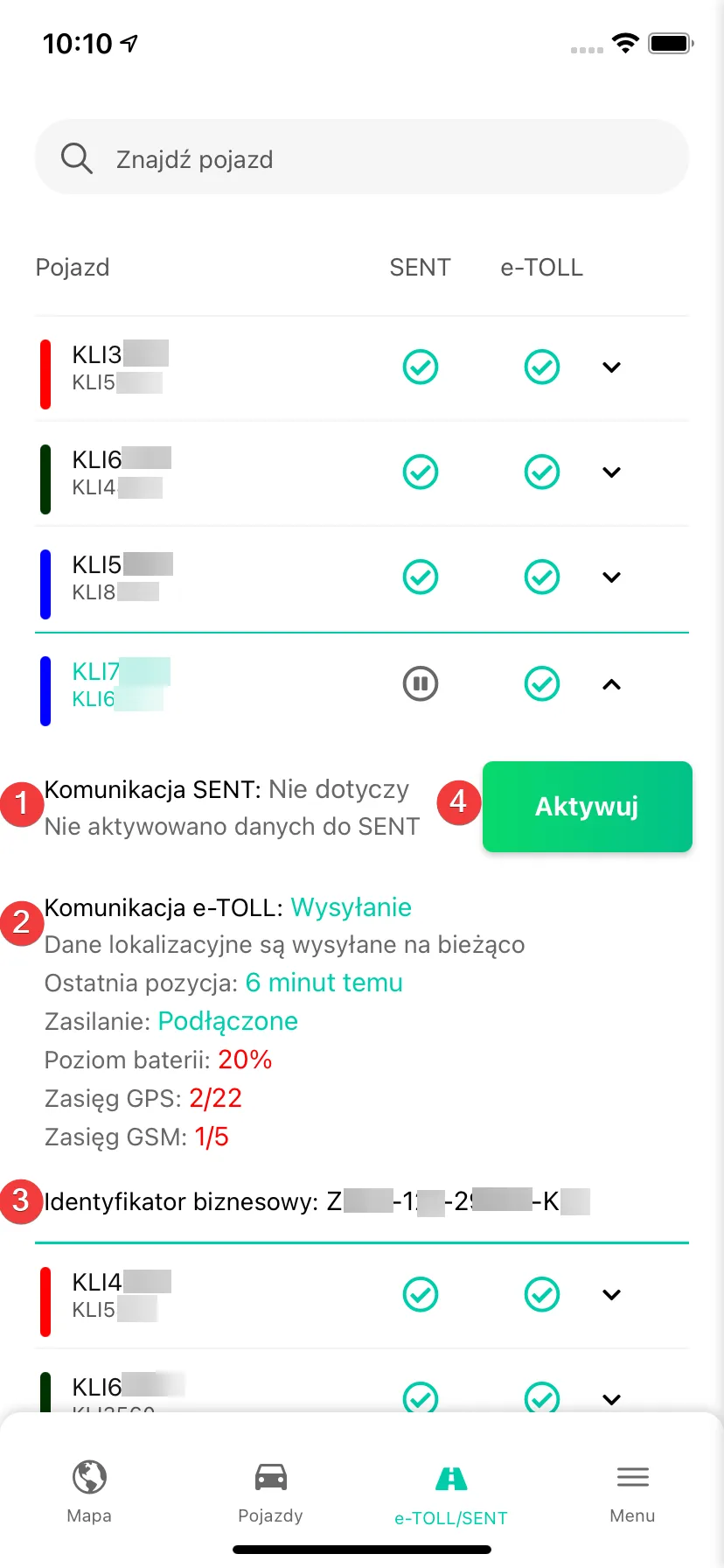
When you tap a vehicle, the app shows the detailed device view. It contains messages about SENT (1) and e-TOLL (2) communication, the device's business ID (3) and the Activate/Stop button (4), which you can use to start or end the selected device's communication with the SENT system.
The mobile app is fully synchronised with the gps.navifleet.pl platform. This means that SENT communication started in the browser app can be ended in the mobile app (and vice versa).