Help › Navifleet Tracker › Route manager
Creating route templates and recurring routes
Updated: 15 February 2022
A route template is a set of route settings that includes elements such as:
- the list and order of points to visit,
- time windows at the individual addresses,
- the routing method (cheapest, shortest) and bypass / avoidance options.
A route template makes work easier for forwarders or dispatchers who supervise repeatable routes that, for some reason, are not carried out regularly.
Adding a new template or recurring route
Creating a template is very similar to creating a one-off route, but it is done on a different form. To open the template or recurring route creation view, go to the SETTINGS -> ROUTE MANAGER tab or click the "Route templates" button on the route list.
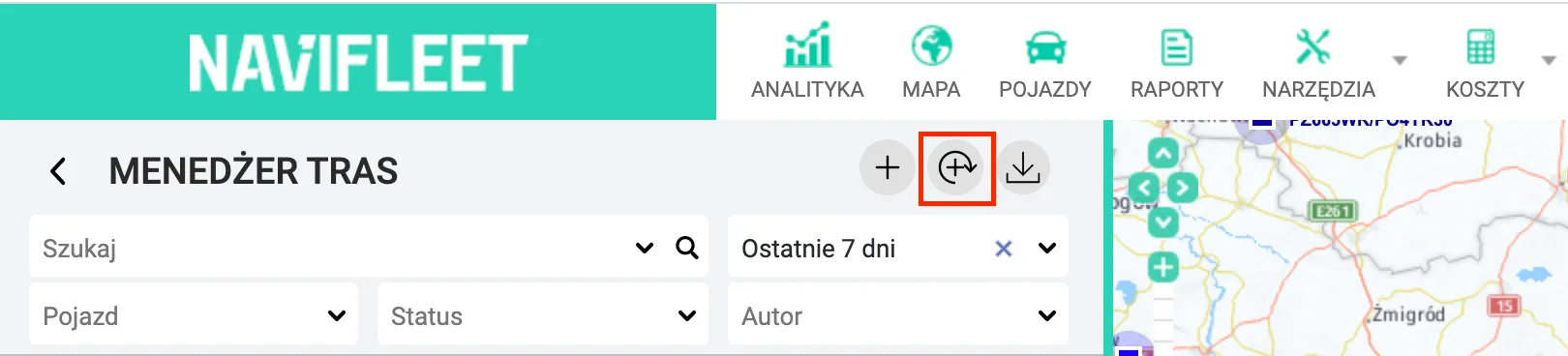
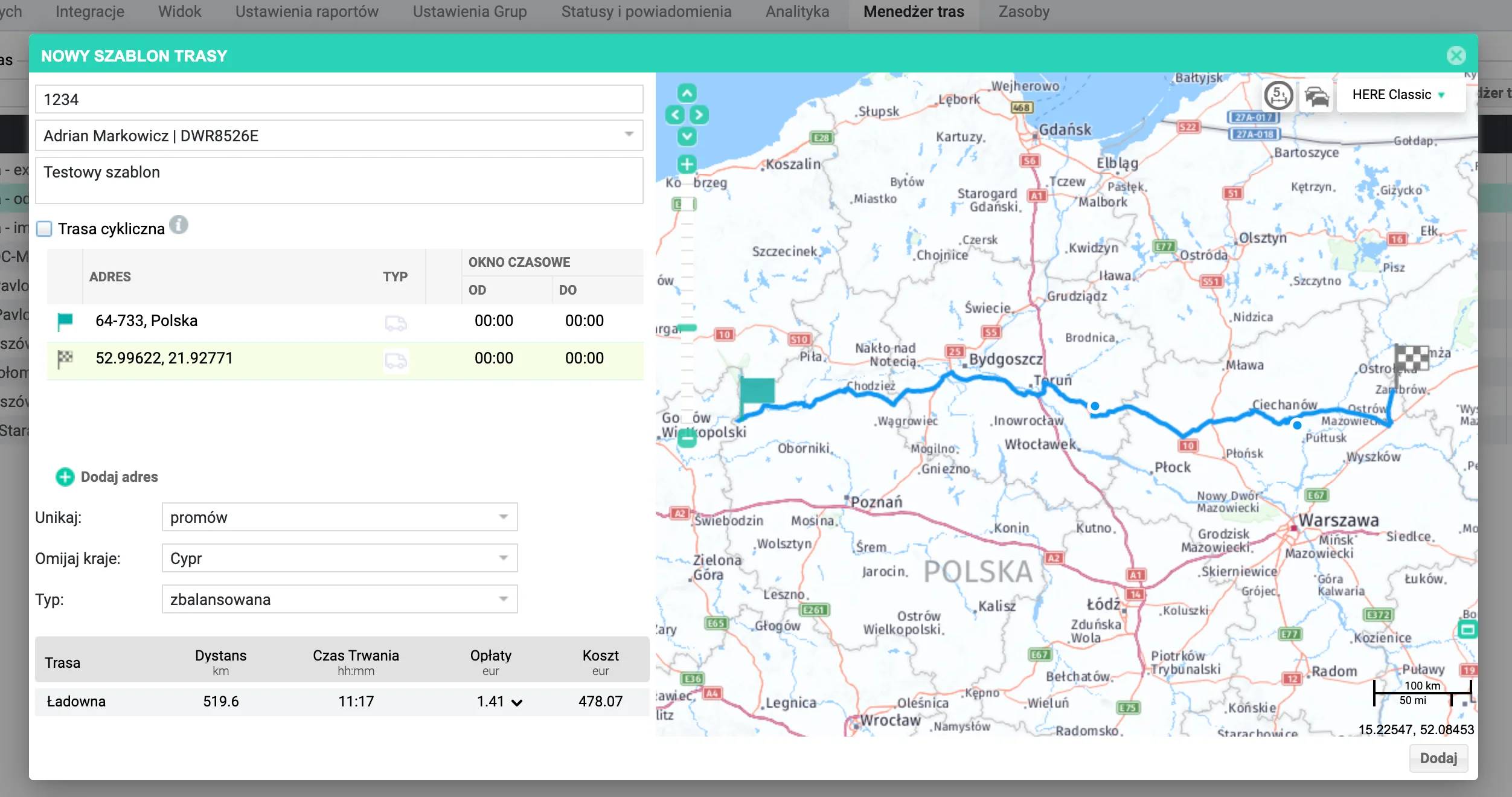
The app displays a list of all created templates, and in the top right corner of this list there is an "Add template" button. The button opens the route creation form, which has the same features as described in the article on creating a one-off route.
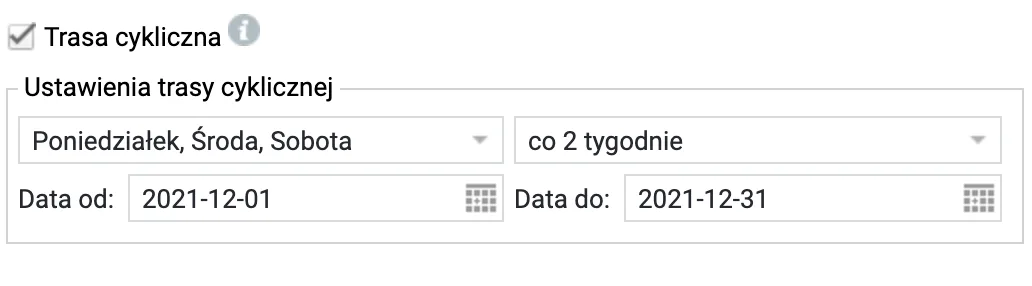
A route template can also be configured as a recurring route. With this feature, the Navifleet app will create routes on its own and monitor their progress based on the route repetition settings. In the settings, you can tick the days of the week on which the route is to be created and the repetition interval. For each recurring route, you need to specify the period during which it is to be created automatically in the system. You can do this by entering the range within which the app will create the routes cyclically.
Loading a route template
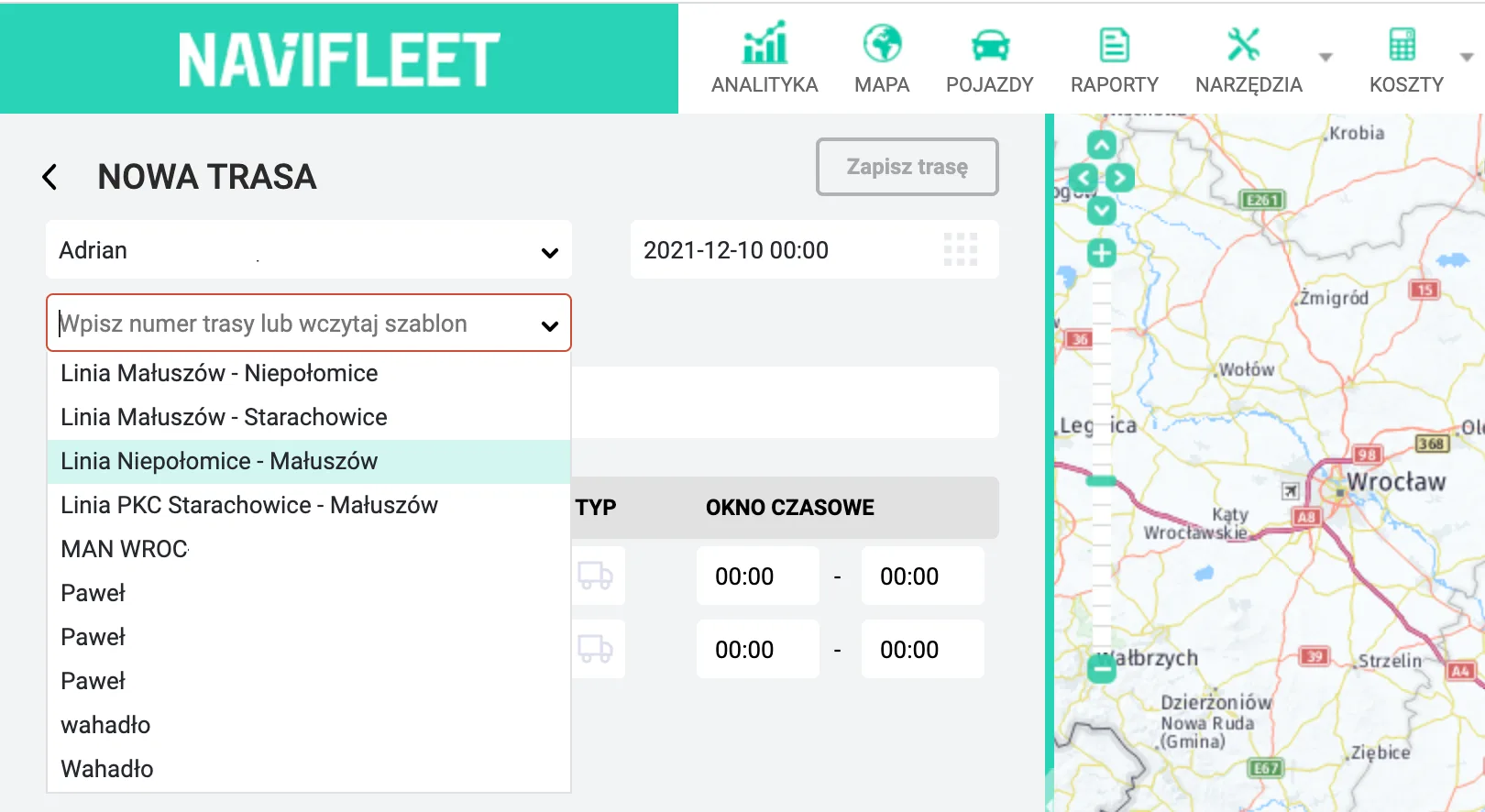
A saved template can be loaded into the one-off route creation form. To load a template, enter its name in the name field of the route being added and select the appropriate option from the suggestions generated by the app: