
Help › Navifleet Tracker › Route manager
Rate settings in the Route manager
Updated: 15 February 2022
For every planned route, the planned and actual costs of completing it are calculated. Costs are calculated based on the billing settings and the vehicle's technical data. All the data you need to set up before you start using the Route manager module can be found in the vehicle data editing panel.
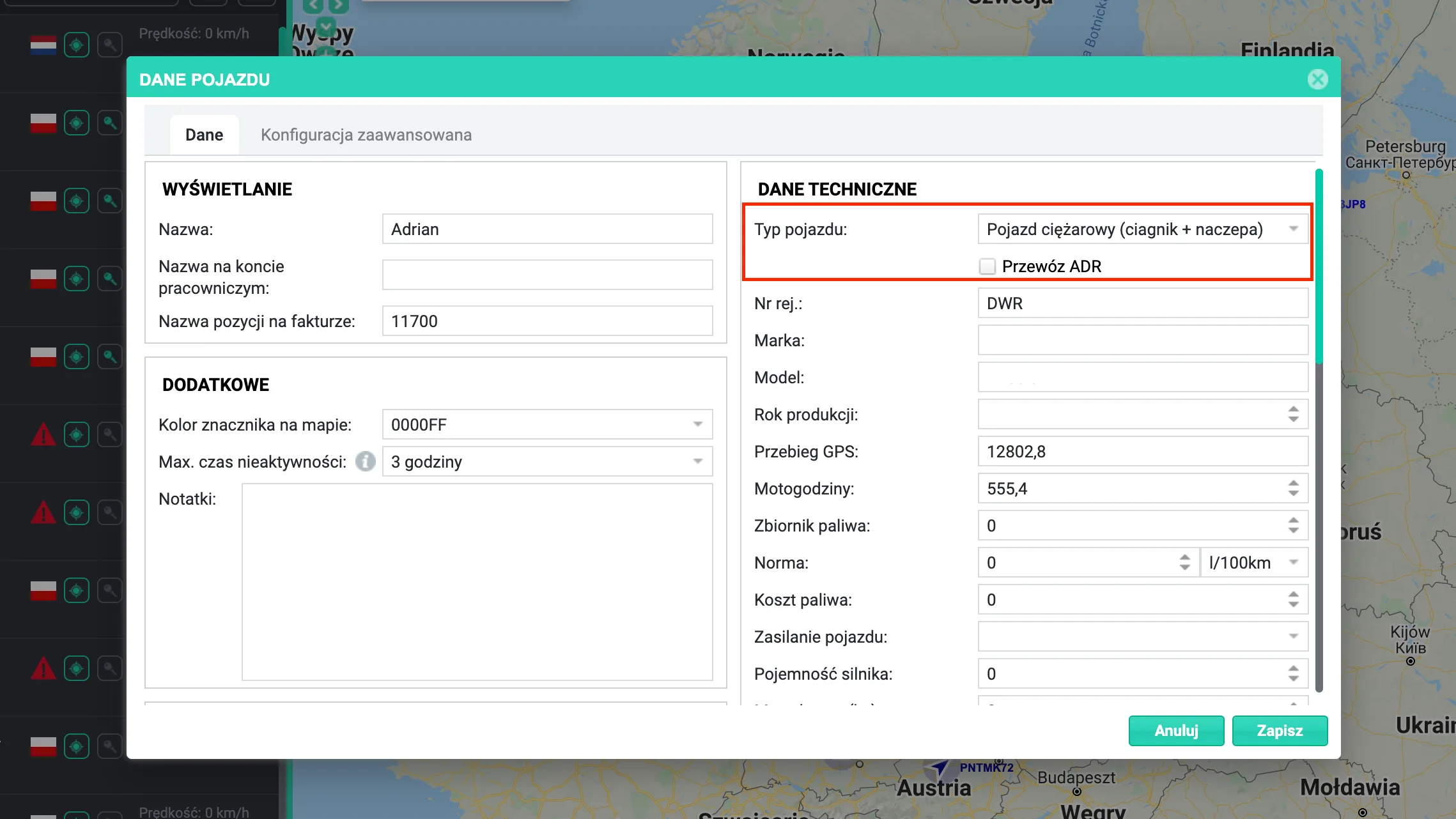
a) Setting the correct vehicle type
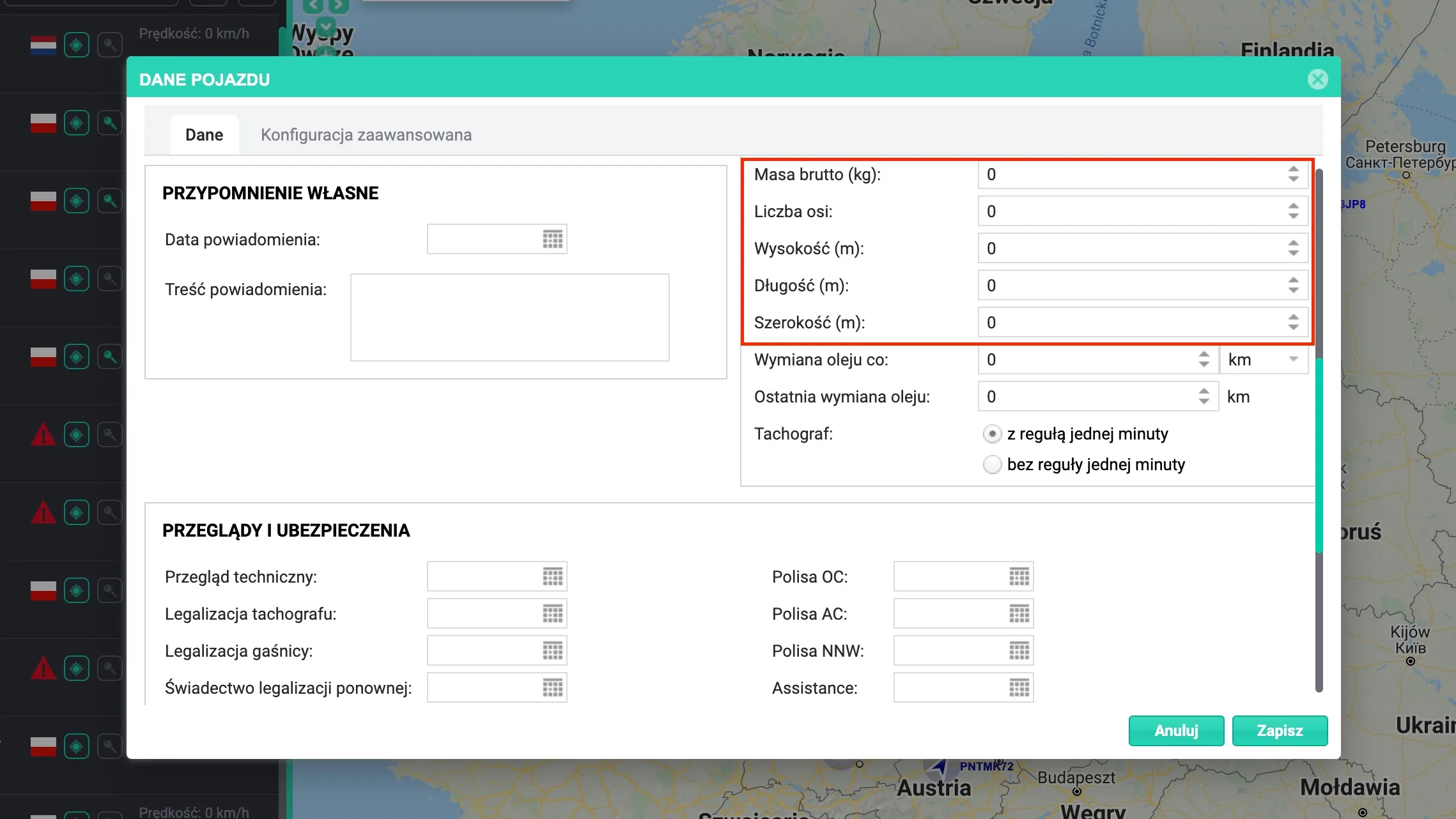
b) Setting the correct vehicle dimensions and weight
c) Setting the correct billing rates and currency
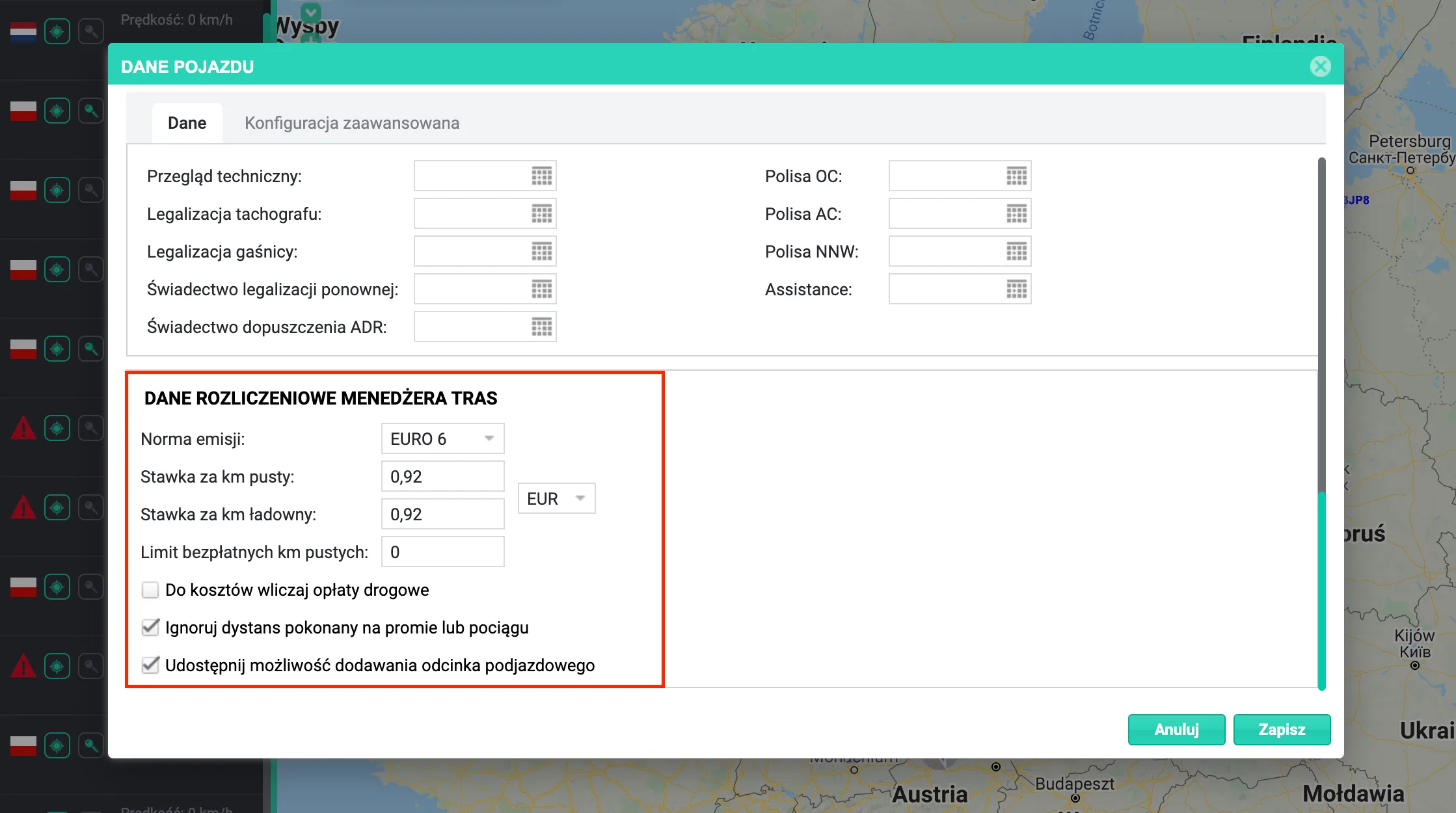
Description of the available settings:
- Emission standard - road toll charges are calculated based on this parameter.
- Rate per empty km - the rate used to calculate the cost of covering the section of the route between its first point and the point marked as the loading point.
- Rate per loaded km - the rate used to calculate the cost of covering the section of the route between the point marked as the loading point and the last point on the route.
- Free empty km limit - the pool of empty-leg kilometres that is not included in the route cost calculation.
- Include road tolls in costs - if the contract between the carrier and the forwarder is based on an "all-in" rate, road tolls are not included in the total route cost. If the carrier is paid an agreed rate plus reimbursement of road tolls, road tolls are included in the route cost.
- Ignore distance covered by ferry or train - if the settlement covers only kilometres driven "on wheels", tick the option to ignore ferry and rail sections where the vehicle is carried by another means of transport.
- Allow adding a positioning leg - tick this option if you need to monitor the ratio of empty to loaded kilometres. It lets forwarders mark a selected address on the route as the loading point, which splits the route into an empty and a loaded leg and automatically calculates statistics for both sections of the route.
Tractor-trailer combinations
The system is designed to plan transport for any type of vehicle - rigid trucks, semi-trailers and articulated combinations. If your company owns and monitors semi-trailers while the tractor units are provided by subcontractors, you can create virtual profiles of your subcontractors' tractor units and link them to your trailers. Billing settings are always assigned to the tractor, and the planned route costs are calculated based on them. If a trailer changes subcontractor, the costs will use the terms applicable to the new subcontractor. You can create virtual tractor unit profiles and couple them into combinations from Settings.