Help › Navifleet Manager › Web panel: Scheduler
How to set up a reminder for the expiry of a driver's document?
Updated: 21 August 2026
Managing deadlines such as insurance policies or roadworthiness tests is one of the basic tasks of the person managing a fleet. The Scheduler lets you not only monitor deadlines related to vehicles, but also keep track of important dates concerning drivers.
Adding a deadline linked to a user
To add a deadline linked to a user:

Go to the Users tab in the side menu.
Type the user's name in the search box or find them on the list.
Open the user's details, then scroll to the Schedulersection.
Click the Driver documents tab, then the Add button on the right-hand side.
The Document name and Applies to (Vehicle, User), Applies to user and Status fields will be filled in automatically.
Enter the document's validity date and, optionally, add notes.
Save the changes.
Adding a deadline in the summary view
To add a deadline from the summary view:
Go to the Scheduler tab in the side menu.
In the sub-menu list, select Driver documents, then click the Add button in the top right-hand corner.
The Document name and Applies to (Vehicle, User) and Status fields will be filled in automatically, while from the Applies to user list you select the right person.
Enter the document's validity date; you can also add extra notes.
Save the changes.
The advantage of this approach is that you can view the existing deadlines for all drivers in one place. This makes it easier to spot deadlines that are about to expire.

Configuring notifications
The last step is to configure notifications about upcoming deadlines. You will find a detailed description of the configuration in the guide on configuring Scheduler notifications.
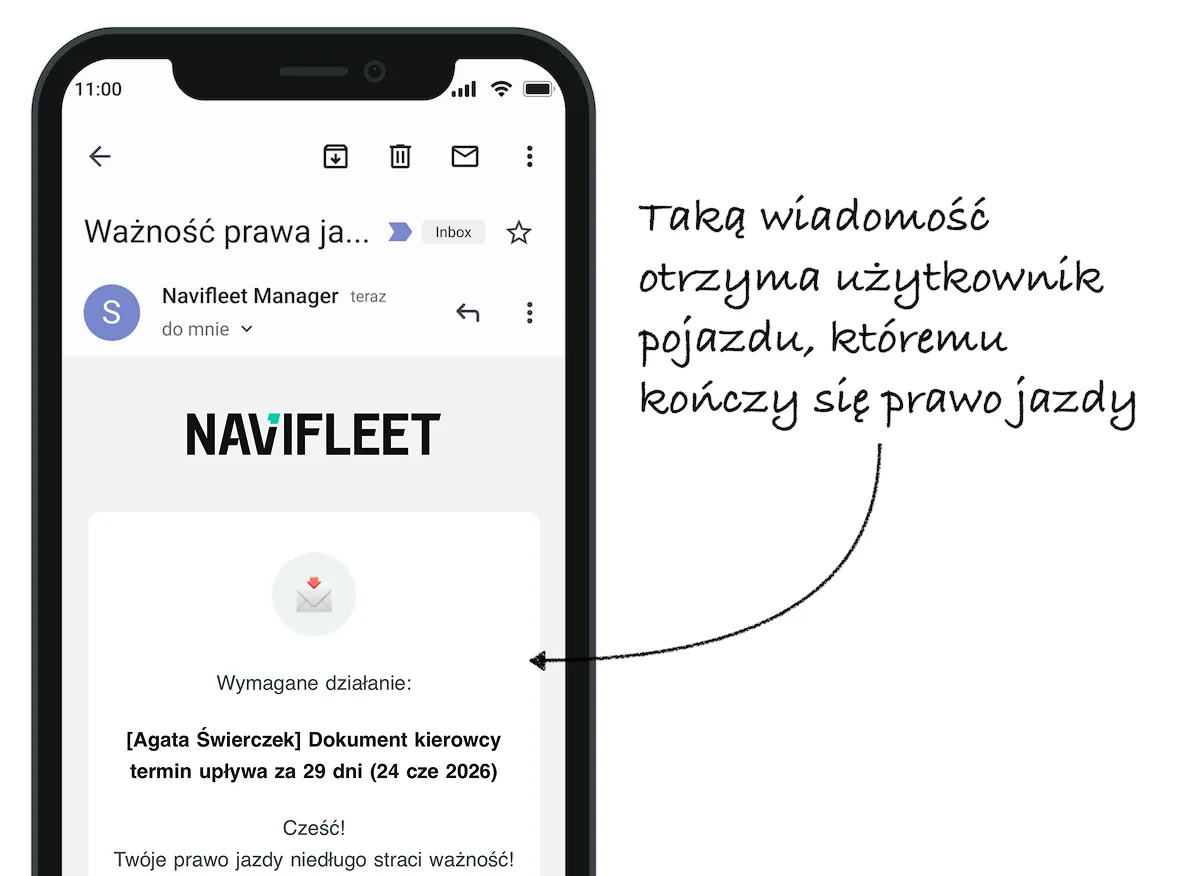
An example notification about the upcoming expiry of a driving licence: