Help › Navifleet Tracker › Driving style analysis
How to analyse a driver's score in detail?
Updated: 4 January 2022
When you click a given driver (in either the ECO or the SAFE ranking), the app displays the Driving style trendwindow. This contains detailed information about the selected driver's driving style and the errors they make.
The module lets you quickly change the driver (1), the way the information is displayed (2) and the period the displayed data comes from (3).
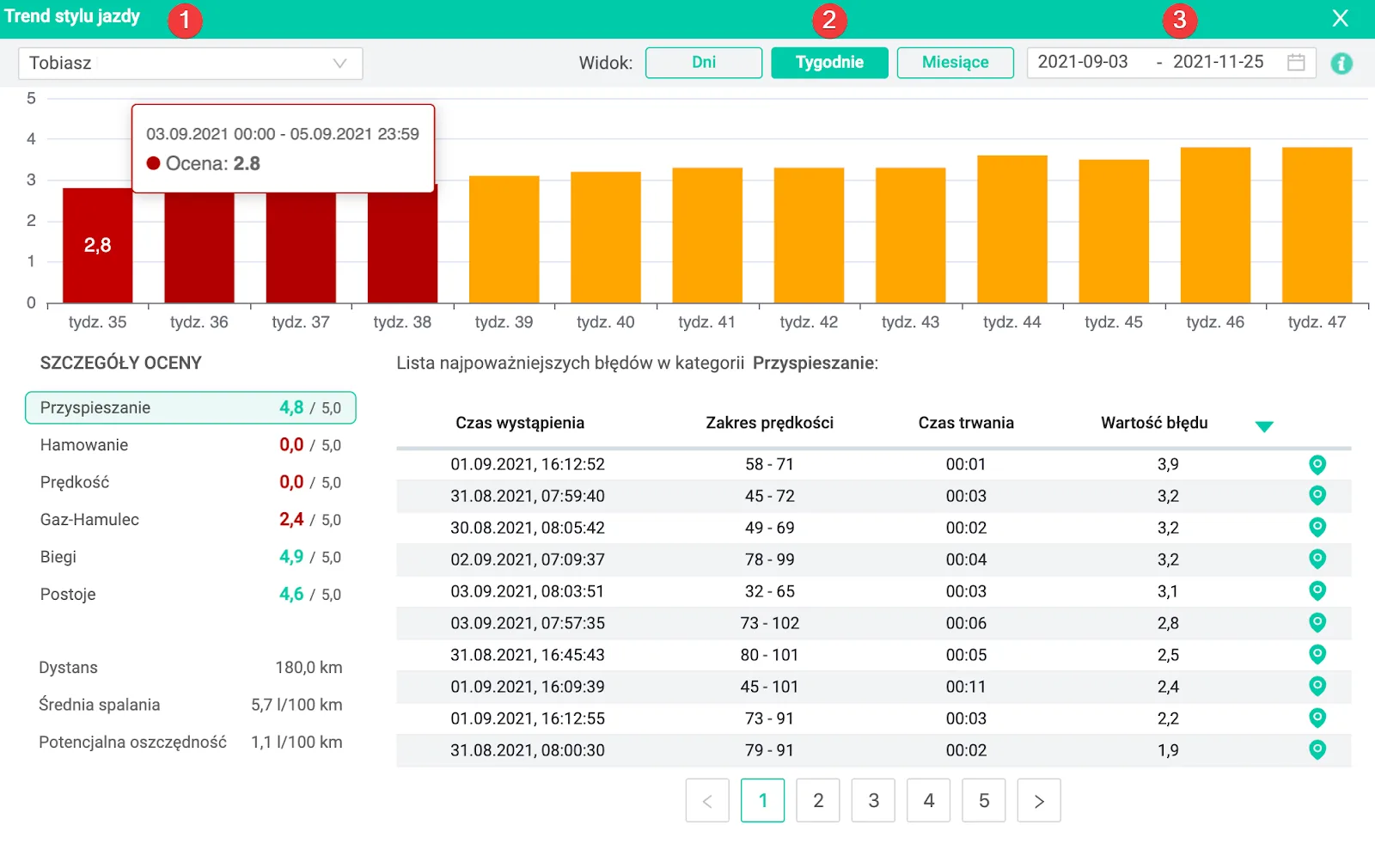
The bar chart below shows how the driver's score changed over the selected period. By clicking any of the bars, you can check all the factors affecting the score at that time. The Score details field shows the partial scores (in this case for the given week) covering Acceleration, Braking, Speed, Throttle-brake, Gears and Stops.
Score in the ACCELERATION and BRAKING categories
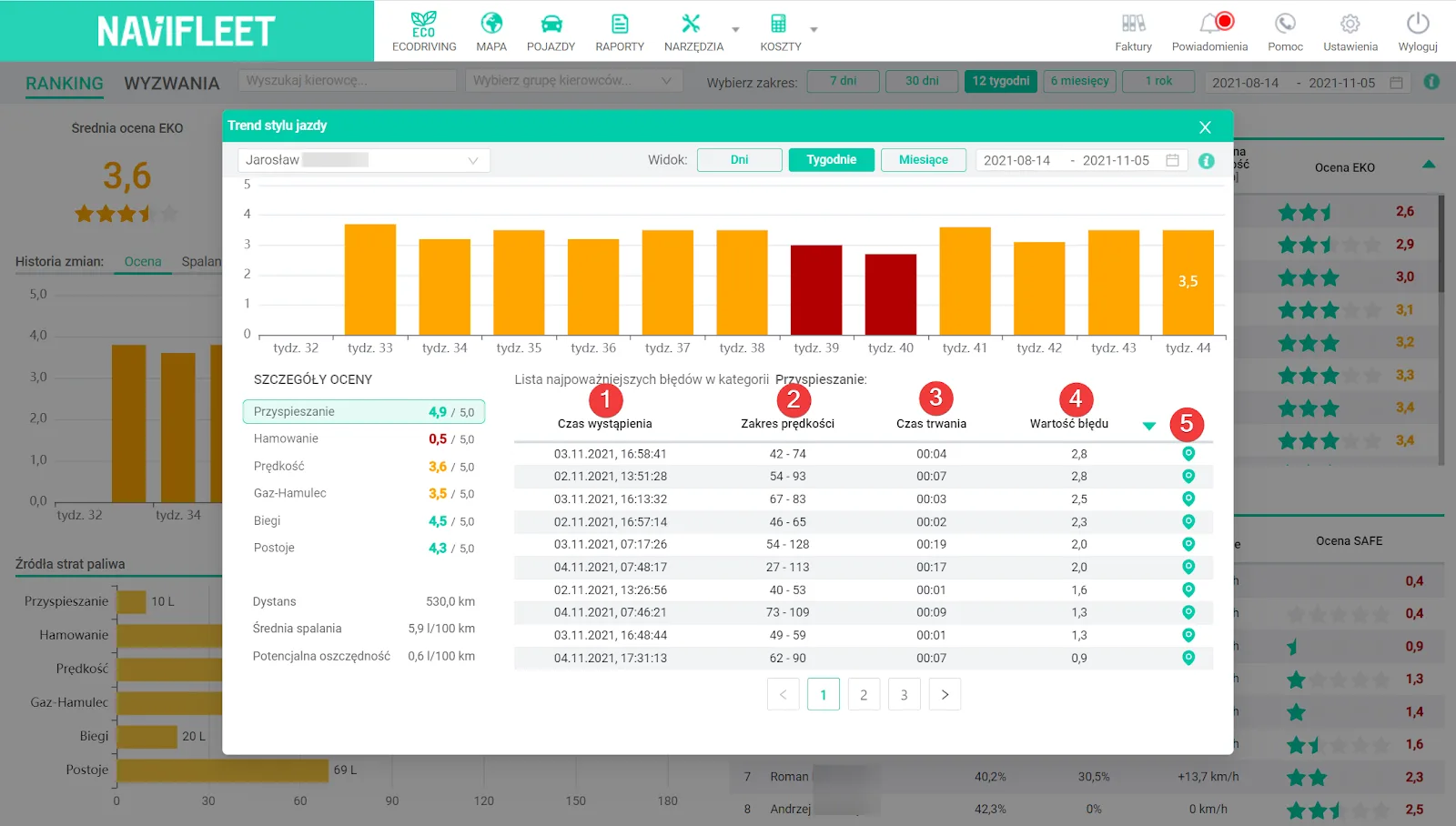
Clicking a selected detailed score gives you a list of the most serious errors in that category. The first parameter is Acceleration. The error characteristics include: Time of occurrence (1), Speed range (2), Duration (3) and Error value proportional to the speed range and the abruptness of the manoeuvre (4). What is more, by clicking the marker (5) you can view on the map the section of the route where the error occurred. The error characteristics in the Braking category are presented in the same way.
When analysing errors in the Acceleration and Braking categories, combining the Speed range with the Durationis extremely valuable. It lets you visualise how dynamic the manoeuvre was (how quickly the speed changed).
Score in the SPEED category
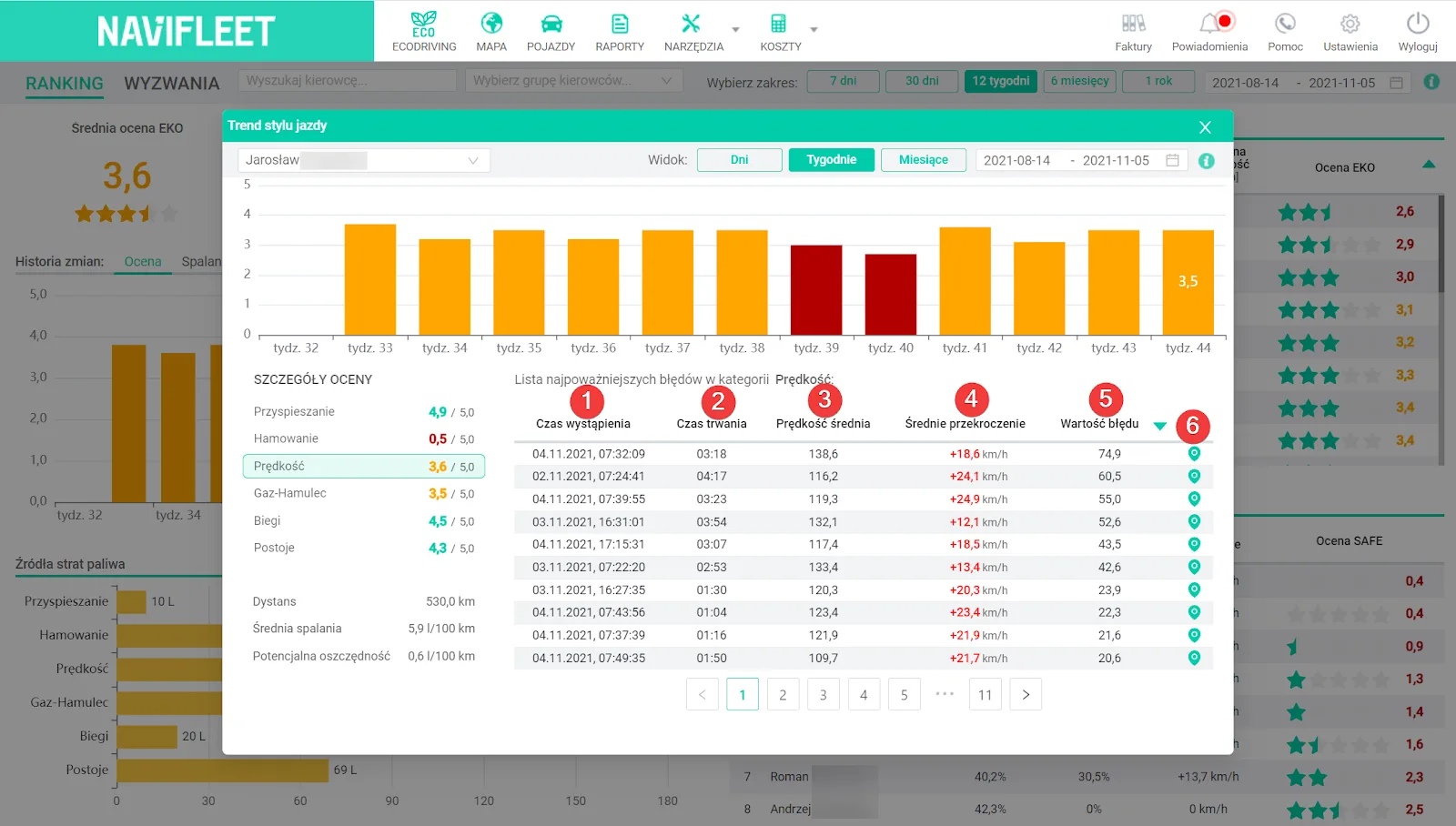
In the list of Speed-related errors, you can analyse the following data: Time of occurrence (1), Duration (2), Average speed over the section driven too fast (3), Average speed excess over the road limits (4) and the Error value, proportional to the length and severity of the excess (5). As in the case above, you can also view the given section of the route on the map (6).
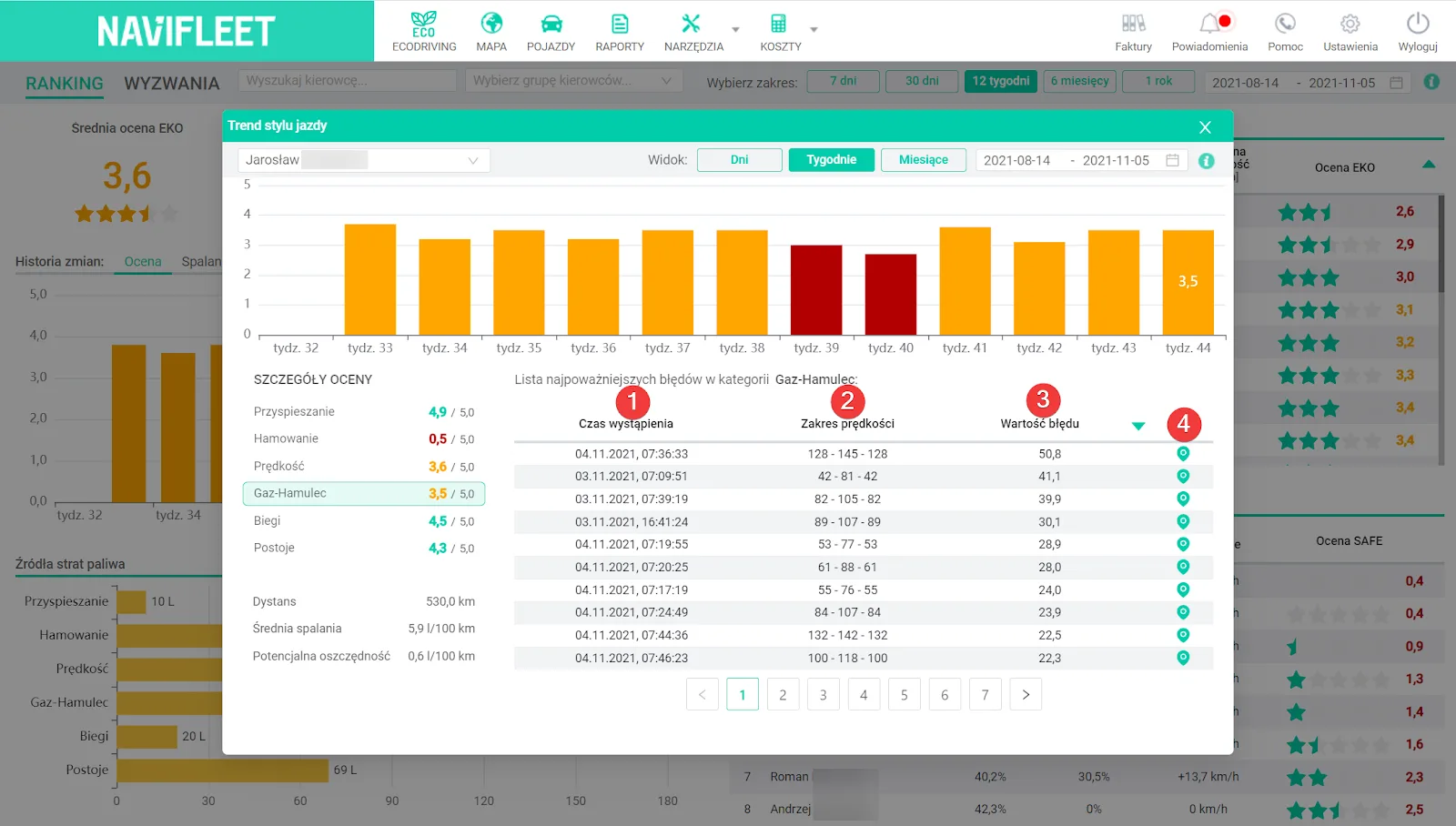
Score in the THROTTLE-BRAKE category
Errors in the Throttle-brake category reflect smoothness of driving and the ability to avoid unnecessarily speeding up the vehicle immediately followed by braking. In addition to the Time of occurrence (1), Error value (3) and a view of the route section on the map (4), the app lets you check how the speed changed (2). For example, the first error consists of dynamic acceleration from 128 km/h to 145 km/h and braking back down to the initial speed in a very short time. The driver is penalised only when they sped up and slowed down the vehicle deliberately. Natural “drifting” of the speed while driving is not classed as an error.
Negotiating hills correctly, i.e. speeding up “downhill” and slowing down “uphill”, is not penalised either.
Score in the GEARS category
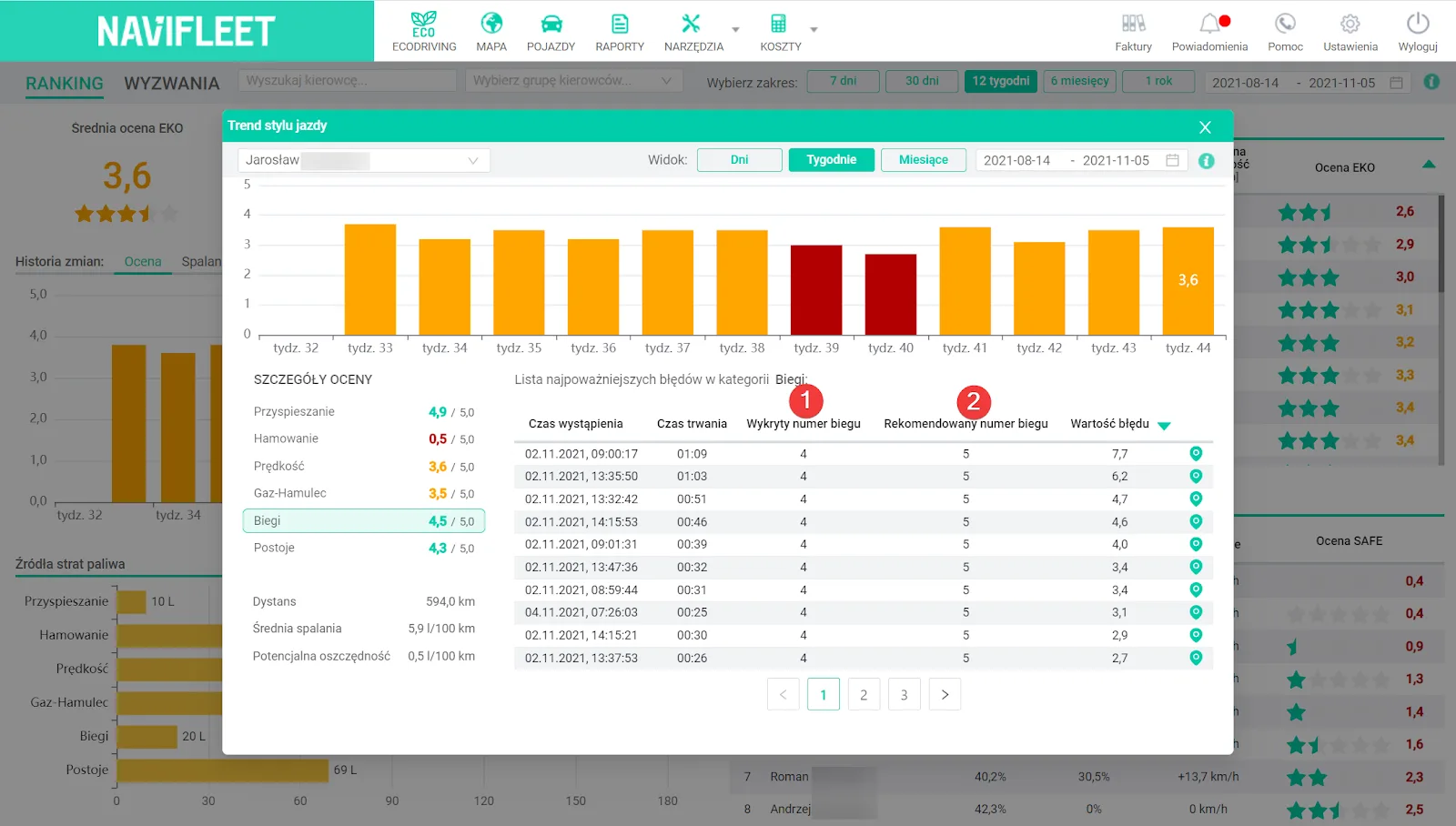
The next error category is Gears. In this case, the key information is: Detected gear number (1) and Recommended gear number (2). The duration tells you how long the driver drove in too low a gear, and the marker lets you trace the route section on the map. In electric vehicles, the score in this category will be the highest possible, because there is no engine speed data.
Score in the STOPS category
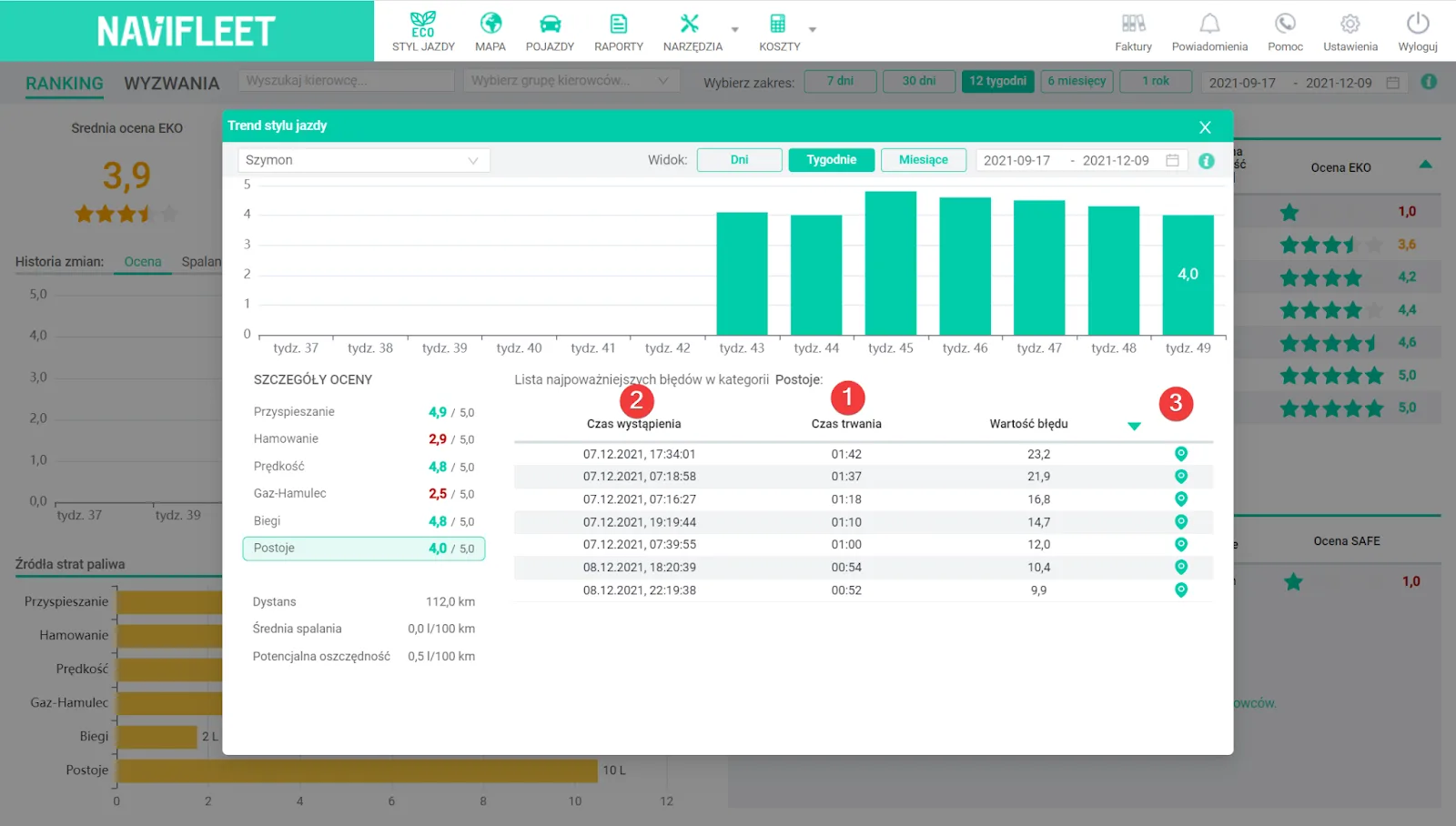
The last error category is Stops. In the app, you can check exactly how long a given faulty stop (with the engine running) lasted (1), when it occurred (2) and where it took place (3).In electric vehicles, the score in this category will be the highest possible, because there is no engine speed data.