
Help › Navifleet Tracker › Driving style analysis
How to measure savings and drivers' progress after implementing telematics?
Updated: 10 December 2021
One of the greatest advantages of the Driving style analysis module is the measurable results, which you can easily verify after implementation. For this purpose, the app provides an interactive chart showing the history of changes in fuel consumption, average score, distance travelled and fuel losses.
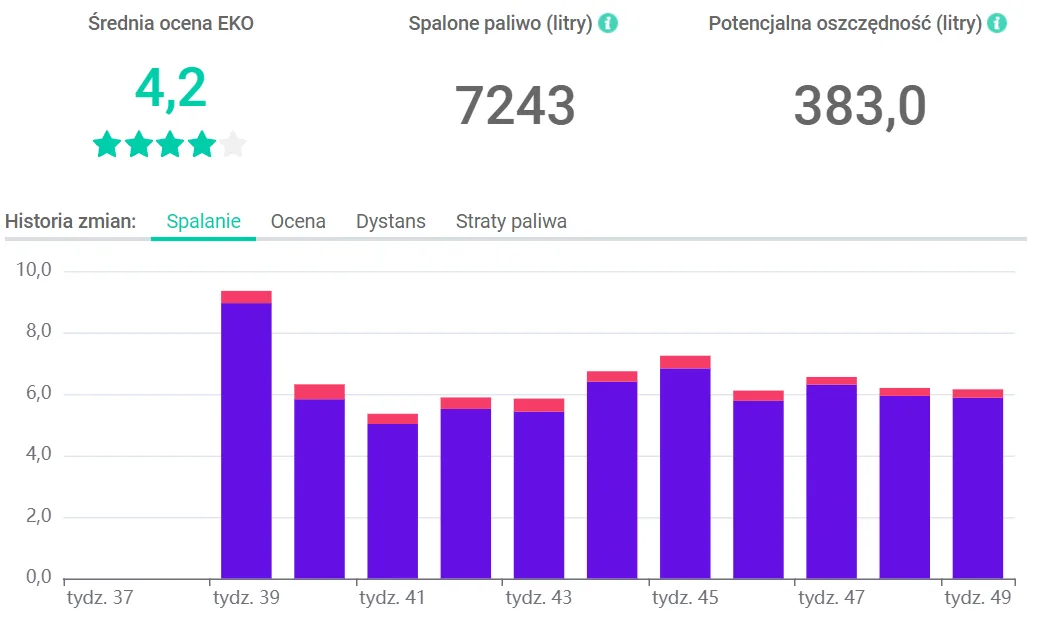
Selecting the range for which statistics are displayed
By default, the results show the progress of the whole fleet over the last 12 weeks. Using the search box (1), you can narrow them down to a single driver or a group of drivers. You are also free to choose the date range and time interval (2) and the type (3) of the parameters whose changes you want to check.
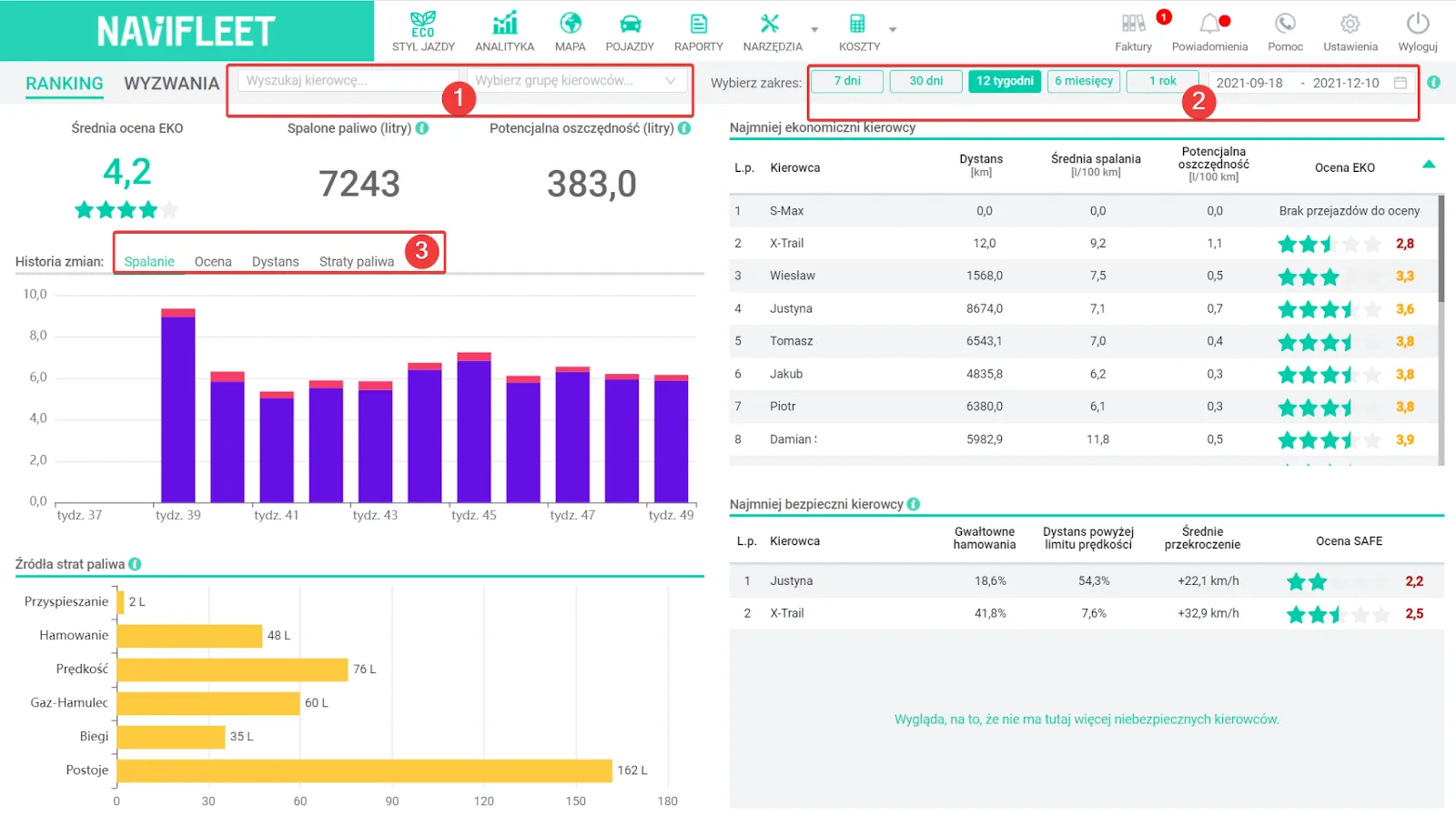
History of changes in fuel consumption, score, distance and savings
The first chart shows the change in actual average fuel consumption over the selected period. Each bar represents the actual average fuel consumption, which is then split into potential savings and potential fuel consumption. This information tells you how fuel consumption would change if drivers eliminated the errors they make. You can check the exact values by hovering over any bar.

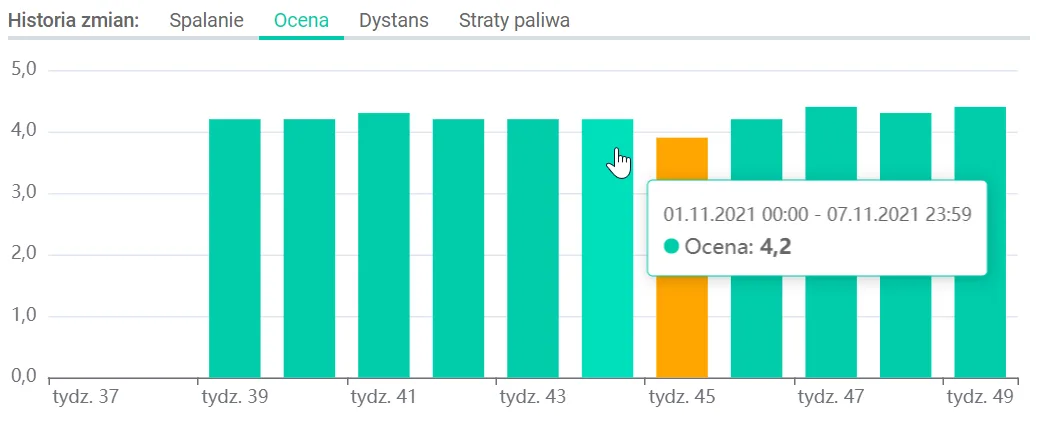
The next chart concerns changes in the average score of the selected drivers over the selected period. Depending on the score, the bars are red (low score), orange (medium score) or green (good score).
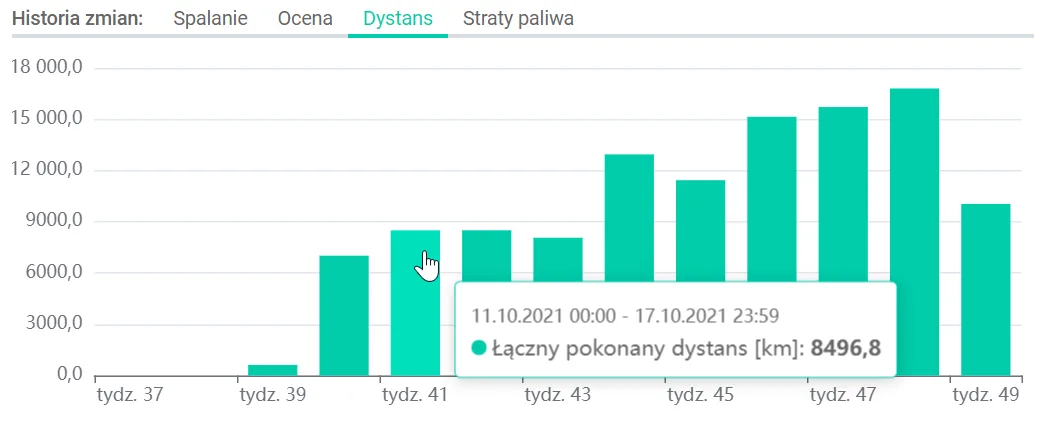
The penultimate chart shows the distance travelled by the selected drivers in the given time. As with the previous charts, you can easily check the value of each bar.
The last chart tells you how much fuel could have been saved in the given period if drivers had not made the uneconomical driving errors detected by the system. This information therefore indicates the size of the potential savings that can be generated in the fleet if drivers improve their driving style.
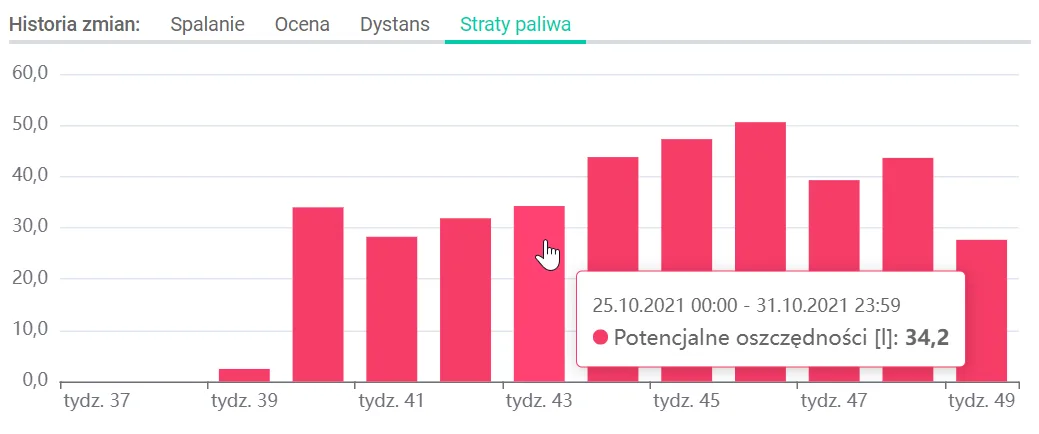
To find the reasons behind the values shown on any chart, click any bar. A ranking of drivers for the given chart range will then be displayed, together with key parameters such as score, mileage and average fuel consumption. Clicking a specific driver displays their detailed score card with a full list of the errors made.
It is worth stressing that when analysing the financial benefits of implementing the module, the charts on fuel consumption and fuel losses are particularly useful. By watching the change in score, on the other hand, you can analyse the progress your drivers have made. The total values for the critical metrics are shown above the chart.