
Help › Navifleet Tracker › Driving style analysis
How to identify the least economical drivers?
Updated: 10 December 2021
The Navifleet app creates a ranking of the least economical drivers. By default, drivers are presented by ECO rating (from lowest to highest).
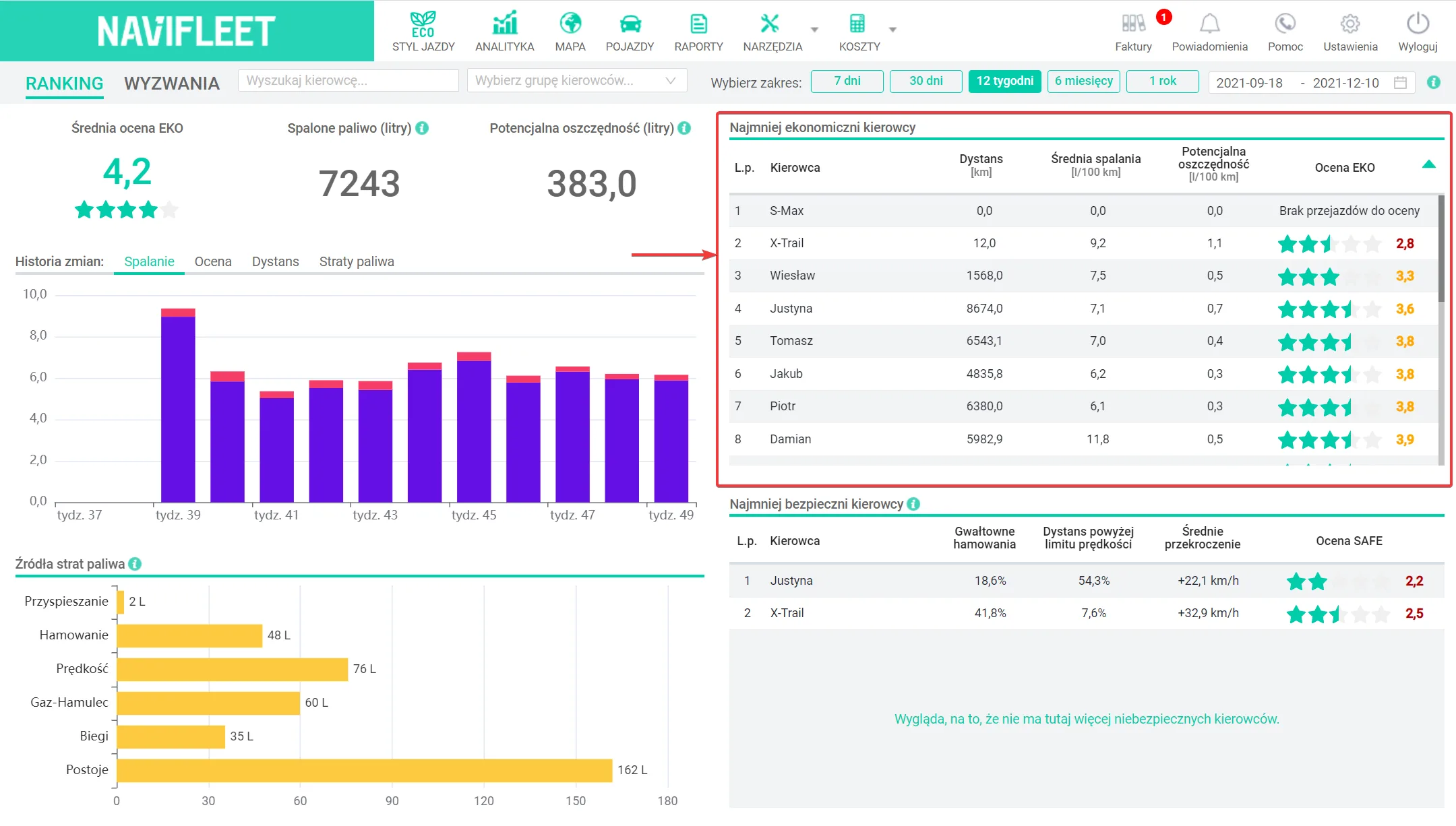
The ECO rating is made up of partial ratings from the individual categories:
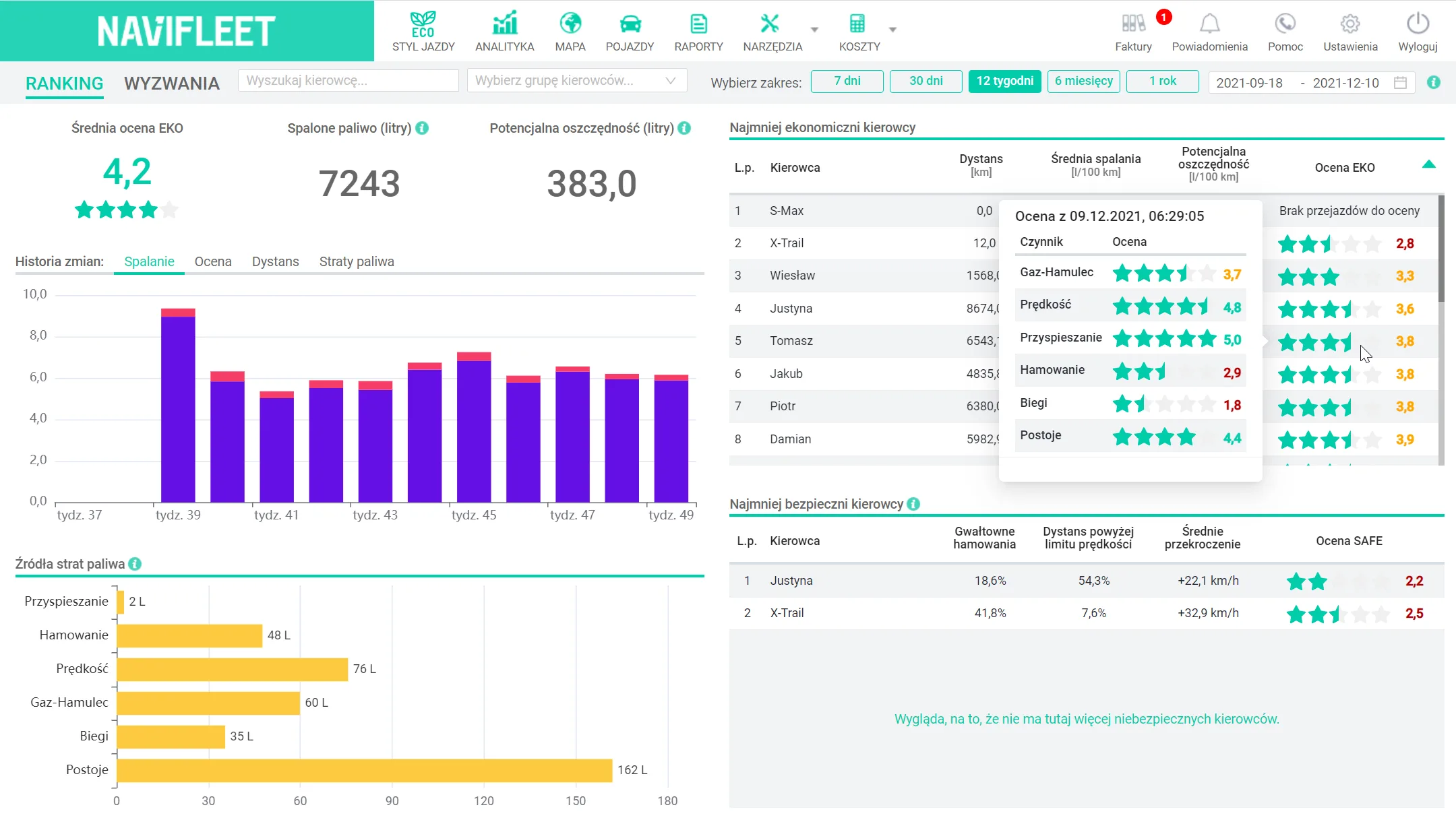
Acceleration - rates how the driver gets the vehicle up to speed.
Braking - rates how the driver loses speed.
Speed - rates drivers' tendency to break speed limits.
Accelerate-Brake - rates the tendency to speed up the vehicle unnecessarily.
Gears - rates how often the driver drives in too low a gear.
Idling - rates the driver's tendency to switch off the engine during longer stops.
Hovering over a driver's average rating in the ranking shows the partial ratings for the individual factors affecting driving economy.
The ranking of uneconomical drivers also displays contextual information, such as the distance covered by the rating and the driver's average fuel consumption. An additional parameter is the estimated Potential saving [l/100km], which tells you how much fuel a given driver could have saved had they not made the errors detected by the system.
The ranking can be sorted by all the displayed parameters.
After clicking a driver in the ranking you can see the "Rating details card", which gives more options for analysing their driving style. You will find more information on this in the article How to analyse a driver's rating in detail?