
Help › Navifleet Tracker › e-TOLL
Creating driver, accountant and manager accounts in the IKK system
Updated: 14 February 2022
The IKK system (on the etoll.gov.pl website) has introduced different access accounts for selected positions in a transport company. Each account has appropriate permissions which, on the one hand, protect the interests of the transport company and guard against unauthorised access and, on the other hand, allow office staff and drivers to carry out their tasks independently.
Note! The IKK platform is an external system managed by the Ministry of Finance. Any errors or problems with account registration should be reported to the system administrator. You can do this using the contact form or by calling the e-TOLL helpline.Adding new users to the entity account
The first step is to log in to your IKK account and select the entity account to which you want to add new users (e.g. drivers). To do this, go to Manage Entity -> Users -> Add user.
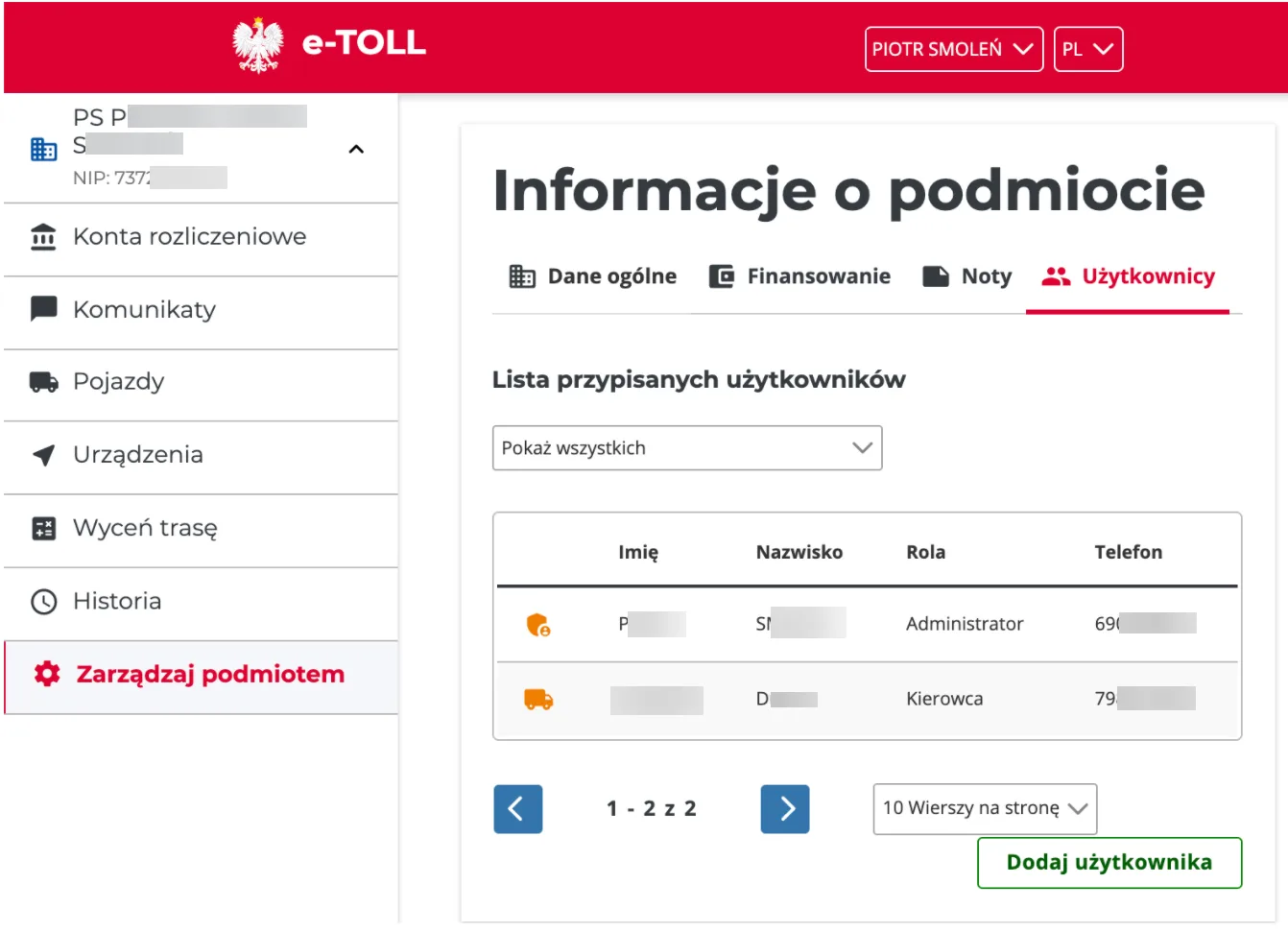
The next view is the form for adding a user to the account. Its purpose is not to create an account in the system, but only to create a link between the account with the given e-mail address and the entity account.
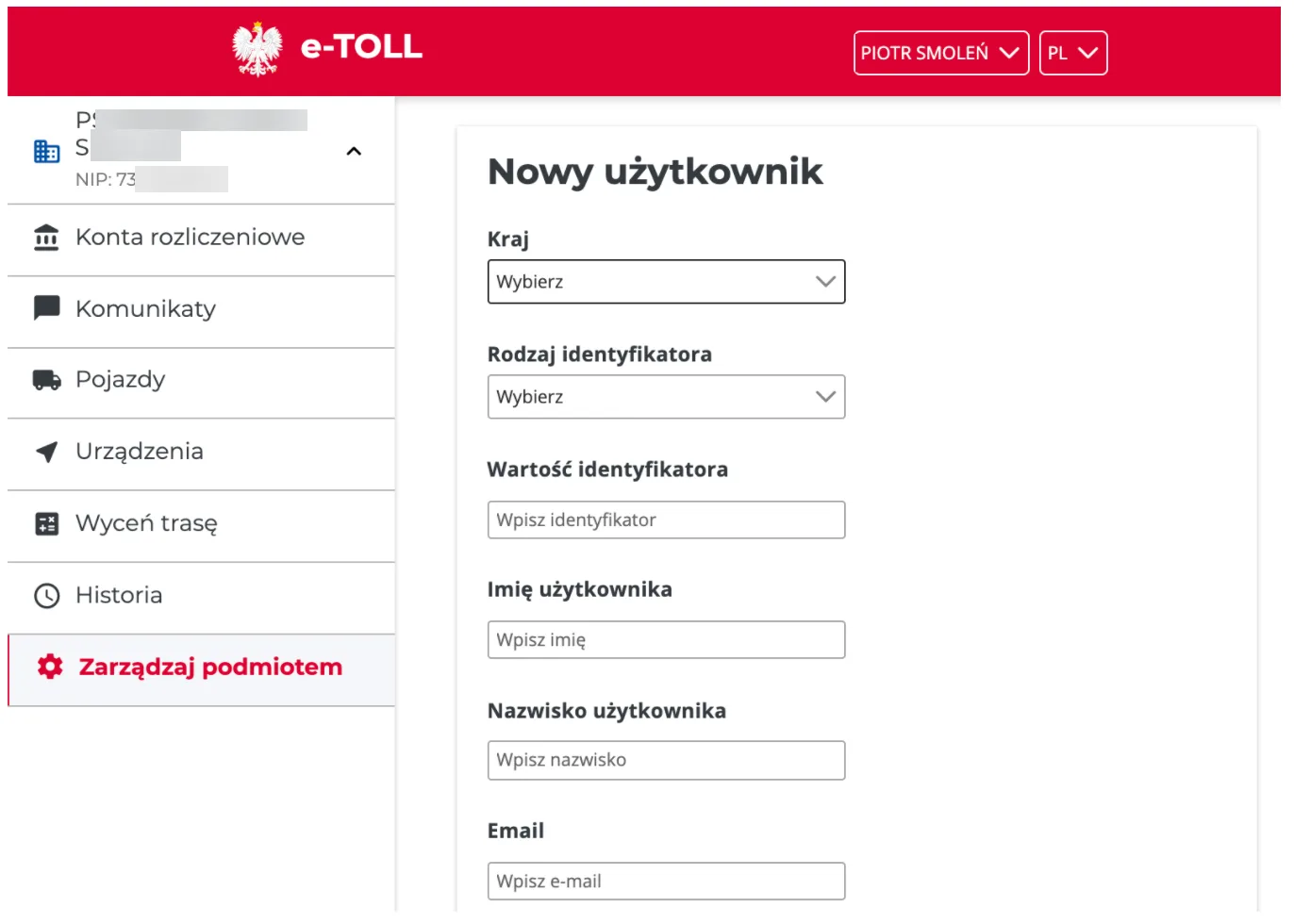
To fill in the form, you will need:
- first name and surname,
- PESEL number (Polish personal ID number),
- e-mail address and phone number.
After the form is saved, a message with the result of the operation is displayed.
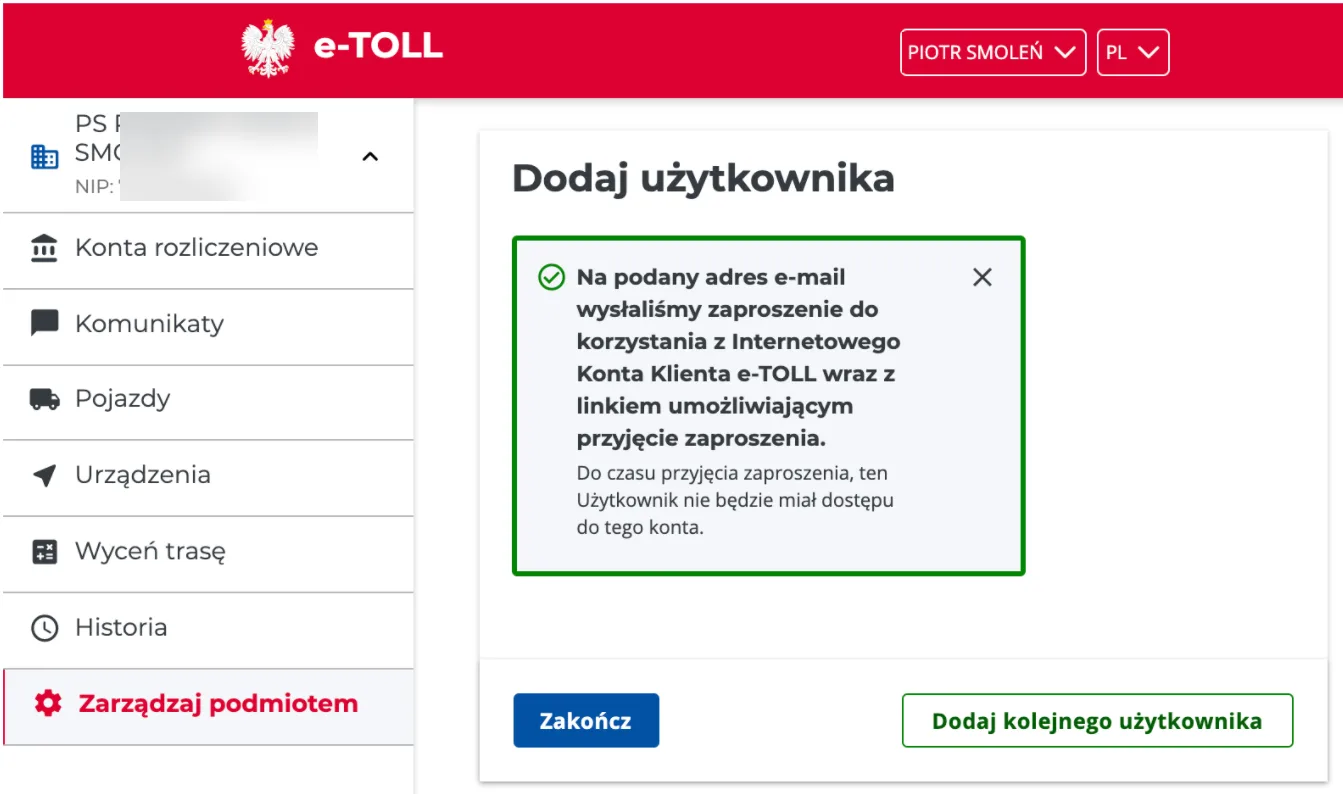
If the person with the given e-mail address already has an account, they just need to log in to their IKK account and accept the invitation. The link is in the e-mail that is automatically sent to the invited person.
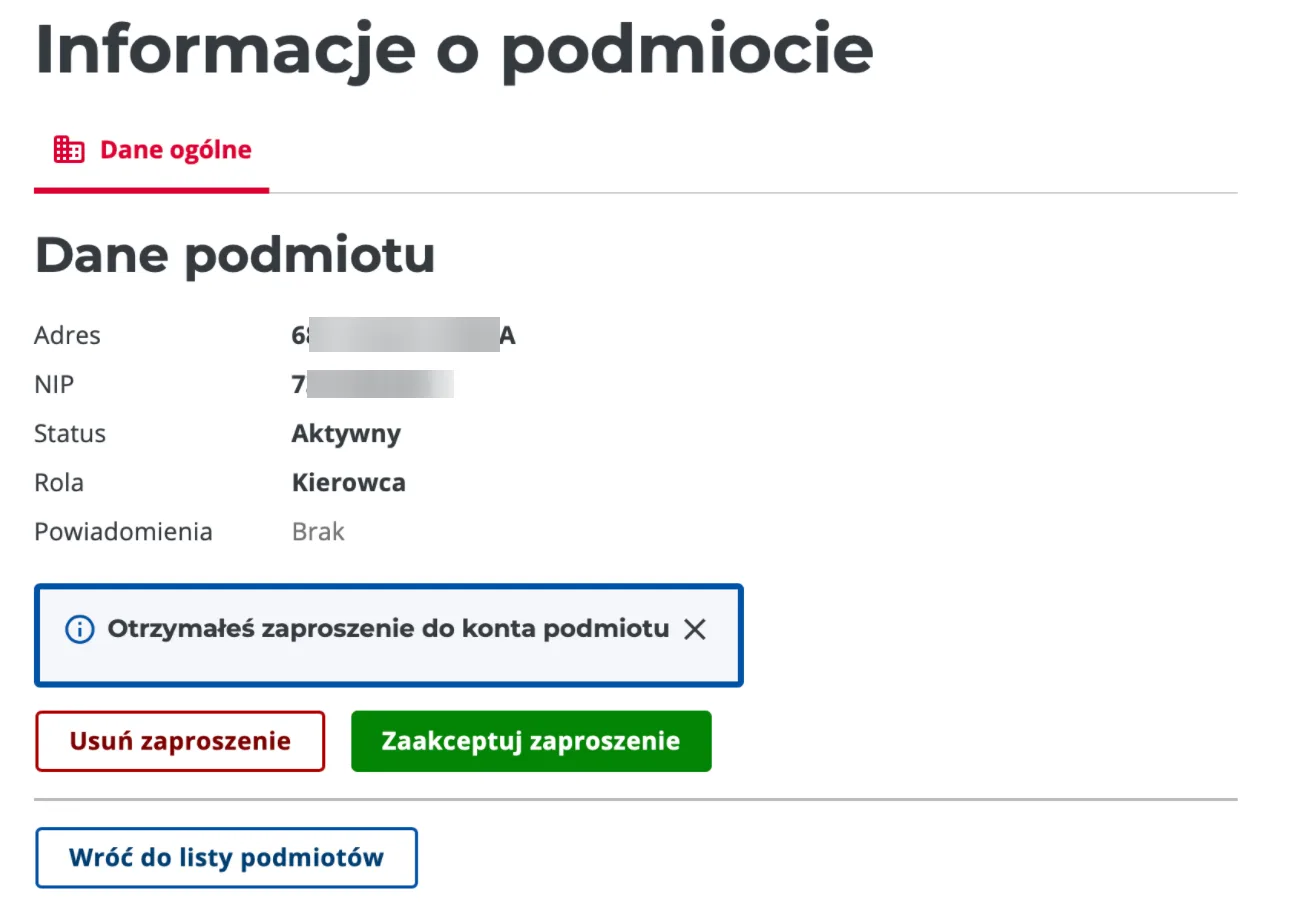
If the invited person does not yet have an account, they must register on the etoll.gov.pl website using the same e-mail address to which they received the invitation.
Driver permissions
A driver account in IKK on the entity (carrier) profile can perform the following operations:
The driver can:
- Top up the account using a BLIK code or a payment card.
- Add new devices.
- Activate one of the devices assigned to the vehicle.
The driver cannot:
- Add or remove vehicles.
- Add or remove billing accounts.
- Remove devices.
- Assign devices to vehicles.
- Manage the account and other users.