
Help › Navifleet Tracker › GPS vehicle tracking
How to control the immobiliser in the Navifleet mobile app?
Updated: 17 October 2022
To give you full control over your vehicles, the Navifleet mobile app lets you remotely control the immobiliser and the central locking. Using this feature requires additional user permissions, and a dedicated device must be installed in the vehicle.
Remote immobiliser control in the Navifleet mobile app
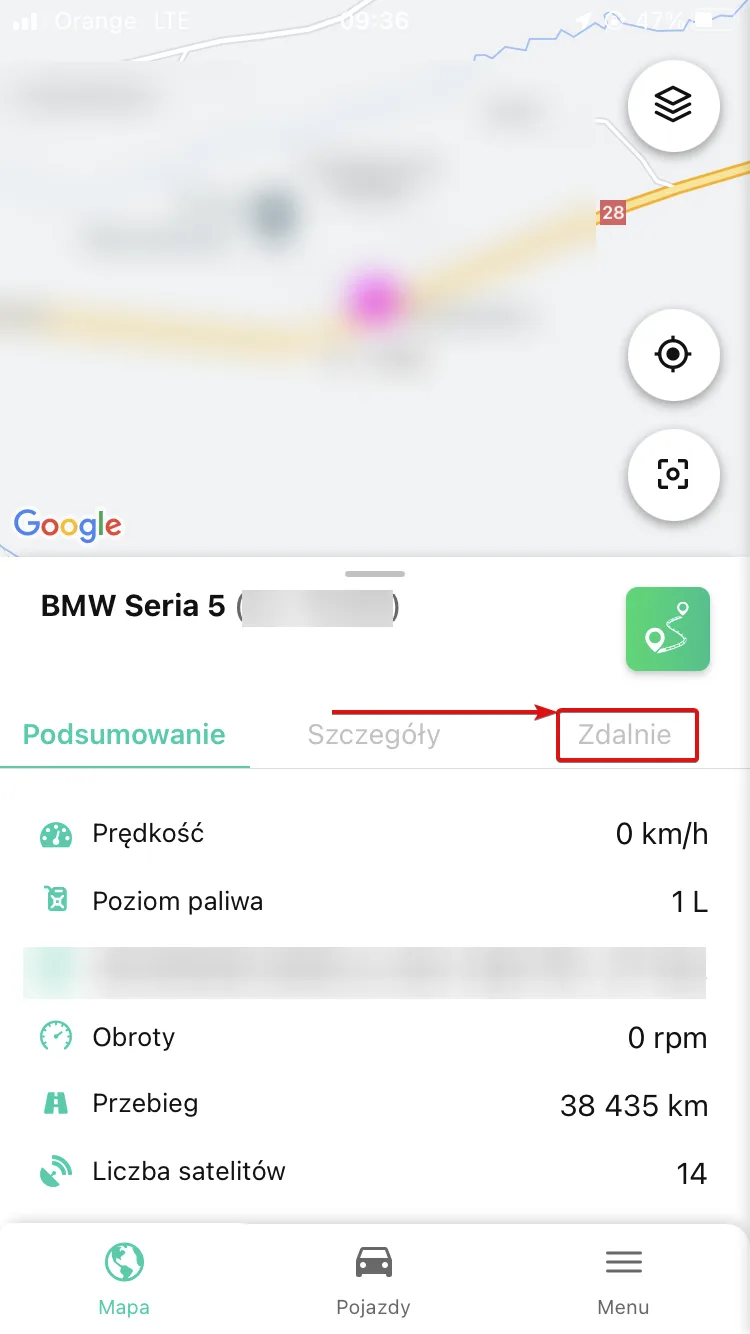
To remotely control the immobiliser or the central locking, go to the Vehicles tab in the Navifleet mobile app and select the vehicle you are interested in. Once the vehicle is displayed, select the Remote option.
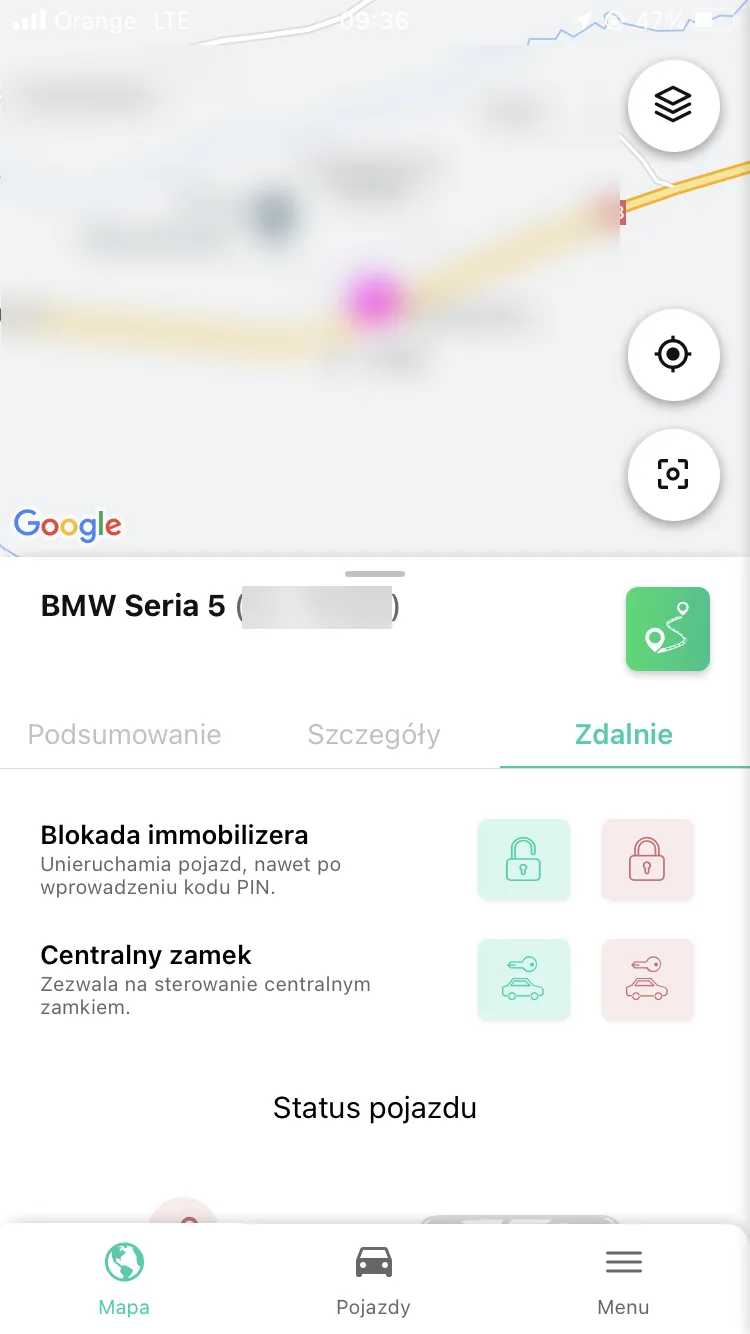
This displays the following items: Immobiliser lock and Central locking. You control them by selecting the appropriate icon – red (lock) or green (unlock).
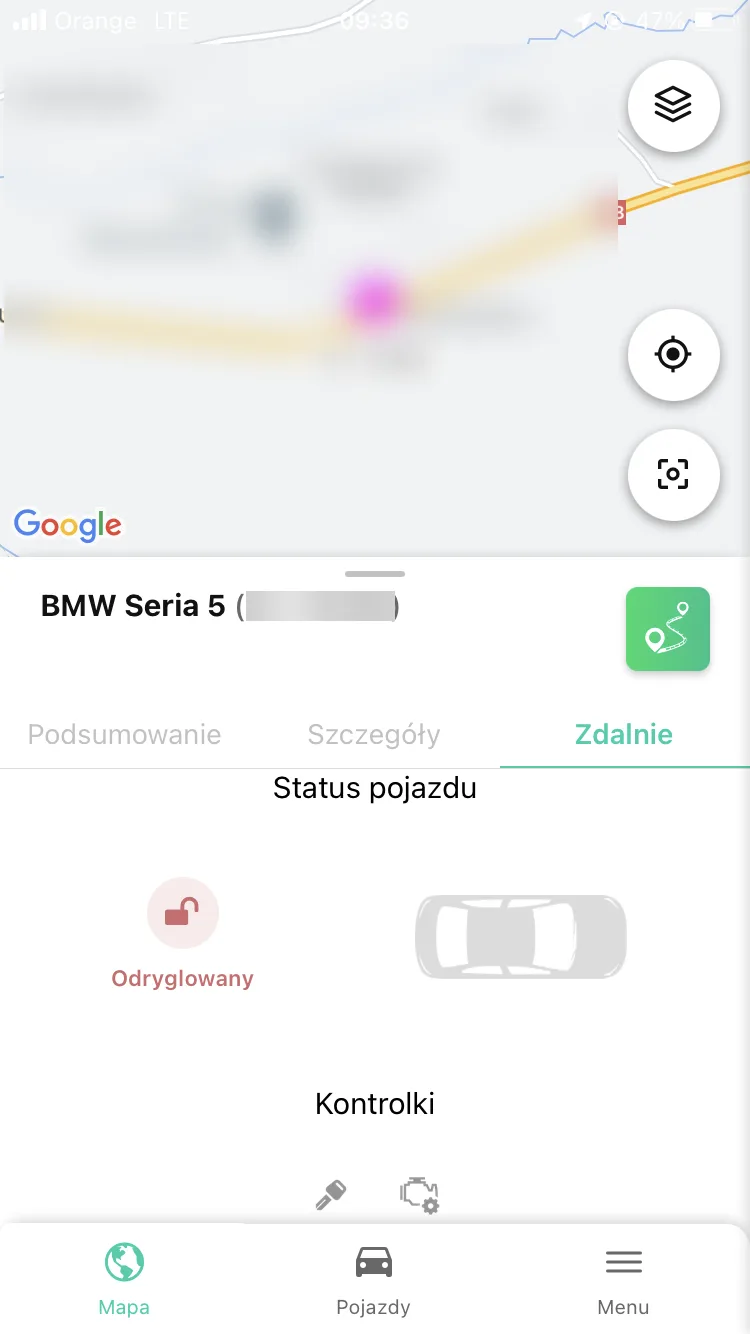
Below the options for controlling the immobiliser and the central locking, you will find Vehicle status (the current state of the central locking and information about open doors), as well as Indicators (ignition and engine status).
Good to know... |
|