
Help › Navifleet Tracker › GPS vehicle tracking
Private mode in the Navifleet app
Updated: 7 March 2022
CONTENTS
- Switching private mode on/off
- Current position in private mode
- Route history in private mode
- Private mode in the Stops report
- Private mode and the Trip log report
- Private mode in the POI visits report
- Private mode in the Zone visits report
- Private mode in the Mileage record report
- Private mode in the Speeding report
- Private mode in notifications and quick sharing
Switching private mode on/off
Private mode in the Navifleet app is a feature that protects drivers from having their private journeys tracked, while giving fleet managers a tool to settle them. Once private mode is switched on, the app censors the current position and the history of the route travelled (including in individual reports and other features).
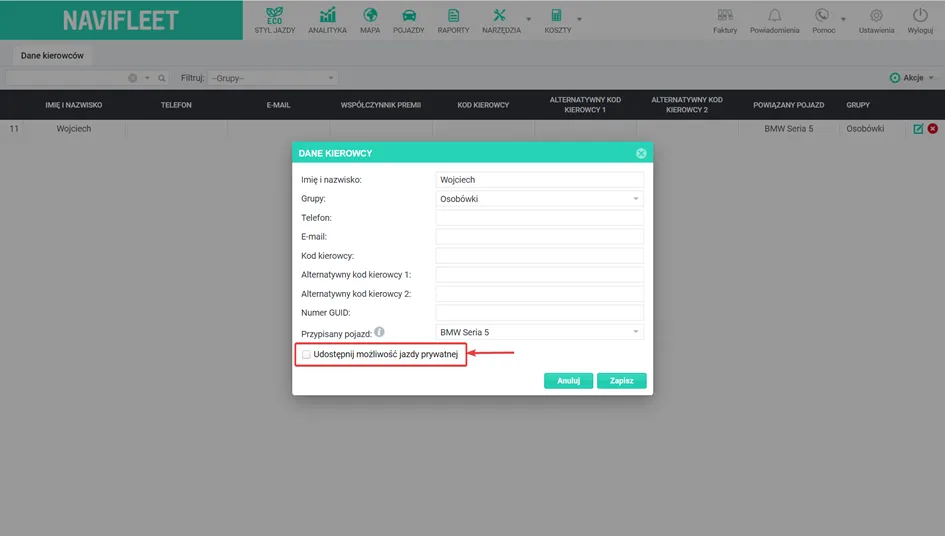
For a driver to be able to use private mode, the fleet manager must grant them permission. To do this, go to Tools → Drivers and, in the driver edit window, tick the option Allow private mileage. Private mode works both when the driver has an assigned vehicle and when they identify themselves, e.g. with an RFID card. If driver identification is not used in the fleet, the Assigned vehicle field must be filled in.
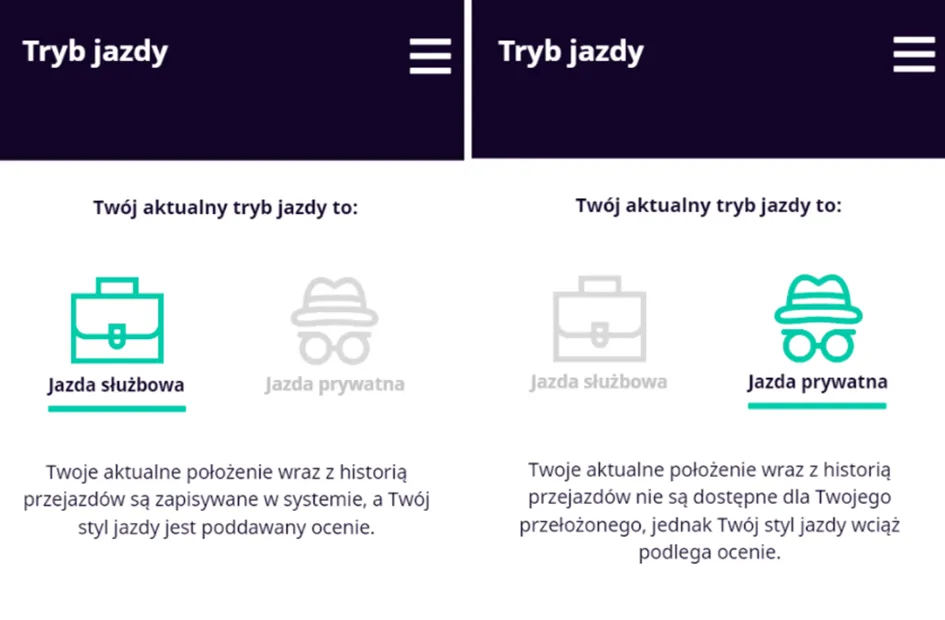
in the menu. This way the driver can switch smoothly between private and business mode, depending on current needs.
NOTE! If the fleet manager revokes the driver's private mode permission while it is active, the driver automatically switches to business mode.Current position in private mode
When the driver switches private mode on, the current position marker is hidden in the Map
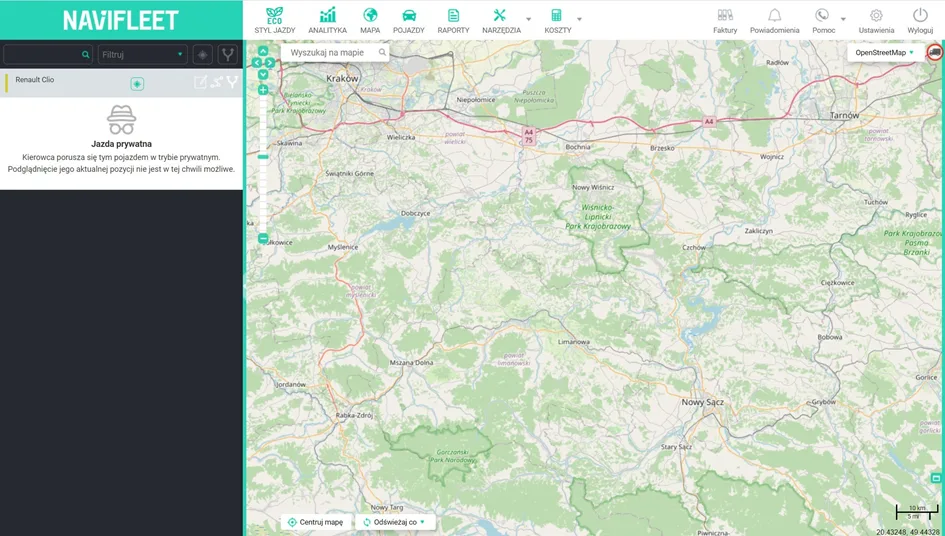
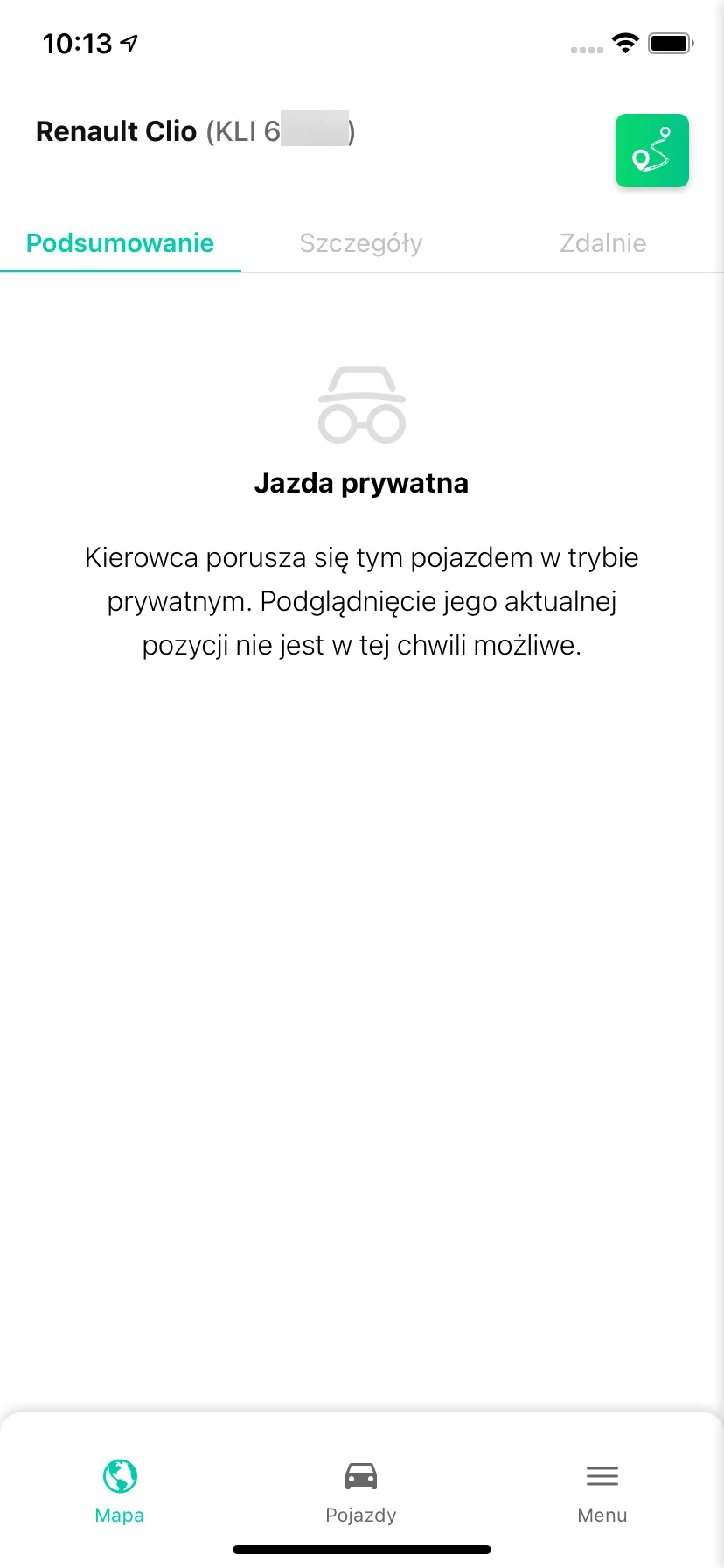
tab. The menu on the left, which during business driving shows the exact location of the vehicle and its parameters, is replaced in private mode by an appropriate message (data is hidden). The same solution applies in the Navifleet mobile app.
Route history in private mode
If the driver travelled in private mode during the selected period, the trace of that journey will be invisible on the map when checking the route history (also in the Navifleet mobile app).
In the Input state changes tab it is also not possible to use the show location option.
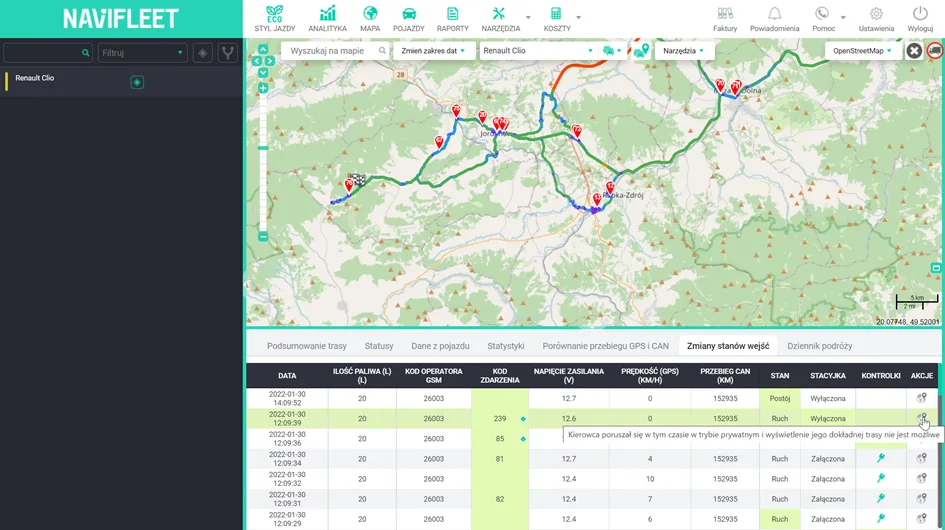
For a journey in private mode, the charts in the Statuses tab are hidden only when the status has a location condition configured (e.g. presence in a given zone); other statuses (e.g. driving > 50 km/h) will be displayed as normal. The data is also not included in Status reports, and the arrival and departure addresses in the Trip log are marked as [private mode].
Private mode in the Stops report
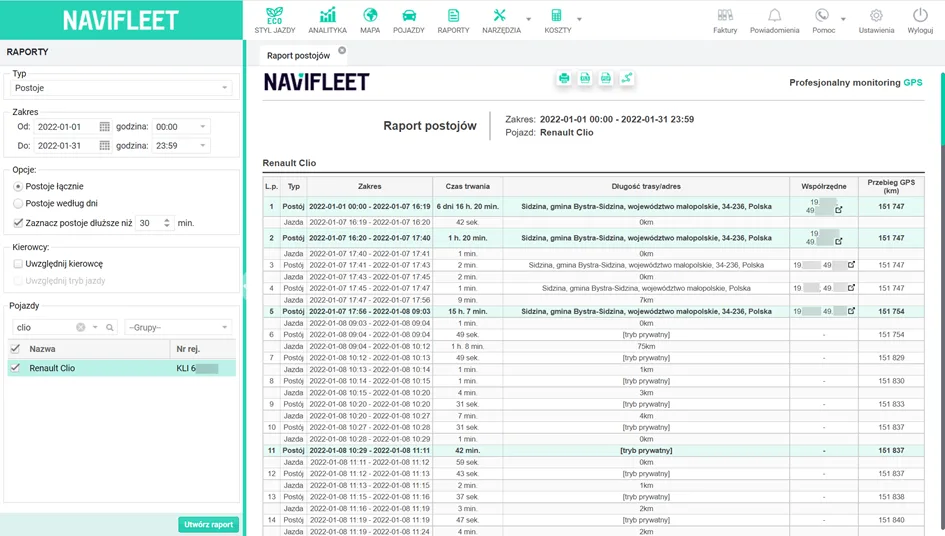
The Stops report also takes private mode into account. If it was switched on during the period covered by the report, the stop addresses are replaced/hidden and the message [private mode] is displayed in their place, while the coordinates are replaced by a dash.
Private mode and the Trip log report
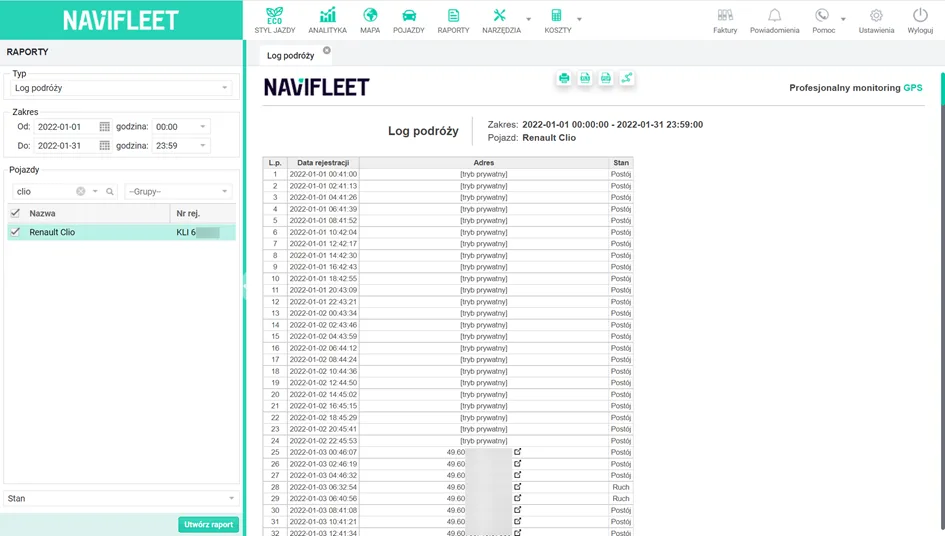
If the selected period included journeys or stops in private mode, in the Trip log report the address where the parameter occurred is replaced by [private mode] and the Google Maps link is unavailable.
Private mode in the POI visits report
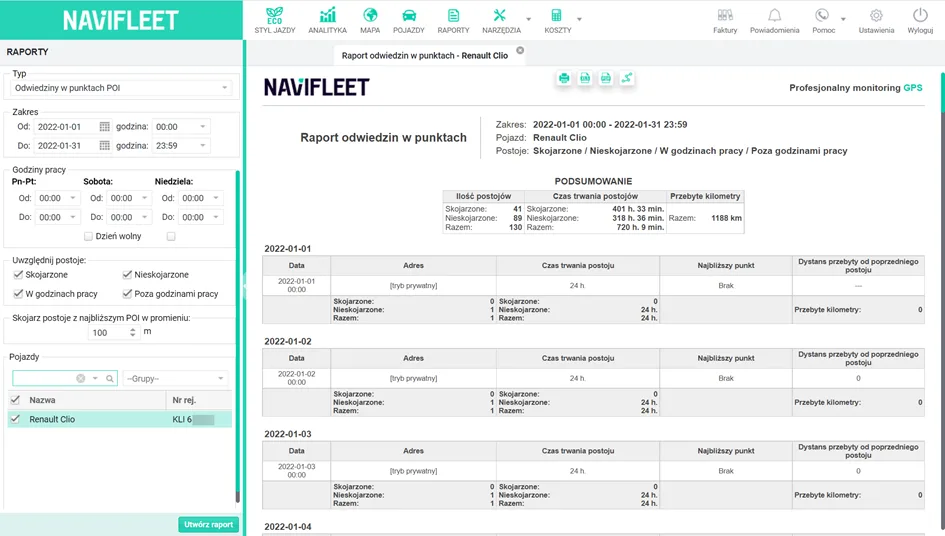
The Navifleet app also censors the addresses of stops at POIs. In the generated report they are displayed as [private mode]. In addition, the POIs closest to a given address in private mode are not identified.
Private mode in the Zone visits report
In the generated Zone visits report, a stay in a given zone is not displayed if it took place entirely in private mode.
If the driver entered the zone in private mode and left it in business mode, the Zone entry column shows an icon indicating that the data on the start of the stay in the zone results from switching from private to business mode, not from a change of location (an actual entry into the zone).
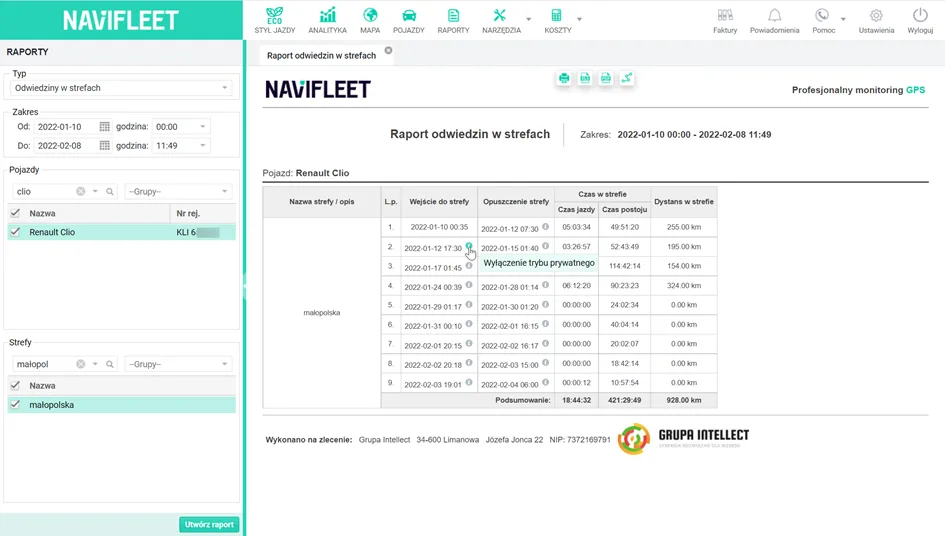
If the icon appears in the Zone exit column, it means that at that moment the driver switched from business to private mode (this was not necessarily the moment they actually left the zone – they may have left it earlier). Every switch to private mode inside a zone is treated as leaving the zone, so that not even an approximate route or the places visited can be established.
Private mode in the Mileage record report
If the driver was in private mode, the addresses in the From and To columns of the mileage record report are changed to [private mode]. If private mode was switched on only at the start or end of the journey, the address in the relevant column is hidden. The Google Maps link is also unavailable.
Note! If the vehicle may be used privately, using the Mileage record report is not recommended. A business that is an active VAT payer is entitled to a full VAT deduction on expenses related to using the vehicle, provided that the vehicle is used exclusively for business purposes.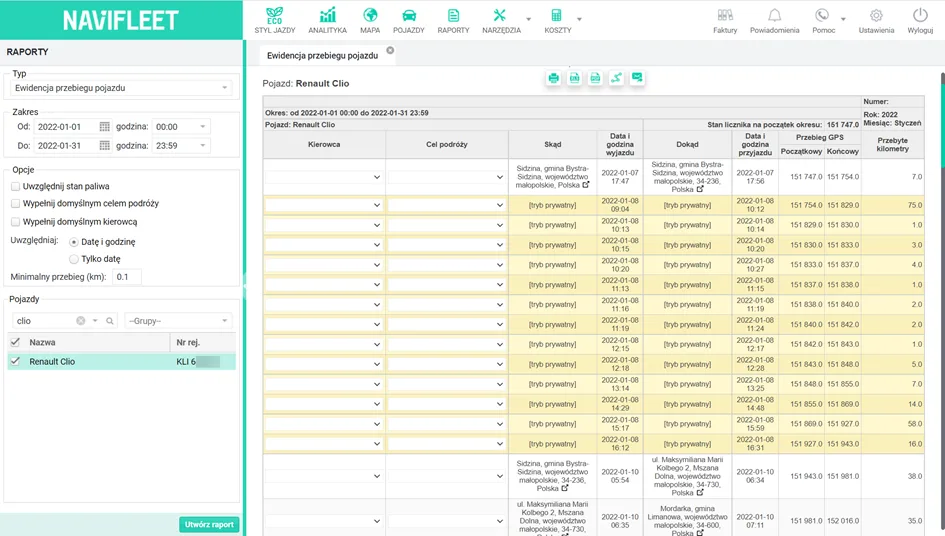
Private mode in the Speeding report
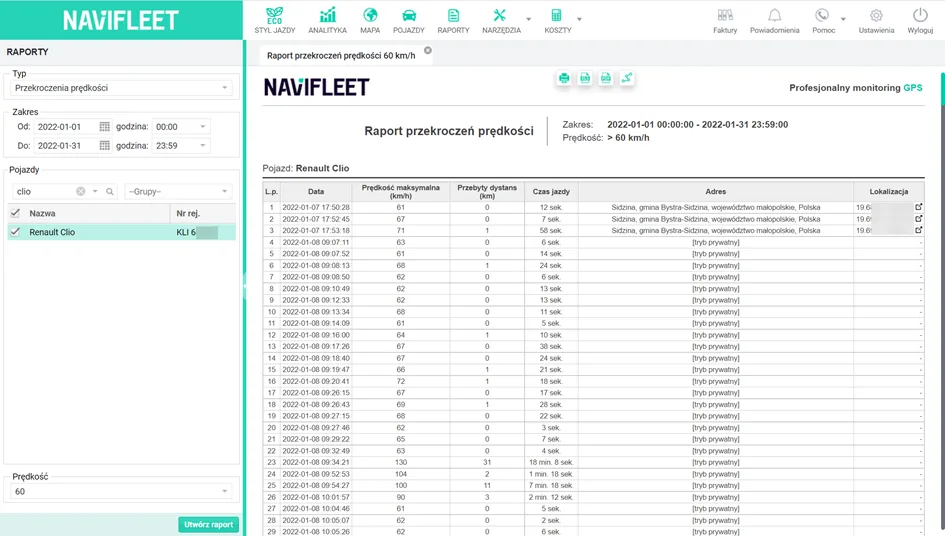
In Speeding reports, if the first data frame in the given time range was in private mode, the address and location of the event are hidden. The Google Maps link is also unavailable.
Private mode in notifications and quick sharing
Switching private mode on also affects Notifications. If a notification occurs during private driving, the address of the event, the coordinates and the option to open the mini-map are hidden (notifications are also anonymised in the Navifleet mobile app).
The same applies to the vehicle sharing feature. For vehicles in private mode, their location is hidden.